
Written byStevenUpdated on Oct 13, 2026

Before we start: As a professional data erasure software, Donemax Data Eraser for Mac provides certified and military-grade data wiping algorithms. By using with the software, you can permanently wipe data and ensure the data is gone forever.
PAGE CONTENT:
If you are preparing to sell your old MacBook Pro, trade in your MacBook Air, donate an aging iMac, or return a corporate Apple laptop, safeguarding your privacy is essential. Throughout its lifespan, your Mac collects gigabytes of sensitive information—including bank statements, personal passwords, private photos, work documents, and browsing history.
Many Mac users assume that moving files to the Trash and emptying it, or running a standard format in macOS Disk Utility, provides total security. Unfortunately, that is a dangerous myth. Standard deletion leaves your file binary code intact on storage sectors, making data recovery simple for anyone with professional data recovery software.
To protect your identity and corporate confidentiality, you need certified military grade data destruction software for MacBook. In this guide, we will explore why native Mac tools fall short, how certified wiping standards work, and how Donemax Data Eraser safely sanitizes your MacBook beyond recovery.
When you drag a file to the Trash on your MacBook and empty it, you probably assume your data is gone forever. Unfortunately, macOS simply removes the file pointer and marks that storage area as available space. The actual data remains intact on your drive until new files overwrite it.
Anyone equipped with basic data recovery software can easily scan your storage sectors and restore your private photos, passwords, bank records, and work documents. If you are selling, trading in, or recycling your MacBook, this leaves your personal privacy dangerously exposed.
To guarantee that your sensitive information cannot be recovered by anyone, you need certified military grade data destruction software for MacBook. In this guide, we explore how professional data shredding works and how you can permanently sanitize your Mac storage using Donemax Data Eraser for Mac.
To understand why specialized software is necessary, it helps to look at how macOS handles file management.
Modern MacBooks use advanced APFS (Apple File System) formatting on solid-state drives (SSDs). When you delete a file, macOS updates the file directory table to say the file no longer exists. However, the actual binary code of your file remains sitting on the flash memory blocks.
Data recovery tools bypass the macOS file system entirely. They scan raw storage sectors directly. If those sectors have not been overwritten with random binary data, recovery tools can stitch your files back together instantly.
Military grade data destruction goes far beyond simple formatting. It relies on certified data sanitization algorithms established by government and defense organizations.
These algorithms overwrite storage sectors multiple times using specific patterns—such as all zeros, all ones, and randomized hexadecimal characters. Once a drive is overwritten in this manner, the original magnetic or electronic charge is permanently destroyed.
Key security standards include:
If you are looking for a powerful, certified, and user-friendly utility, Donemax Data Eraser for Mac is the premier choice. It is built specifically to meet government, military, and industry data erasure standards.
Whether you are using an older Intel-based MacBook, an Apple T2 security chip Mac, or a modern MacBook Pro/Air with Apple Silicon, Donemax Data Eraser delivers complete data destruction without harming your hardware.
Using Donemax Data Eraser for Mac requires no advanced technical skills. Follow these simple steps to shred sensitive files permanently:
Step 1: Download and install Donemax Data Eraser for Mac on your computer.
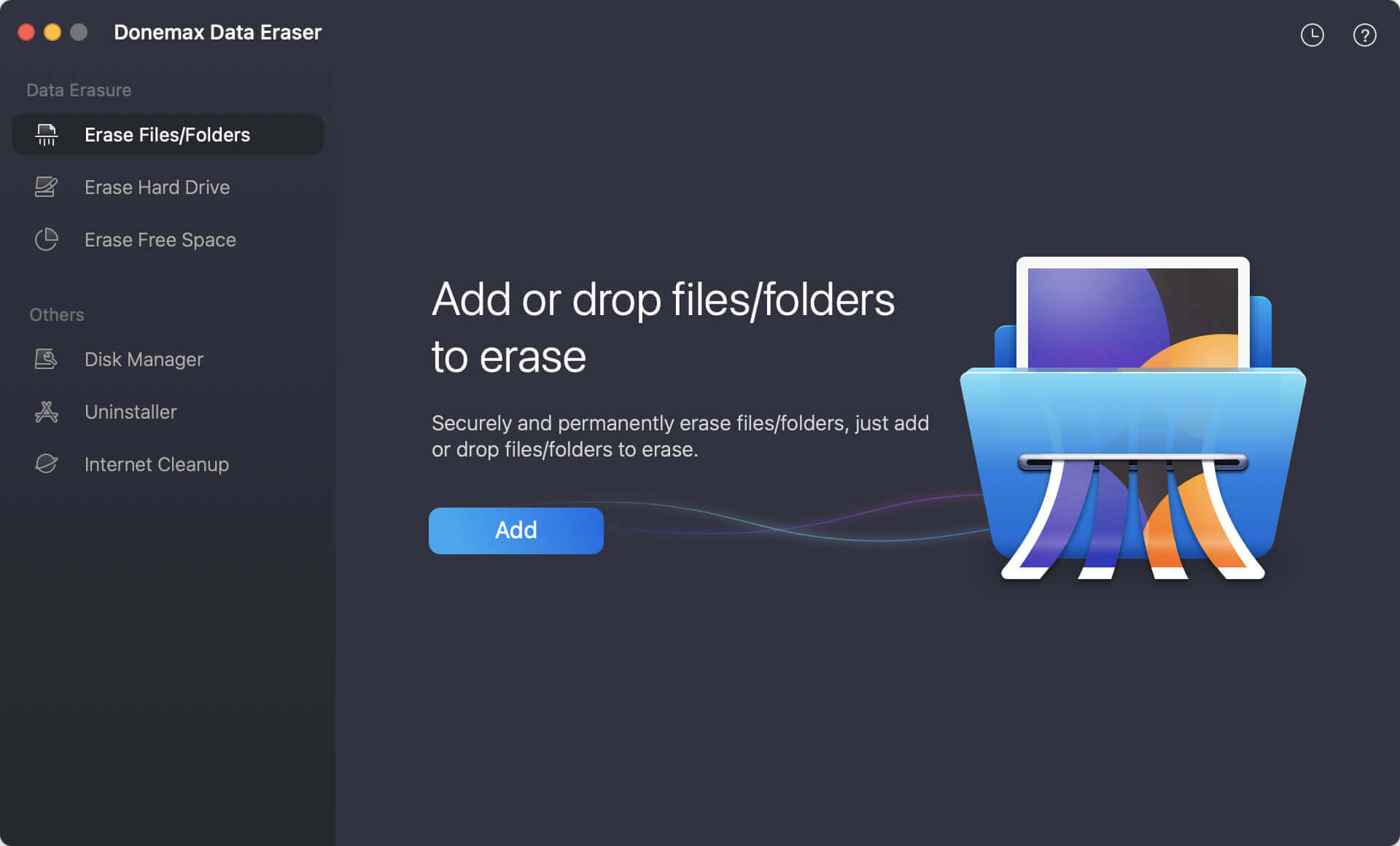
Step 2: Launch the application and select 'Erase Files/Folders' mode from the main interface. Drag and drop your sensitive files or folders into the software window, or click 'Add' to browse your Mac.
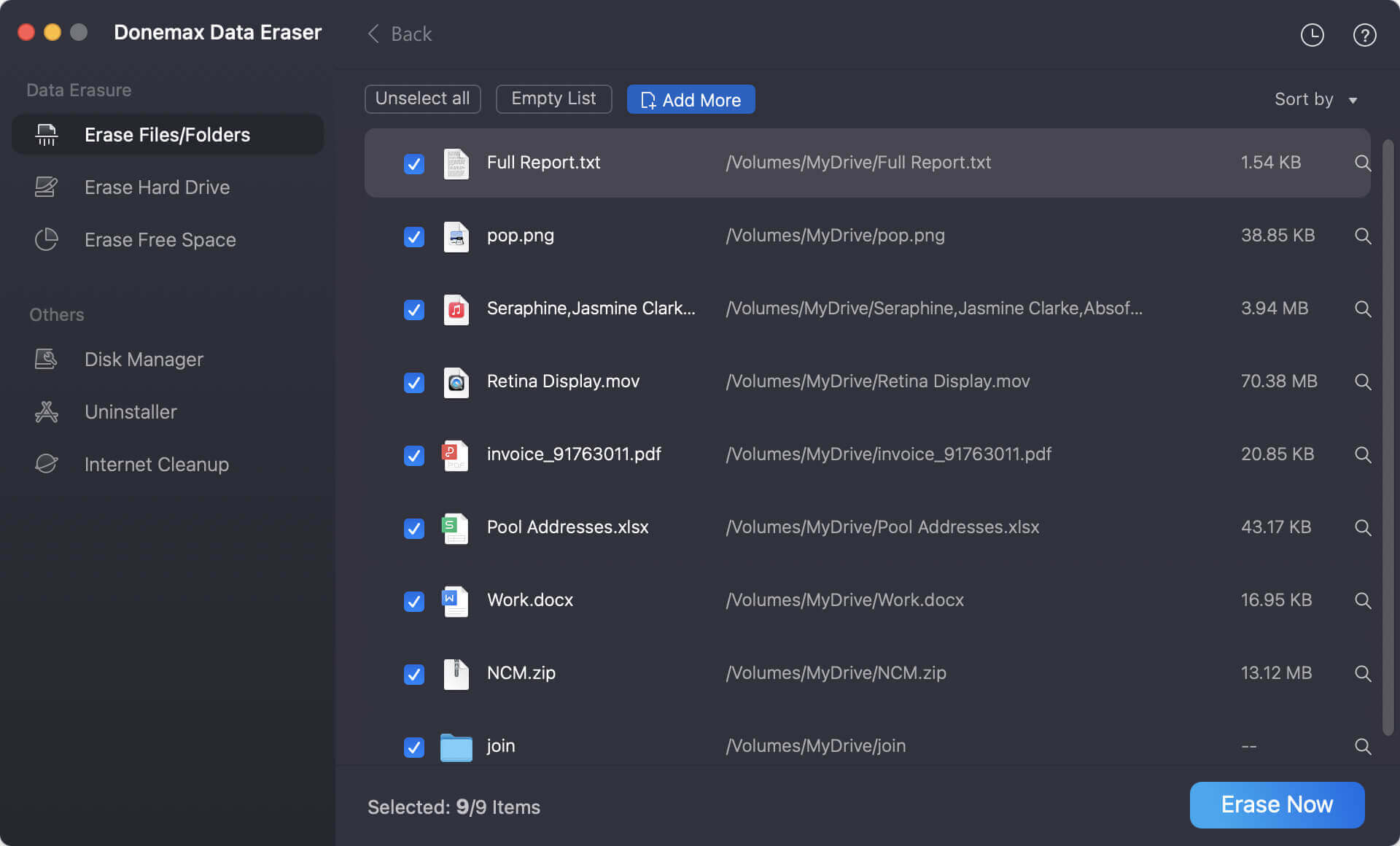
Step 3: Click the 'Erase Now' button. Donemax will ask you to select a data erasure algorithm. There are many military grade algorithms you can choose for data erasure.
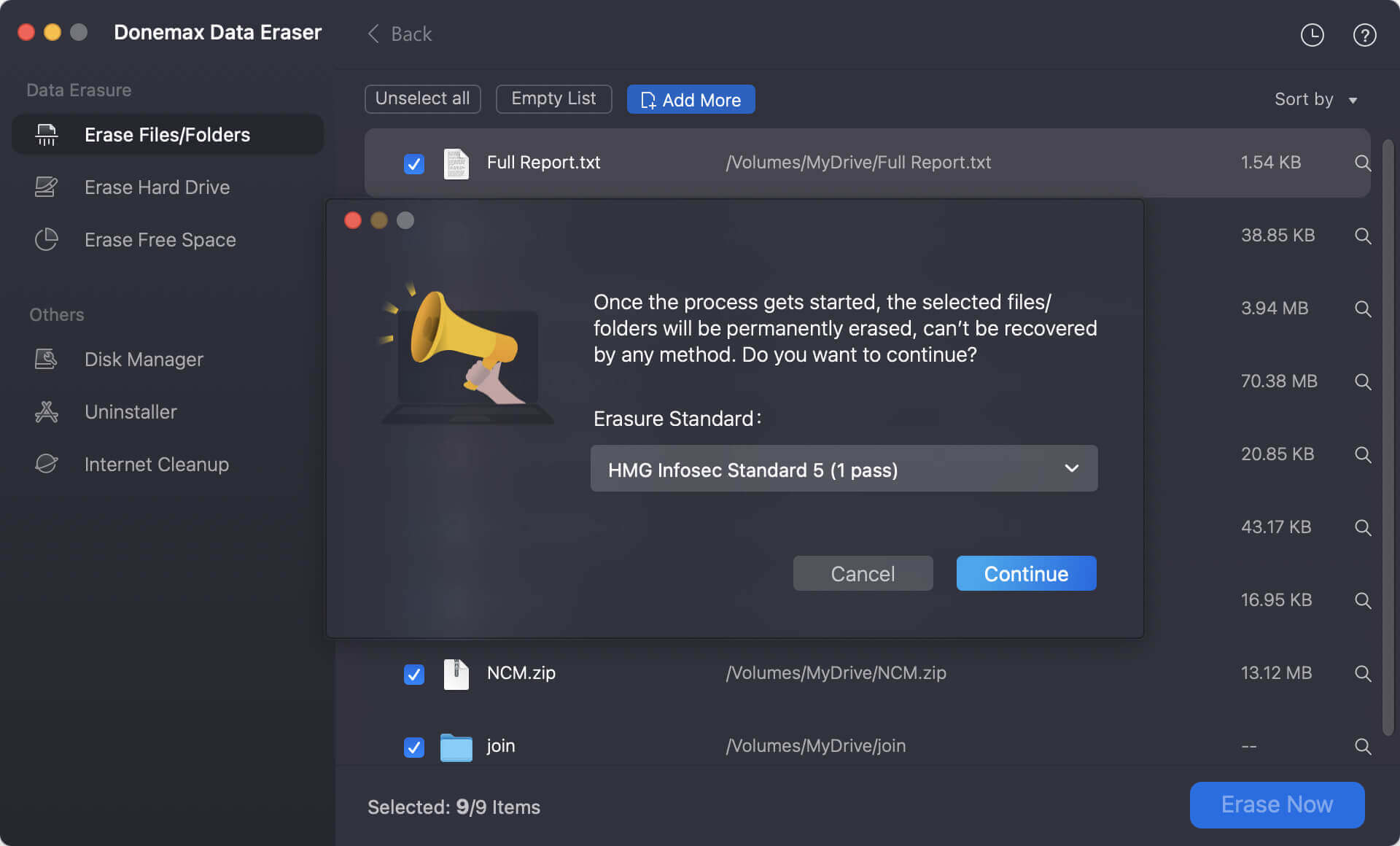
Step 4: Click the 'Continue' button to start shredding files. Donemax will instantly overwrite and shred the selected files so they are 100% unrecoverable.
Protecting your personal privacy is essential whenever you part ways with a computer. Relying on standard deletion or emptying your Mac Trash leaves your confidential information vulnerable to identity theft and data recovery.
By using Donemax Data Eraser for Mac, you get certified military grade data destruction software for MacBook that guarantees complete peace of mind. Download Donemax Data Eraser today to shred files, wipe free space, or sanitize your entire MacBook securely !
Donemax Data Eraser for Mac
100% safe and powerful Mac data erasure program. It offers certified data erasure standards including U.S. Army AR380-19, DoD 5220.22-M ECE to securely and permanently erase data from Mac HDD/SSD and external storage devices, making data recovery impossible.
Steven
Steven has been a senior writer & editor of Donemax software since 2020. He's a super nerd and can't imagine the life without a computer. Over 6 years of experience of writing technical solutions and software tesing, he is passionate about providing solutions and tips for Windows and Mac users.
Gerhard Chou
In order to effectively solve the problems for our customers, every article and troubleshooting solution published on our website has been strictly tested and practiced. Our editors love researching and using computers and testing software, and are willing to help computer users with their problems