
Written byStevenUpdated on Sep 02, 2026

Summary: The DoD 5220.22-M 3-pass algorithm is a standard data wiping standard created by the U.S. Department of Defense. It overwrites target data in three distinct passes. This completely destroys data recovery chances. Donemax Data Eraser is a reliable, easy-to-use software that supports DoD 5220.22-M 3-pass erasure across Windows and Mac devices. You can download it for free to safely wipe files, formatted hard drives, or leftover free space.
PAGE CONTENT:
When you delete a file on your computer or format a hard drive, you might think your personal data is gone forever. However, standard operating system formatting or sending files to the Trash/Recycle Bin only removes the directory reference to those files. The actual data remains intact on your storage sectors until new data happens to write over it.
This creates a serious privacy risk when selling, donating, returning, or recycling old devices. Data recovery software can easily scan these unformatted or 'deleted' sectors and restore confidential financial records, private photos, business contracts, and passwords.
To guarantee your personal data is destroyed beyond any possibility of recovery, you need professional military-grade data erasure tools. Among these standards, the DoD 5220.22-M 3-pass wipe algorithm remains the most popular and trusted method worldwide.
The DoD 5220.22-M standard was originally specified by the National Industrial Security Program Operating Manual (NISPOM) under the U.S. Department of Defense. It defines a standardized process for securely sanitizing magnetic storage media so that no physical or software-based data recovery tool can retrieve previous traces.
How the DoD 5220.22-M 3-Pass Overwrite Process Works:
By completing these three passes, the magnetic charges on hard drive platters are completely randomized and destroyed. Even specialized laboratory data recovery techniques cannot rebuild the original files.
Users often ask: Is 3-pass enough, or should I use 7-pass? Here is a simple comparison between common data sanitization standards:
| Standard / Algorithm | Number of Passes | Security Level | Wiping Speed & Best Use |
|---|---|---|---|
| DoD 5220.22-M (3-Pass) | 3 Passes | Very High (Military Grade) | Fast & Optimal Balance for HDDs/SSDs/USBs |
| DoD 5220.22-M ECE (7-Pass) | 7 Passes | Maximum Security | Slower; Overkills for general user needs |
| U.S. Army AR 380-19 | 3 Passes | High Security | Standard military sanitization method |
| Peter Gutmann Algorithm | 35 Passes | Extremely High | Very Slow; Designed for ancient magnetic drives |
For almost all consumers, businesses, and IT professionals, DoD 5220.22-M 3-pass offers the perfect balance between absolute data security and execution speed.
If you are searching for a reliable DoD 5220.22-m 3-pass wipe tool free download, Donemax Data Eraser is highly recommended. It is a powerful, secure, and user-friendly data wiping tool available for Windows 11/10/8/7 and macOS.
Erasing data with Donemax Data Eraser takes only a few simple steps. Follow this quick guide to permanently wipe your confidential files or drives using the DoD 5220.22-M 3-pass algorithm:
Step 1: Select Your Wiping Mode and Choose the Target Disk or Files
Download and launch Donemax Data Eraser on your computer. Choose the mode that fits your goal:
Select the specific files/folders, hard drive or volume you want to sanitize.
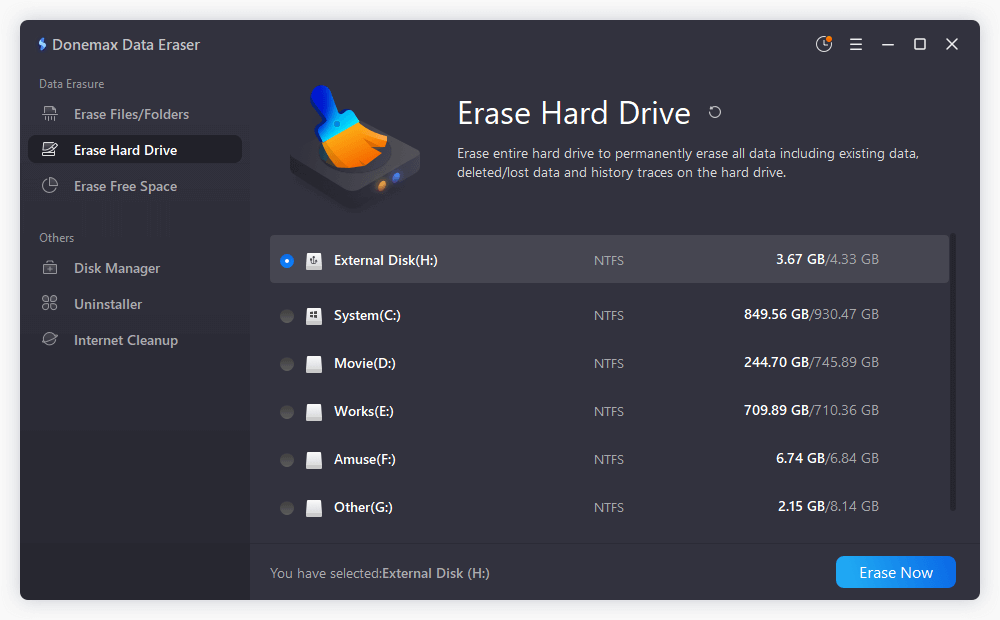
Step 2: Click 'Erase Now' and Choose the DoD 5220.22-M Standard
Once you have chosen your target drive or files, click the Erase Now button. A pop-up setting window will display available data erasure standards. From the algorithm dropdown list, select 'DoD 5220.22-M (3 passes)'.
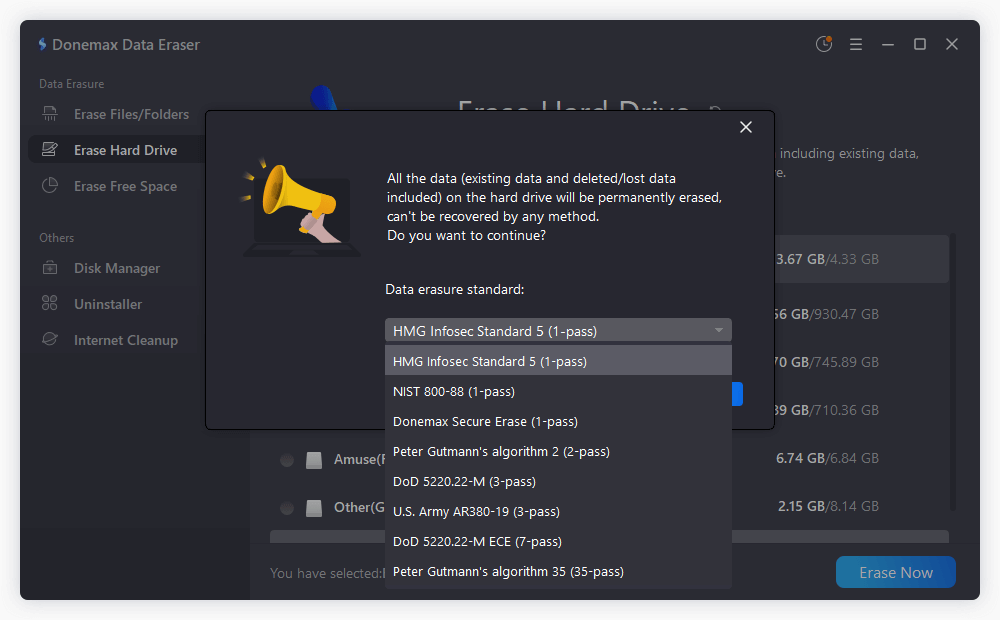
Step 3: Click 'Continue' to Start Data Wiping
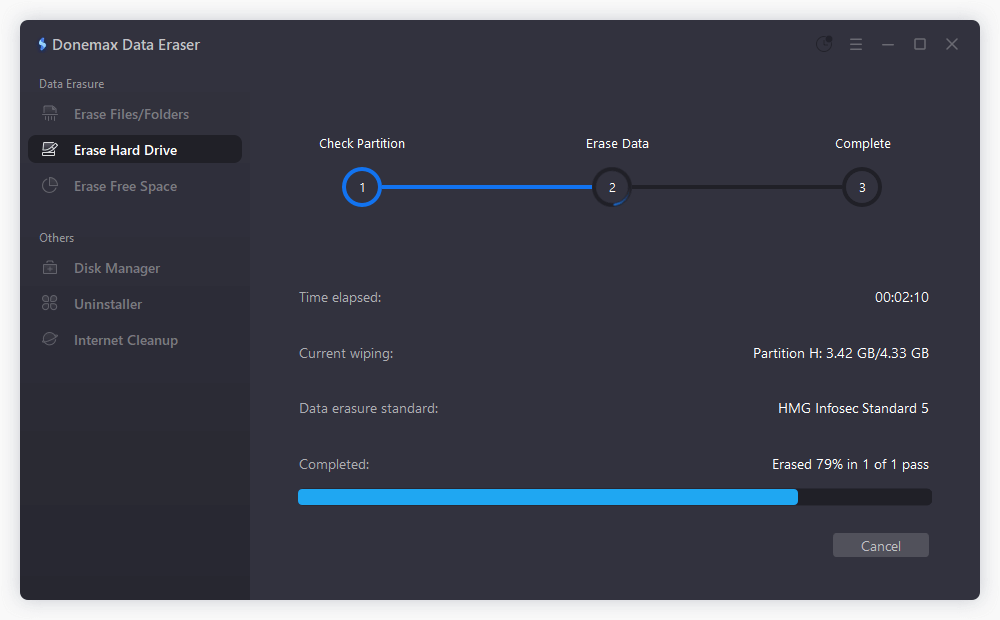
Confirm your choice and click the Continue button. Donemax Data Eraser will immediately start overwriting the selected area using the 3-pass DoD standard. Once completed, all target data will be permanently destroyed and completely unrecoverable.
You should run a DoD 3-pass data wipe whenever sensitive information could be accessed by unauthorized third parties:
Protecting your private data requires proactive data destruction. Deleting files or formatting drives simply isn't enough. By downloading Donemax Data Eraser, you gain access to the battle-tested DoD 5220.22-M 3-pass wipe tool that ensures your deleted data remains gone forever.
Get your DoD 5220.22-m 3-pass wipe tool free download today and enjoy total peace of mind when recycling, selling, or managing your storage devices!
Donemax Data Eraser
The best data erasure program to permanently delete data. It works on PCs, Macs, HDDs, SSDs, USB drives, digital cameras, and other devices. Once the tool erases the data, no one can recover it by any method.
Steven
Steven has been a senior writer & editor of Donemax software since 2020. He's a super nerd and can't imagine the life without a computer. Over 6 years of experience of writing technical solutions and software tesing, he is passionate about providing solutions and tips for Windows and Mac users.
Gerhard Chou
In order to effectively solve the problems for our customers, every article and troubleshooting solution published on our website has been strictly tested and practiced. Our editors love researching and using computers and testing software, and are willing to help computer users with their problems