
Written byStevenUpdated on Nov 23, 2026

Before we start: Donemax Data Eraser for Mac is a third-party option to consider for erasing data on a Mac. Before downloading, check the current product page for Apple Silicon and macOS compatibility, available erasure methods, and any specific certification claims. Download from the vendor's official website, not an unofficial software directory.
PAGE CONTENT:
To download a certified data wiping program for an Apple Silicon Mac, first check whether the software supports your macOS version and whether its security claims are independently verifiable. For a Mac you're selling or giving away, Apple's built-in Erase All Content and Settings is often the right first step. Donemax Data Eraser for Mac is another option to evaluate for file and drive erasure.
A "certified" data wiping program should name the certification or standard it meets and provide evidence that applies to the product version you plan to use. A general claim of "military-grade" or "permanent erasure" is not the same as a verifiable certification.
Apple Silicon Macs use built-in storage and hardware-backed encryption. Because of this, the best erasure method depends on what you're removing: individual files, free space, an external drive, or all content before transferring the Mac to someone else.
A suitable program should make its supported devices and erasure methods clear. It should also explain what its security claims mean, provide a straightforward workflow, and avoid promising that every method works equally well on every storage type.
|
What to check |
Why it matters |
|---|---|
|
Apple Silicon compatibility |
Confirms the software supports Macs with M-series chips |
|
macOS compatibility |
A supported processor does not guarantee support for every macOS release |
|
Certification details |
Lets you verify the named standard and its scope |
|
Storage support |
Erasing an internal SSD can differ from erasing an external drive |
|
Erasure method |
A file erase, free-space wipe, and full-device erase are different tasks |
|
Recovery limitations |
SSD behavior and hardware encryption can affect how erasure works |
|
Official download source |
Reduces the risk of downloading modified or unsafe installers |
If a product says it is certified, look for the name of the certifying organization, the standard or test, the product version covered, and a certificate or verification page. Also check whether the certification covers the exact function you need. Certification for one erasure method or product version does not automatically apply to every feature or later release.
If those details are not available, treat the claim as unverified. You can still evaluate the product based on its documented features, but do not assume that a broad security phrase proves independent certification.
A few checks can prevent accidental data loss and make the process easier to verify.
To evaluate Donemax Data Eraser for Mac, visit the official Donemax website and locate the Mac Data Eraser product page. Check the current system requirements and supported functions before downloading. Product capabilities, installer details, and macOS support can change, so use the information on the current official page rather than relying on an older review.
Before installation, confirm that the download is from Donemax's official domain and review the installer's permissions. After opening the program, select only the files or drive you intend to erase. Read the selected method's description carefully, because erasure may be irreversible.
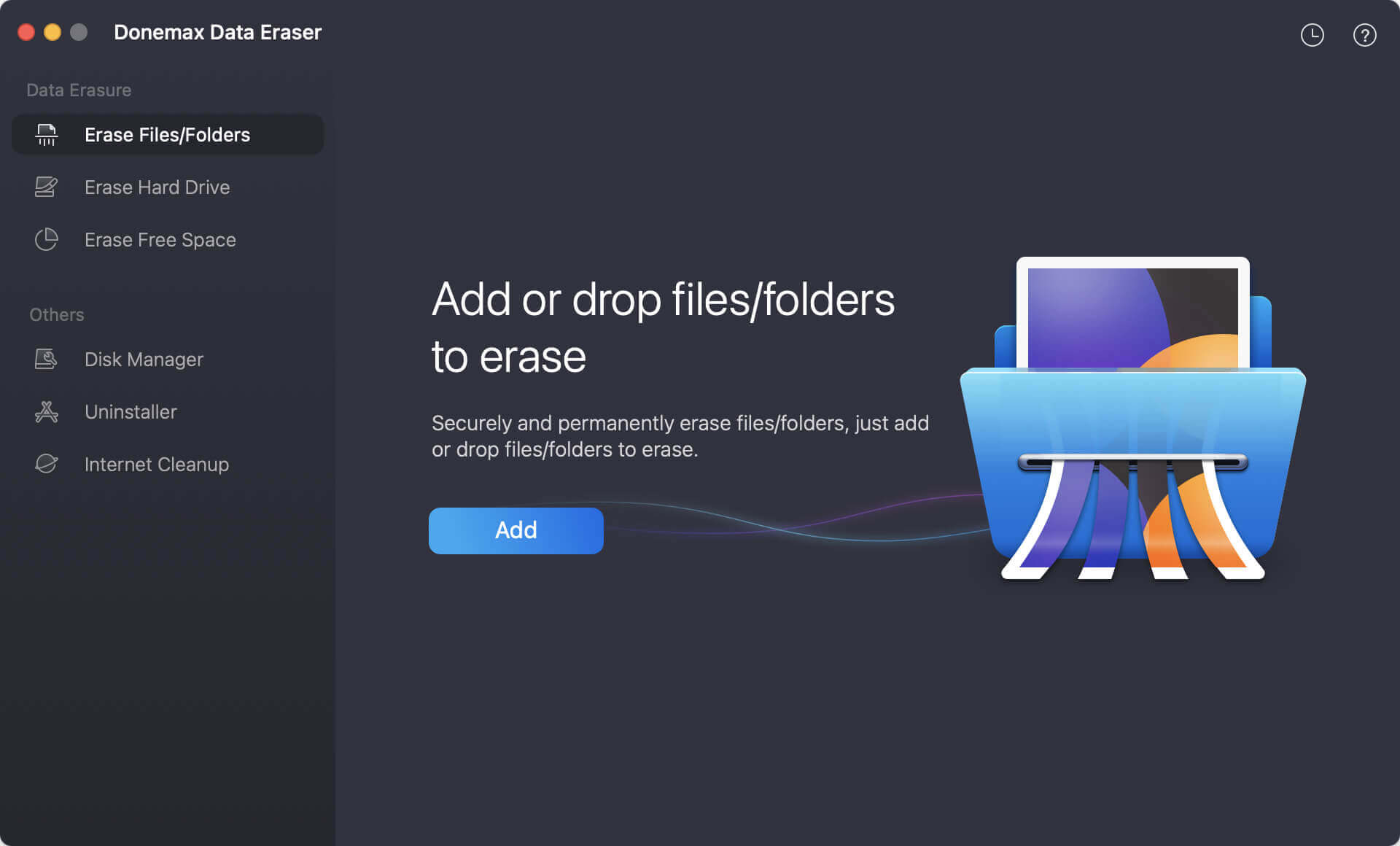
Donemax Data Eraser for Mac may be worth evaluating if you need a dedicated interface for supported file or drive erasure tasks. For a complete Mac handoff, compare its instructions with Apple's built-in reset process and use the approach that matches your Mac, macOS version, and security requirements.
A dedicated erasure tool and Apple's reset feature address different needs. The built-in option is designed to prepare supported Macs for a new user. A third-party program may offer additional workflows for selected files or supported drives.
|
Consideration |
Apple Erase All Content and Settings |
Third-party data eraser |
|---|---|---|
|
Main use |
Prepare a supported Mac for transfer or sale |
Perform the specific file or drive tasks the app supports |
|
Apple Silicon integration |
Built into supported macOS versions |
Depends on the software's compatibility and design |
|
External drive options |
Use Disk Utility or another compatible tool |
May offer additional documented erase methods |
|
Certification |
Apple's security design is documented by Apple |
Verify any certification claim with the vendor or certifier |
|
Best next step |
Check Apple's instructions for your model and macOS |
Review system requirements and method details before use |
When you search to download a certified data wiping program configured for Apple Silicon, verify the certification instead of relying on broad claims. Match the erase method to your task and storage type. Apple's built-in reset is a practical starting point for transferring a supported Mac, while Donemax Data Eraser for Mac is an option to evaluate for its documented file and drive erasure features.
Donemax Data Eraser for Mac
100% safe and powerful Mac data erasure program. It offers certified data erasure standards including U.S. Army AR380-19, DoD 5220.22-M ECE to securely and permanently erase data from Mac HDD/SSD and external storage devices, making data recovery impossible.
Steven
Steven has been a senior writer & editor of Donemax software since 2020. He's a super nerd and can't imagine the life without a computer. Over 6 years of experience of writing technical solutions and software tesing, he is passionate about providing solutions and tips for Windows and Mac users.
Gerhard Chou
In order to effectively solve the problems for our customers, every article and troubleshooting solution published on our website has been strictly tested and practiced. Our editors love researching and using computers and testing software, and are willing to help computer users with their problems