
Written byChristinaUpdated on Jul 10, 2026

Before we start: After data loss happened on macOS 27 Golden Gate, stop using the drive to avoid further damage to the lost data. Then download and use the best recovery tool for macOS 27 - Donemax Data Recovery for Mac. It can help you get back the deleted or lost files quickly.
PAGE CONTENT:
Losing important files can be an absolute nightmare. Whether it is a collection of precious family photos, critical work spreadsheets, or a creative project you have spent weeks fine-tuning, data loss happens when we least expect it. A sudden power cut, a system crash during an update, or a simple accidental click on 'Empty Trash' is all it takes.
With Apple's rollout of the new macOS 27 Golden Gate operating system, recovering lost data has changed. The new system comes with updated file system architectures, tighter security boundaries, and deeper optimization for Apple Silicon chips. This means older, unoptimized data recovery utilities simply won't work correctly or might fail to recognize deleted data chunks altogether.
If you find yourself facing a data crisis on the latest Apple ecosystem, do not panic. Your data is likely still on your drive, waiting to be rescued. To help you make the right choice quickly, we have tested and analyzed the top 5 data recovery software for macOS 27 Golden Gate. Let's look at the best tools available to get your files back safely.
Before diving into our top picks, it is helpful to understand what a recovery tool must achieve on Apple's latest operating system. Due to advanced security protocols like T2 chips and Apple Silicon Secure Enclaves, data recovery requires specific technical adjustments.
The top tools must offer excellent compatibility with APFS (Apple File System), handle dynamic disk structures seamlessly, and bypass system restrictions safely without compromising your Mac's internal defense mechanisms. Additionally, a great tool should feature high-speed deep scanning while remaining straightforward and easy for anyone to use.
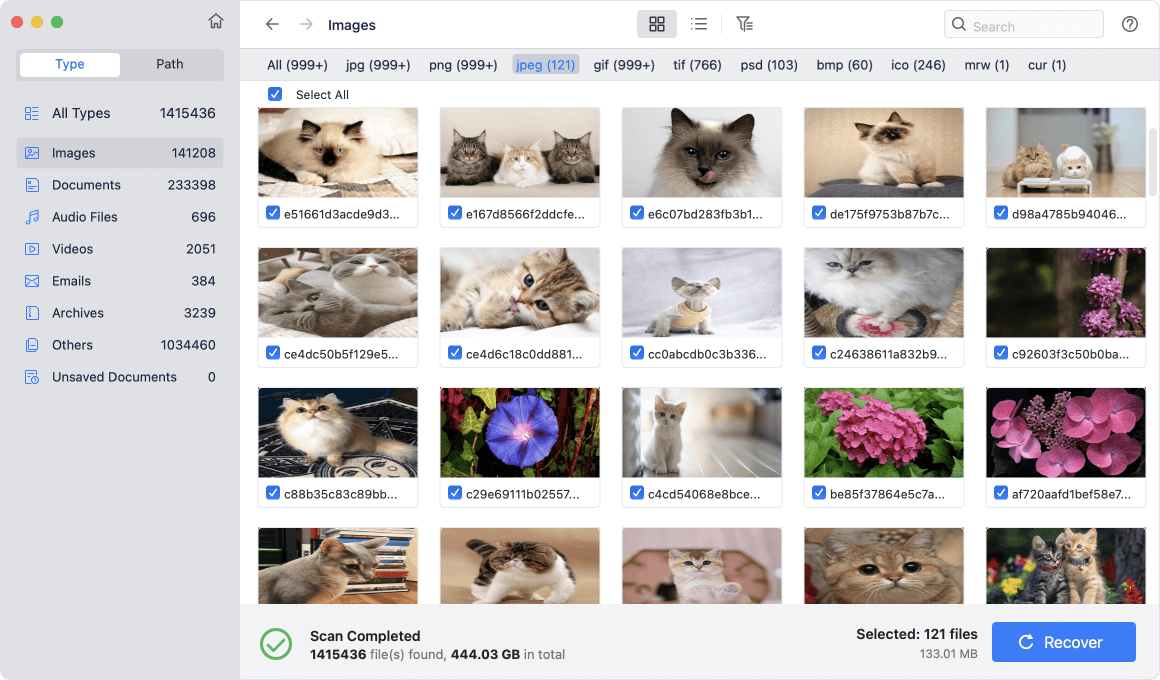
Taking the undisputed number one spot on our list is Donemax Data Recovery for Mac. Designed from the ground up for modern macOS versions, this software balances heavy-duty recovery algorithms with a wonderfully clean, conversational user interface.
Donemax Data Recovery for Mac is fully optimized for macOS 27 Golden Gate and Apple Silicon (M1, M2, M3, M4, M5, and future chips). It boasts a 99% recovery success rate for common data loss scenarios, including formatted hard drives, accidental deletion, system crashes, and virus infections.
One of the standout features of Donemax is its proprietary deep scanning engine. It goes deep into the raw storage blocks of your SSD or HDD to reconstruct file headers, ensuring you retrieve files with their original names and directory paths intact. It supports over 1,000 file types, covering everything from standard documents to professional video formats.
Why It's Number One:
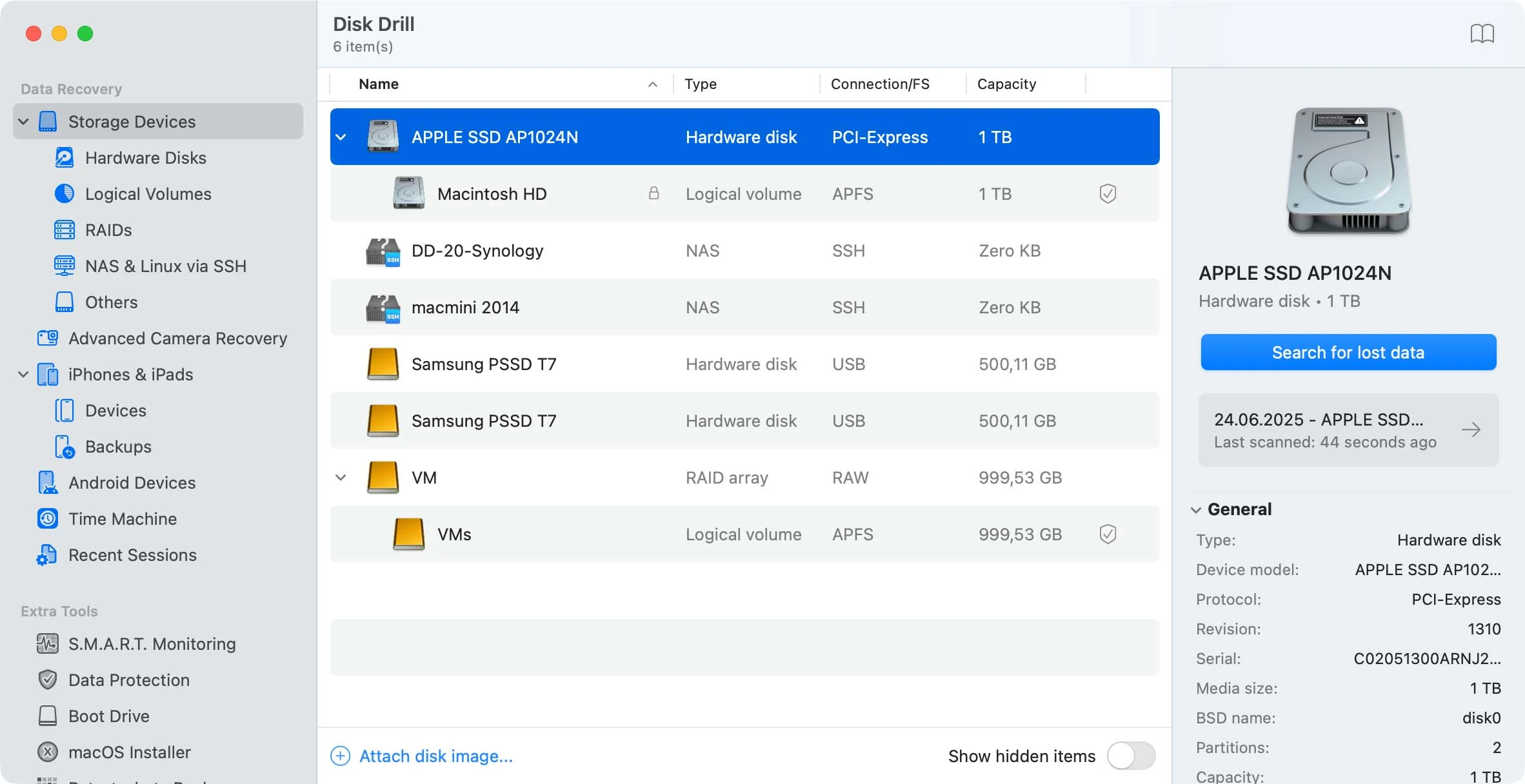
Disk Drill is another highly popular option in the data recovery space. Known for its sophisticated visual interface, it handles standard data loss situations quite well on macOS 27 Golden Gate.
The software provides robust filtering options, allowing you to sort through scan results by file type, size, or date modified. It also packages a few extra disk health utilities that can help monitor your storage drive over time.
👍 Pros:
👎 Cons:
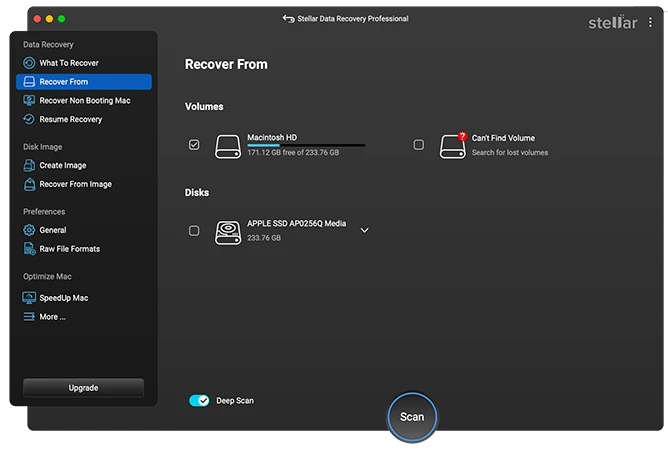
Stellar Data Recovery is a long-standing tool that has served Mac users for many years. It is particularly effective for recovering multimedia files like custom video projects and raw photographic negatives.
For macOS 27 Golden Gate users, Stellar provides tailored scanning modules for specific file extensions. It is highly reliable when managing external storage expansions, such as portable SSDs or USB flash drives formatted in exFAT or FAT32.
👍 Pros:
👎 Cons:
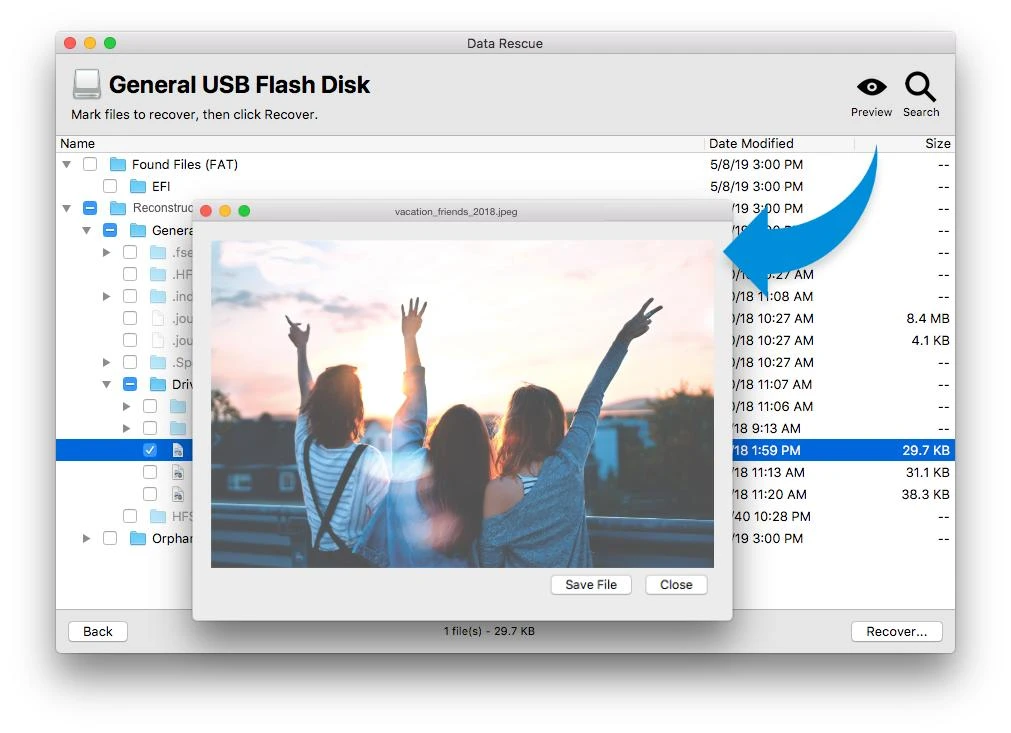
Data Rescue 6 by Prosoft Engineering is geared toward enterprise environments and advanced users who want fine-grained control over their recovery sessions.
It allows you to manage multiple recovery configurations and clone drives to prevent data degradation during the recovery phase. However, because it caters to professional deployment, the workflow uses a bit more technical language and has a steeper learning curve.
👍 Pros:
👎 Cons:
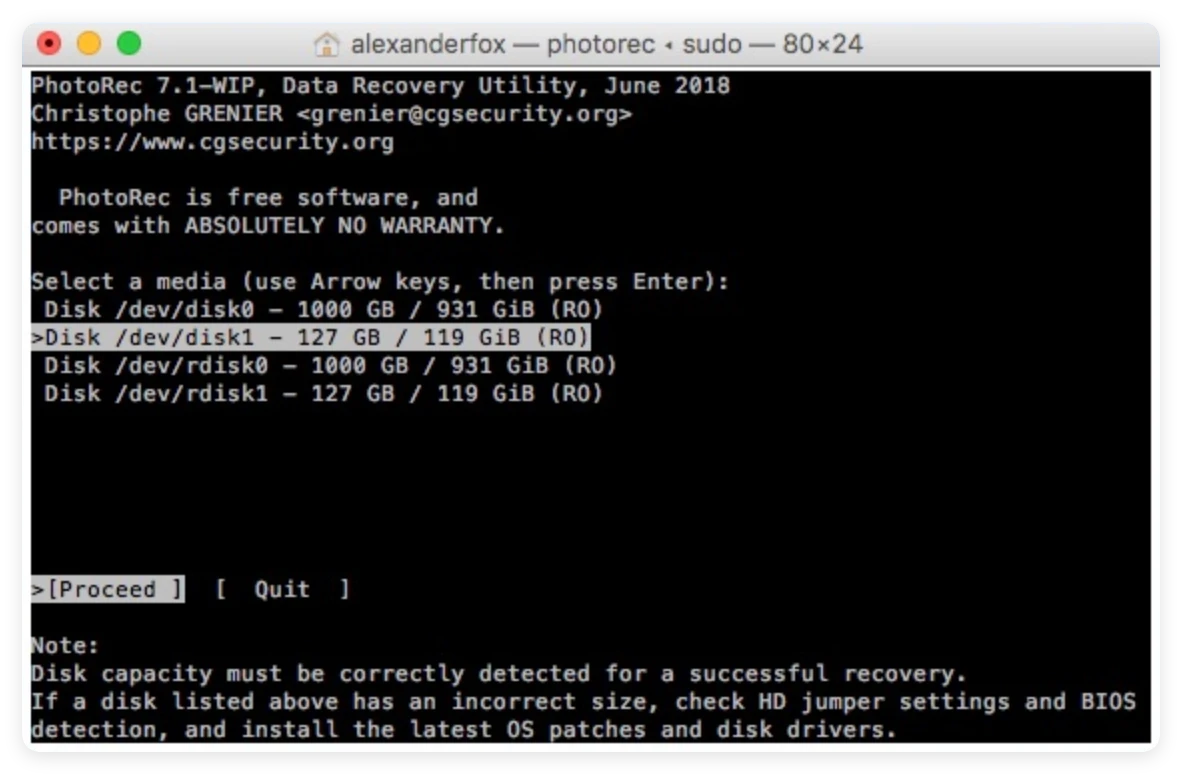
For those who are completely comfortable working with a command-line interface, PhotoRec offers a free, open-source alternative. Despite what its name suggests, it recovers much more than just digital photographs.
PhotoRec ignores the file system structure completely and goes straight for the underlying data blocks. This means it can still pull files from severely corrupted drives. However, because it doesn't have a graphical interface, you must navigate using keyboard commands inside the macOS Terminal.
👍 Pros:
👎 Cons:
To help you quickly evaluate these options, here is a breakdown of how the top 5 data recovery software for macOS 27 Golden Gate match up against each other:
| Software Name | Ease of Use | Golden Gate Compatibility | File Preview |
|---|---|---|---|
| Donemax Data Recovery | Excellent (Simple UI) | Fully Optimized (Native) | Yes (Full Preview) |
| Disk Drill | Good (Clean) | Compatible | Yes |
| Stellar Recovery | Moderate | Compatible | Yes |
| Data Rescue 6 | Complex | Compatible | Partial |
| PhotoRec | Technical (Terminal) | Basic Support | No |
No matter which application you choose, your actions right after data loss occur determine whether your files can be saved. Keep these rules in mind to maximize your recovery chances:
Facing a sudden data loss situation can be stressful, but with the right utility, the recovery process is smooth and painless. While there are several functional programs on the market, choosing a specialized tool makes a massive difference in how much data you successfully retrieve.
Donemax Data Recovery for Mac stands out as the ideal candidate for macOS 27 Golden Gate. It offers the ultimate blend of deep scanning technology, high-speed execution, and an incredibly approachable design. Don't leave your important files to chance. Download Donemax Data Recovery for Mac today and reclaim your peace of mind.
Donemax Data Recovery for Mac
Donemax Data Recovery for Mac is one of the best Mac data recovery software. It is easy-to-use and can help in recovering deleted, formatted, inaccessible or lost data from Mac HDD/SSD, external disk, USB drive, SD card, camera or other storage devices.
Christina
Christina is the senior editor of Donemax software who has worked in the company for 4+ years. She mainly writes the guides and solutions about data erasure, data transferring, data recovery and disk cloning to help users get the most out of their Windows and Mac. She likes to travel, enjoy country music and play games in her spare time.
Gerhard Chou
In order to effectively solve the problems for our customers, every article and troubleshooting solution published on our website has been strictly tested and practiced. Our editors love researching and using computers and testing software, and are willing to help computer users with their problems