
CleanMyMac Alternative: Top Tools to Optimize Mac

Steven
Written byStevenUpdated on Jan 21, 2026

Gerhard Chou
Approved byGerhard Chou

Table of Contents

Before we start: Besides using CleanMyMac to optimize your Mac, there are some other alternatives available. For example, you can use Donemax DMcleaner for Mac to deeply clean up Mac or optimize your Mac.

PAGE CONTENT:

CleanMyMac alternatives

For many Mac users, CleanMyMac has long been a go-to tool for system cleanup, optimization, and malware protection. Its all-in-one design, easy-to-use interface, and comprehensive features make it appealing to both beginners and advanced users. However, not everyone is comfortable relying on a single tool. Some users seek alternatives due to cost, privacy concerns, or specific feature requirements.

If you're looking for a CleanMyMac alternative, this article will guide you through the top options, their features, pros and cons, and how to choose the best one for your needs.
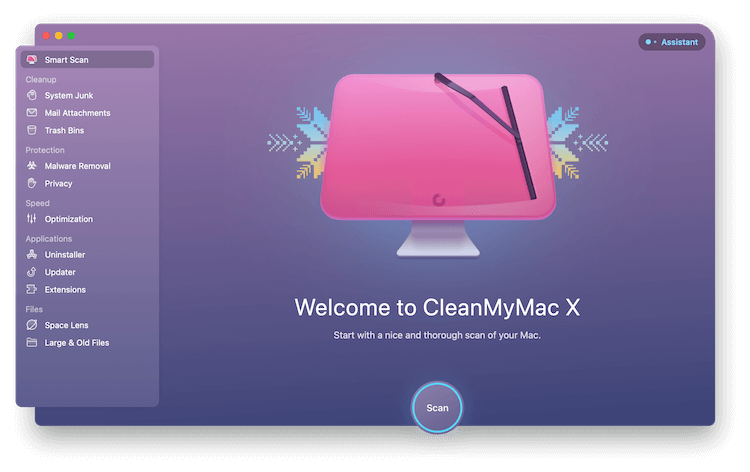
What is CleanMyMac?

CleanMyMac

CleanMyMac, developed by MacPaw, is an all-in-one system utility for macOS. Its core features include:

  • System Cleanup: Removing caches, logs, and temporary files to free up storage space.
  • Malware Protection: Detecting and eliminating malware, adware, and potential threats.
  • Performance Optimization: Managing startup programs, RAM usage, and system performance.
  • App Management: Uninstalling applications completely, including associated files.

Pros

  • User-friendly interface, even for beginners.
  • Comprehensive system maintenance in a single tool.
  • Regular updates and support for the latest macOS versions.

Cons

  • Subscription-based pricing may not suit all budgets.
  • Requires full system permissions, which some users find concerning.
  • Some features, like malware scanning, may be less powerful than dedicated antivirus tools.

Because of these factors, many users explore alternatives that are free, lightweight, or more privacy-conscious.

Key Factors to Consider for CleanMyMac Alternative

Before diving into specific tools, it's important to understand what makes a good alternative. Here are the key criteria:

  1. Safety and Privacy – The software should not collect unnecessary data or pose security risks.
  2. Features – Look for tools that cover your specific needs: cleanup, optimization, malware protection, or app management.
  3. Cost – Free tools are great for basic maintenance, while paid options often include advanced features.
  4. Ease of Use – Depending on your comfort level with macOS, you may want a simple interface or a tool with detailed control.
  5. System Compatibility – Ensure the tool supports your macOS version.

Keeping these in mind will help you choose the most suitable CleanMyMac alternative for your Mac.

Top 5 CleanMyMac Alternatives

Here are some of the best alternatives currently available:
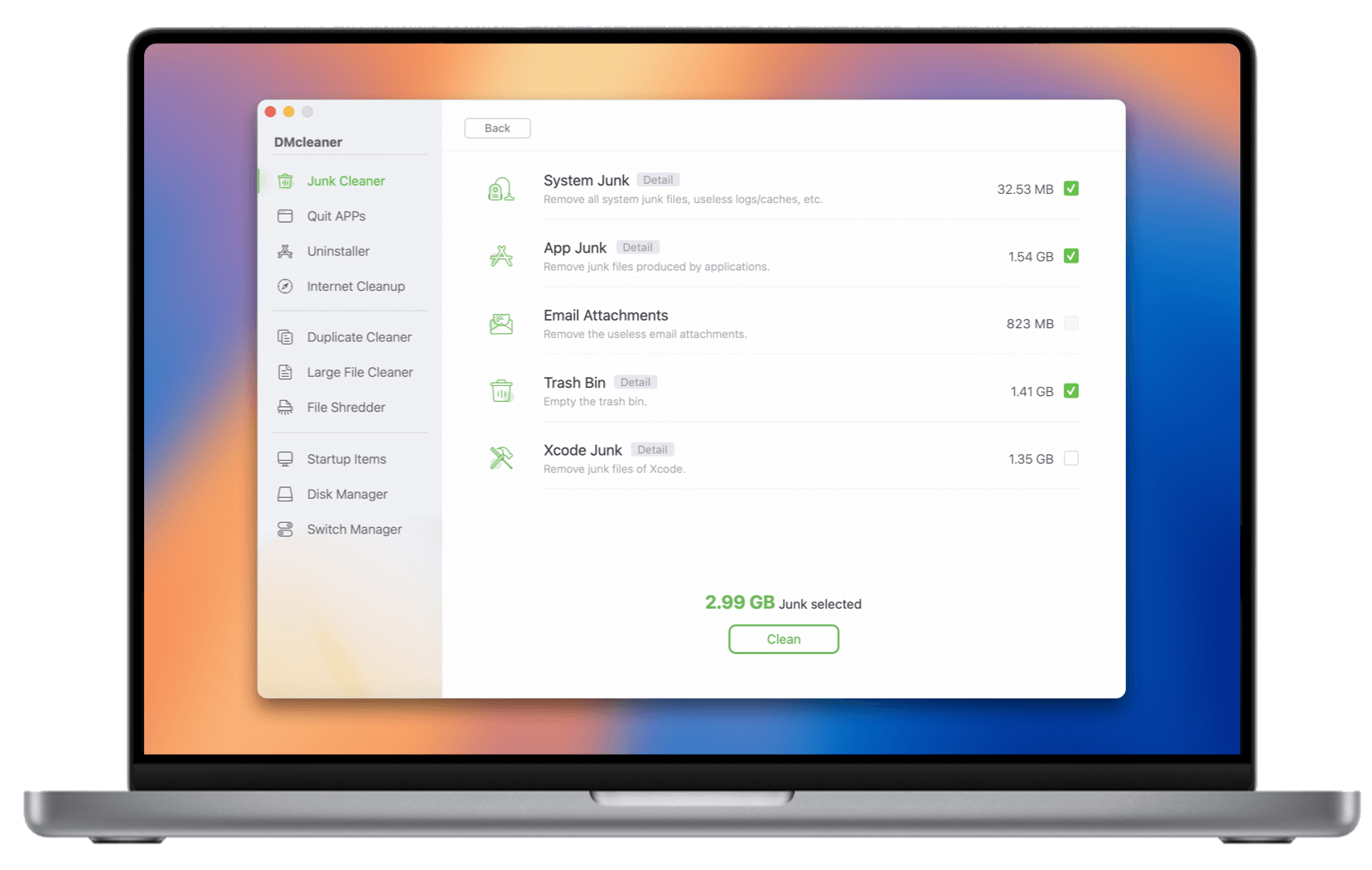
Top 1. Donemax DMcleaner for Mac

CleanMyMac alternatives

Donemax DMcleaner for Mac is one of the most comprehensive CleanMyMac alternatives. It offers an all-in-one solution, combining cleanup, optimization, and security tools in a single app.

Donemax DMcleaner for Mac

  • All-in-on cleanup and optimization tool for Mac.
  • Easy-to-use and professional for Mac cleanup.
  • Support Apple Silicon Macs and latest macOS.

Features:

  • Junk File Cleanup: Clears cache files, logs, outdated downloads, and other digital clutter to free storage space.
  • Memory and CPU Optimization: Monitors RAM usage, removes unnecessary processes, and optimizes system performance.
  • Startup and disk manager: Includes startup items management, and disk formatting/repair/rename/eject/mount features.
  • Privacy information protection: Offers the tool to permanently shred files/folder to help you protect the sensitive and confidential data from breaches.

Pros

  • User-friendly interface suitable for beginners.
  • Combines multiple features that typically require separate tools.
  • Offers email and online chat support and regular updates to keep pace with macOS changes.

Cons

  • Subscription cost can be high compared to other alternatives.

Ideal User Scenario:

If your Mac has limited disk space and need to run multiple apps in daily life or work, Donemax DMcleaner for Mac provides both cleanup and optimization. For example, a freelance designer working on large media files with different applications may benefit from both storage optimization and cleanup.

Pricing: Plans typically start around $19.95/month, with yearly discounts available.
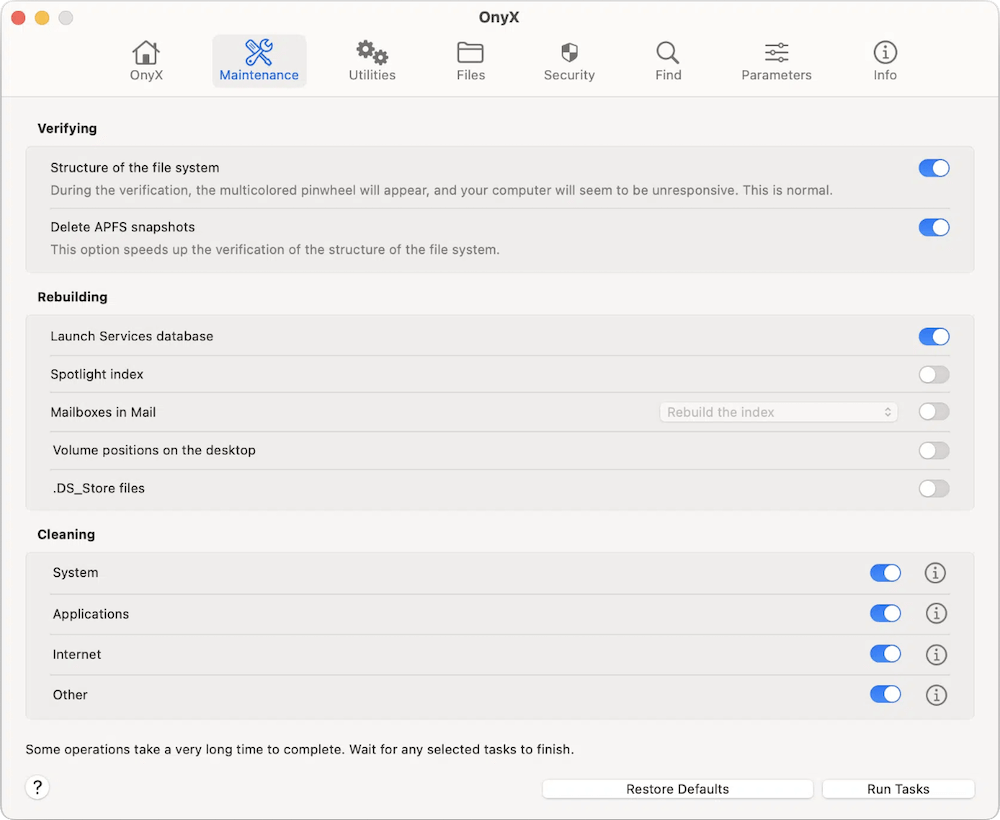
Top 2. OnyX

CleanMyMac alternatives

OnyX is a free macOS maintenance and optimization tool that appeals to advanced users. It offers granular control over system cleanup, maintenance scripts, and hidden macOS features.

Features:

  • System Cleaning: Remove caches, temporary files, old logs, and obsolete app leftovers.
  • Maintenance Scripts: Automates routine tasks such as rebuilding databases and optimizing system functions.
  • Disk Verification & Repair: Check your disk for errors and fix common macOS issues.
  • Customization Tools: Access hidden settings and tweak system behavior according to your needs.

Pros

  • Completely free, making it accessible to everyone.
  • Provides detailed control over cleaning and maintenance processes.
  • Compatible with all recent macOS versions.

Cons

  • The interface may be intimidating for beginners.
  • No built-in malware scanning or antivirus.

Ideal User Scenario:

Power users who want to manually maintain their Mac without subscriptions. For instance, a software developer who wants to clear old cache files and optimize system scripts can benefit from OnyX's advanced options.
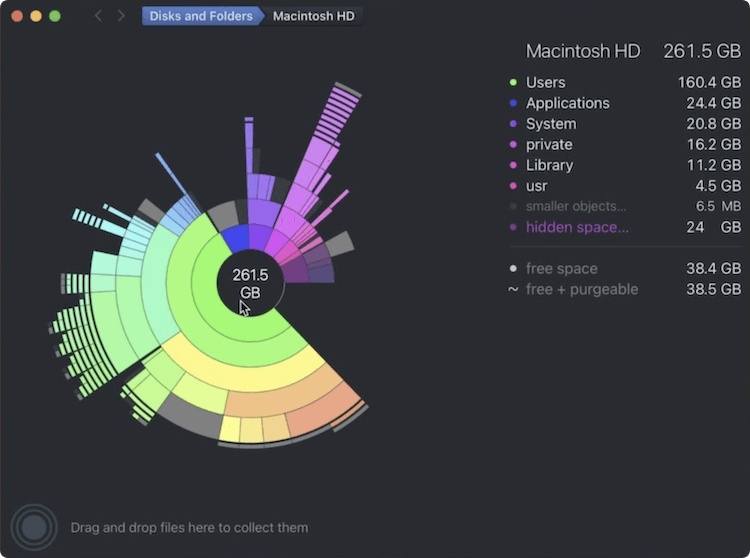
Top 3. DaisyDisk

CleanMyMac alternatives

DaisyDisk is primarily a disk management and visualization tool, making it easier to understand what's taking up space on your Mac. Unlike CleanMyMac, it focuses on storage rather than full system maintenance.

Features:

  • Visual Disk Map: Provides an interactive map of disk usage, highlighting large files and folders.
  • Quick Cleanup: Allows drag-and-drop deletion of unwanted files directly from the interface.
  • Real-Time Analysis: Scans disks quickly, giving instant feedback on space usage.

Pros

  • Simple, intuitive interface that even beginners can understand.
  • Excellent for locating hidden large files that are rarely used.
  • Lightweight and fast, with minimal system impact.

Cons

  • No malware protection or deep system optimization.
  • Paid software, with a one-time fee of around $10–$15.

Ideal User Scenario:

Users struggling with limited storage, such as photographers or video editors, can visually identify and delete large media files. For example, a MacBook with only 256GB of storage can benefit from DaisyDisk to quickly free up gigabytes of space.
Top 4. CCleaner for Mac

CleanMyMac alternatives

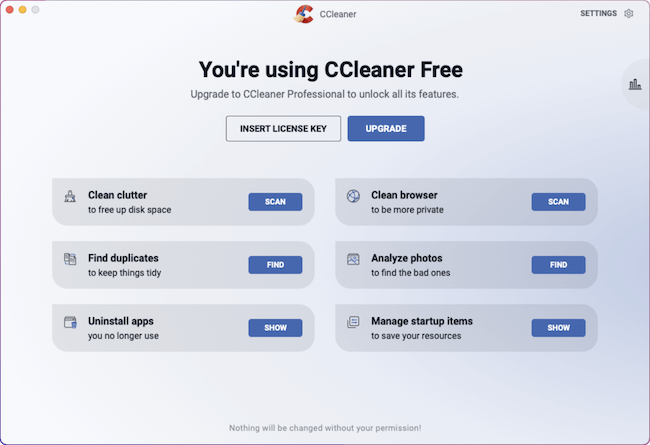
CCleaner is a classic cleanup tool known for its simplicity and efficiency. While its macOS version is less feature-rich than the Windows counterpart, it still provides essential cleanup and privacy functions.

Features:

  • Junk File Cleanup: Clears system cache, logs, and temporary files.
  • Privacy Protection: Deletes browsing history and cookies from Safari, Chrome, or Firefox.
  • Startup Management: Lets you control which apps start with macOS.

Pros

  • Offers a free version for basic cleanup.
  • Lightweight and easy to navigate.
  • Quick and effective for minor maintenance.

Cons

  • Advanced features require the paid version.
  • Lacks malware scanning and deep optimization found in CleanMyMac.

Ideal User Scenario:

For users who want quick cleanup without extra features, CCleaner is perfect. For example, a student using their Mac for browsing, documents, and media can remove junk files and browsing traces regularly without complex setup.
Top 5. AppCleaner

CleanMyMac alternatives

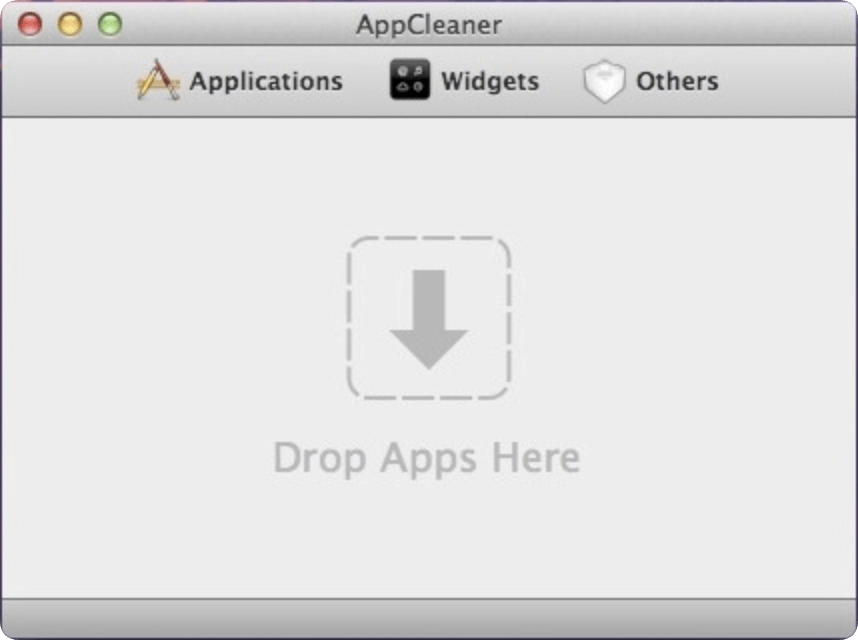
AppCleaner is a lightweight tool focused solely on uninstalling applications and associated files. Unlike CleanMyMac, it does not provide full system optimization.

Features:

  • Complete App Removal: Deletes applications along with supporting files scattered across the system.
  • Simple Drag-and-Drop Interface: Just drag the app icon into AppCleaner to remove it completely.
  • Freeware: Available for all macOS versions without charge.

Pros

  • Extremely lightweight and simple.
  • Free and open-source.
  • Ensures no leftover files remain after uninstalling apps.

Cons

  • Limited functionality: no cleanup, malware protection, or system optimization.
  • Best used as a supplement to other tools.

Ideal User Scenario:

Perfect for users who frequently install and uninstall software, such as beta testers or app developers, who need to ensure no residual files clutter the system.

Summary Table of Alternatives

Tool

Features

Best For

DMcleaner

Cleanup, optimization

All-in-one solution for beginners & security-conscious users

OnyX

Maintenance scripts, cleaning, disk repair

Advanced users who want control over maintenance

DaisyDisk

Visual disk analysis, storage cleanup

Users needing storage management

CCleaner

Junk cleanup, privacy, startup management

Lightweight and simple cleanup

AppCleaner

App removal with all associated files

Users uninstalling apps completely


How to Choose the Right CleanMyMac Alternative?

Choosing the best alternative depends on your specific needs:

  • Need full system optimization and malware protection? Donemax DMcleaner for Mac is the closest match to CleanMyMac.
  • Want free, powerful maintenance tools? OnyX is perfect for advanced users.
  • Focus on freeing disk space visually? DaisyDisk is ideal.
  • Need a lightweight cleanup tool? CCleaner for Mac works well.
  • Want to uninstall apps completely? AppCleaner is sufficient.

Tips for Choosing Software

  1. Check compatibility with your macOS version.
  2. Try free trials when available before committing to paid versions.
  3. Consider combining lightweight tools for a tailored solution. For example, use OnyX for maintenance and DaisyDisk for storage cleanup.

DIY Mac Optimization Tips (Without Software)

If you prefer not to install third-party apps, you can still optimize your Mac manually. Here are some effective tips:

  1. Clear System Caches – Navigate to ~/Library/Caches and remove unnecessary files.
  2. Delete Unused Apps – Drag unwanted apps to Trash or use AppCleaner for complete removal.
  3. Manage Startup Items – Go to System Preferences → Users & Groups → Login Items, and remove unnecessary apps.
  4. Clean Downloads and Trash – Regularly check Downloads and empty Trash to free space.
  5. Update macOS – Keep your system up to date for performance improvements and security patches.
  6. Optimize Storage – Use built-in storage management tools (Apple Menu → About This Mac → Storage → Manage) to offload files to iCloud or external drives.

These simple steps can reduce clutter and improve performance without relying on third-party software.

Conclusion

While CleanMyMac remains a popular macOS utility, there are plenty of alternatives that cater to different needs and budgets.

  • Donemax DMcleaner for Mac: Best all-in-one paid alternative for optimization and security.
  • OnyX: Free, advanced tool for full system maintenance.
  • DaisyDisk: Excellent for visual disk cleanup.
  • CCleaner: Lightweight, simple cleanup tool.
  • AppCleaner: Best for uninstalling apps completely.

Ultimately, the right tool depends on what you need—whether it's full system optimization, malware protection, disk management, or just a simple cleanup. Many Mac users find that combining two or more of these tools can effectively replace CleanMyMac without the cost or privacy concerns.

FAQ about CleanMyMac Alternative

Yes, CleanMyMac is generally safe, but it requires full system permissions. Some users prefer alternatives due to privacy concerns.
Absolutely. You can manually clear caches, remove unused apps, manage startup items, and optimize storage.
OnyX, AppCleaner, and CCleaner (basic version) are free alternatives. DaisyDisk and Donemax DMcleaner for Mac are paid.
Yes. For example, OnyX for maintenance and DaisyDisk for disk cleanup can together replace CleanMyMac.
logo stage

Donemax DMcleaner for Mac

Donemax DMcleaner for Mac is an award-winning Mac cleanup & maintenance tool. It offers over 10 tools to help Mac users clean junk data. It helps speed up a slow Mac. Additionally, it includes a smart switch manager and disk manager for Mac.

Steven
Contributing Writer

Steven

Steven has been a senior writer & editor of Donemax software since 2020. He's a super nerd and can't imagine the life without a computer. Over 6 years of experience of writing technical solutions and software tesing, he is passionate about providing solutions and tips for Windows and Mac users.

Gerhard Chou
Editor in chief

Gerhard Chou

In order to effectively solve the problems for our customers, every article and troubleshooting solution published on our website has been strictly tested and practiced. Our editors love researching and using computers and testing software, and are willing to help computer users with their problems