
Written byCharlesUpdated on Oct 15, 2026

Before we start: To remove Exif information from images permanently and protect your location privacy, use dedicated privacy tools like Donemax Data Eraser to wipe all Exif headers safely across single images or entire photo folders.
PAGE CONTENT:
Have you ever wondered what hidden information travels along with the digital photos you take on your smartphone or camera? Whenever you snap a picture, your device records much more than just pixels. In the background, invisible text tags known as metadata are embedded directly inside the image file. While metadata helps photographers sort photos and assists search engines in organizing digital media, it can also expose sensitive personal details like your home address or daily schedule.
If you look into image metadata standards, you will frequently encounter three acronyms: Exif, IPTC, and XMP. What do these terms mean, how do they differ from one another, and why is removing Exif data so important for your online privacy?
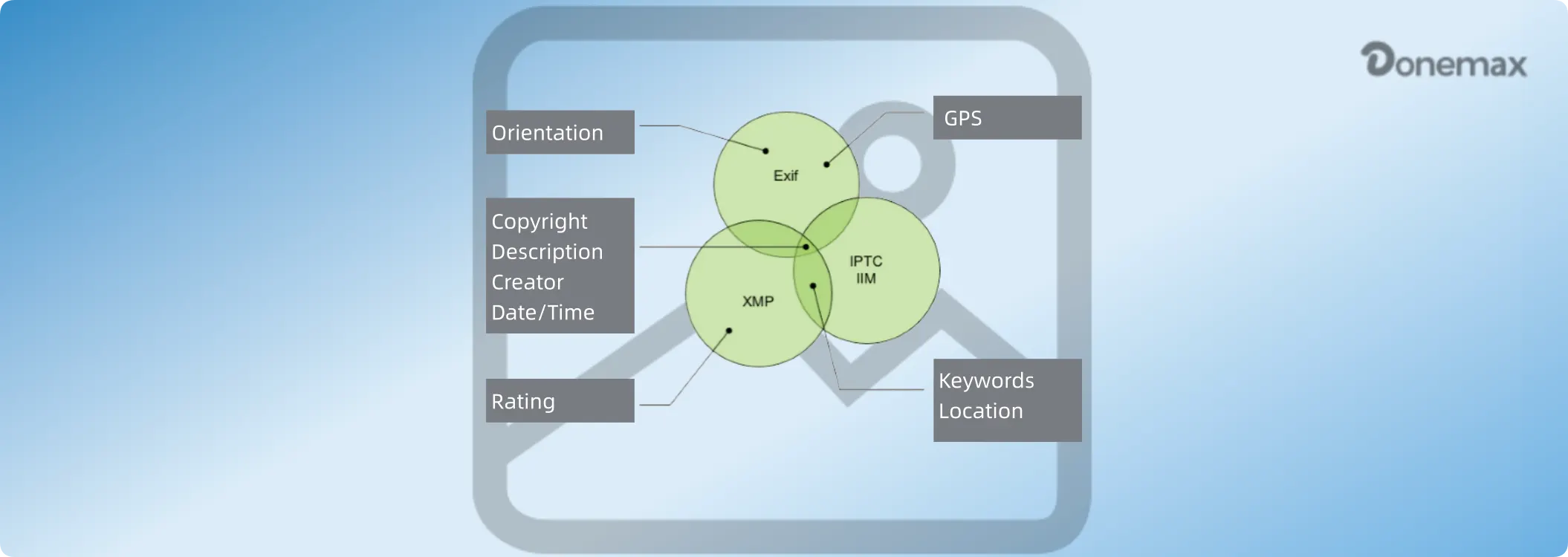
In this comprehensive guide, we will break down the clear difference between Exif, IPTC, and XMP metadata in simple terms, explore why privacy-conscious users strip image data, and show you how to remove Exif information from images permanently using Donemax Data Eraser.
In simple terms, metadata is 'data about data.' When applied to digital photography, metadata refers to text information stored inside an image header that describes the file's properties, origin, and history.
Instead of appearing directly on the visible canvas of your picture, metadata lives in hidden file headers. Computer operating systems, photo editing software, web browsers, and privacy inspection tools can easily read these headers.
Image metadata generally falls into three main categories: technical data automatically generated by your camera, administrative data entered by creators, and extensible editing logs maintained by software.
To understand the difference between Exif, IPTC, and XMP metadata, let's examine each standard individually.
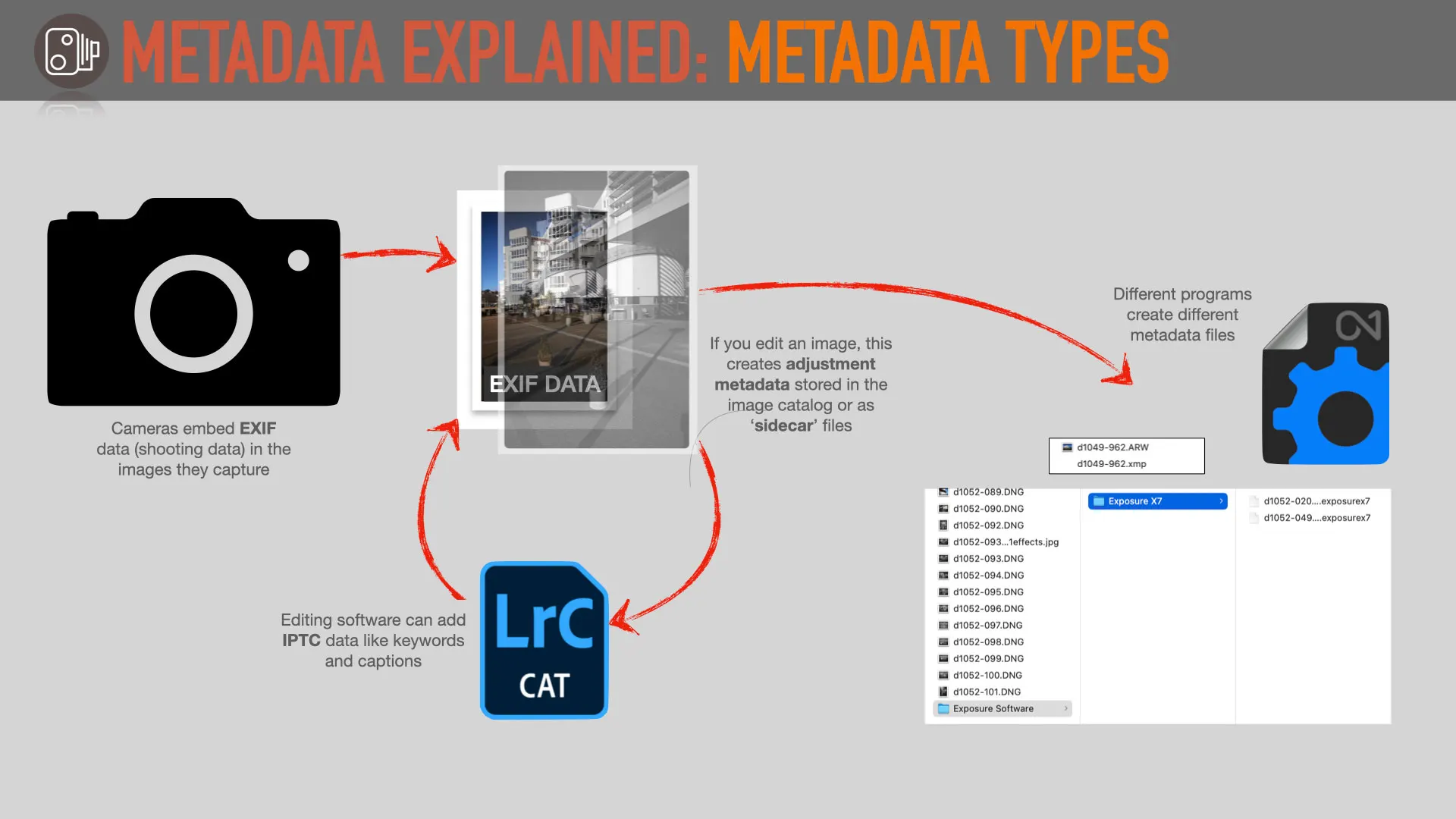
1. Exif (Exchangeable Image File Format)
Exif was created in 1995 by the Japan Electronic Industries Development Association (JEIDA). It is the most common metadata standard used by digital cameras, smartphones, drones, and tablets.
Exif data is created automatically by your device hardware the exact instant you take a photograph. It focuses primarily on technical camera settings and environmental conditions.
2. IPTC (International Press Telecommunications Council)
The IPTC standard was developed in the 1970s and 1980s by a consortium of news agencies and photojournalists to manage image archiving, distribution, and licensing.
Unlike Exif, which is recorded automatically by hardware, IPTC metadata is typically added manually by photographers, photo editors, or media organizations after the photo has been taken.
3. XMP (Extensible Metadata Platform)
XMP was introduced by Adobe in 2001 to solve the limitations of older Exif and IPTC formats. It uses XML (Extensible Markup Language) to store metadata flexibly across many file types, including JPEG, PNG, TIFF, PDF, and RAW image files.
Instead of replacing Exif or IPTC, XMP acts as a modern bridge capable of containing both standards simultaneously. It can embed metadata directly inside the file or store it separately in external '.xmp' sidecar files.
Here is a side-by-side comparison summarizing how Exif, IPTC, and XMP differ across key attributes:
| Feature | Exif Metadata | IPTC Metadata | XMP Metadata |
|---|---|---|---|
| Primary Creator | Camera / Smartphone Hardware | Photographer / Editor (Manual) | Editing Software / Adobe Tools |
| Main Data Types | GPS Location, Time, Camera Settings | Caption, Copyright, Keywords, Author | Editing History, Ratings, Combined Tags |
| Storage Method | Binary Header inside File | Binary Header inside File | XML inside File or '.xmp' Sidecar |
| Privacy Risk Level | Very High (GPS & Serial Numbers) | Low (Business Contact Info) | Medium (Editing & Workflow Logs) |
While IPTC and XMP are primarily used for professional media cataloging, Exif poses the biggest threat to individual privacy.
When you share unstripped photos taken at home, your workplace, or your children's activities online, anyone can extract the embedded GPS tags. Using free online tools, bad actors can map your exact street address within seconds.
If you take photos of expensive items like electronics, vehicles, or jewelry to post on online classifieds, embedded geotags tell potential thieves exactly where those goods are stored.
For professional photographers, Exif metadata reveals exact lighting parameters, shutter speeds, and hardware serial numbers that you may not want competitors or third parties to track.
Many users try to clean image properties using built-in operating system features, but these basic options have major limitations:
Right-clicking an image in Windows Explorer and choosing 'Remove Properties and Personal Information' seems easy, but it often fails to strip hardware serial numbers, color profiles, and maker notes.
On Mac computers, Apple allows you to view Inspector details and remove location tags, but macOS Preview does not offer an efficient way to strip all Exif headers from batch photo folders simultaneously.
Uploading your private photos to web-based EXIF removers requires sending your unencrypted pictures to an unknown cloud server, creating an additional privacy vulnerability.
To sanitize your image files locally without sending them to third-party servers, using a trusted desktop privacy tool is the safest approach. Donemax Data Eraser includes a built-in 'Image Exif Erase' utility designed specifically to strip metadata from JPEG/JPG, PNG, TIFF, WebP and CR2 files.
Follow these four simple steps to remove Exif information from images permanently:
Step 1: Download and Launch Donemax Data Eraser
Download and install Donemax Data Eraser on your Windows PC or Mac.
Step 2: Import Your Target Images or Folders
Launch the software and open the 'Image Exif Erase' tool from the menu. Click the 'Add' button to choose individual photos, or select an entire folder containing hundreds of pictures from your local drive, SD card, or USB stick.
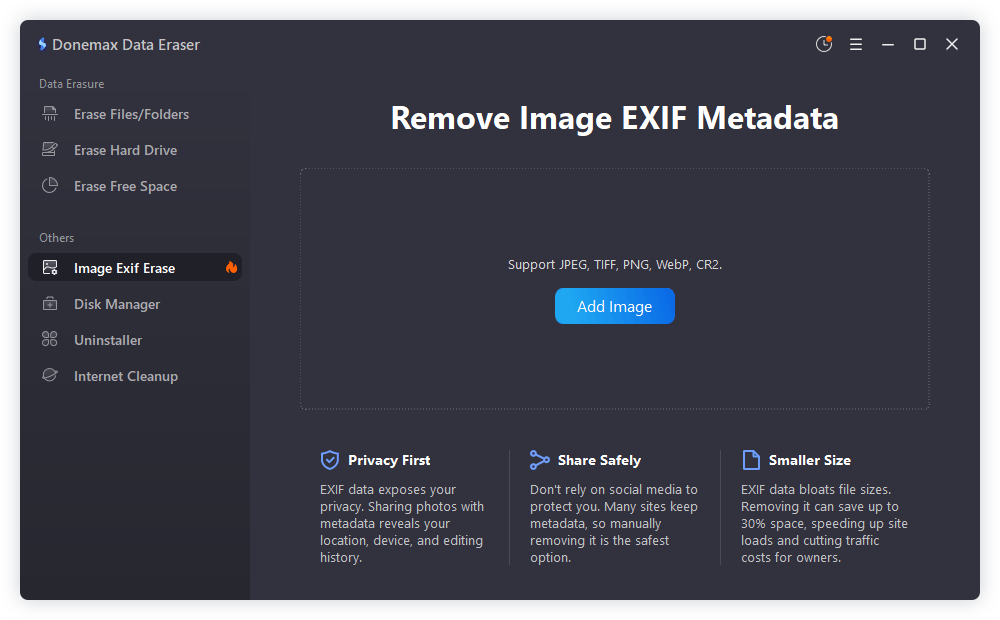
Step 3: Execute Metadata Stripping
Click the 'Erase Now' button. Donemax Data Eraser will scan the file headers, wipe away embedded Exif tags, GPS coordinates, device serial numbers, and creation timestamps.
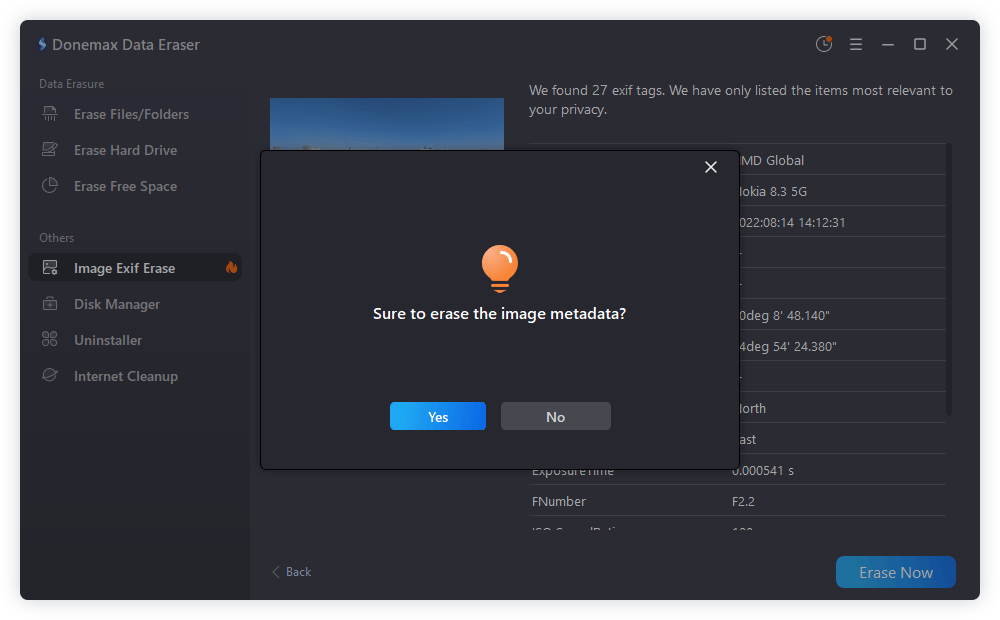
Step 4: Verify the Cleaned Photos
Open the properties of your processed image files. You will see that all personal Exif tags have been removed while keeping the visual picture quality 100% intact.
In addition to scrubbing metadata before posting photos, keep these helpful privacy practices in mind:
Understanding the difference between Exif, IPTC, and XMP metadata helps you manage your digital media effectively while safeguarding your personal security.
While IPTC and XMP help organize digital portfolios, embedded Exif data poses real privacy risks when photos are shared online. By learning how to remove Exif information from images using Donemax Data Eraser, you can clean your photos in seconds and share your memories online with total confidence.
Donemax Data Eraser
Donemax Data Eraser The best data erasure program to permanently delete data. It works on PCs, Macs, HDDs, SSDs, USB drives, digital cameras, and other devices. Once the tool erases the data, no one can recover it by any method.
Charles
Charles, who lives in Sydney, Australia, is an editor & writer of Donemax Team. He is good at writing articles related with Apple Mac computers, Windows operating systems, data recovery, data erasure, disk clone and data backup, etc. He loves reading and playing tennis in his spare time and is interested in testing new digital devices such as mobile phones, Macs, HDDs, SSDs, digital cameras, etc.
Gerhard Chou
In order to effectively solve the problems for our customers, every article and troubleshooting solution published on our website has been strictly tested and practiced. Our editors love researching and using computers and testing software, and are willing to help computer users with their problems