
Written byCharlesUpdated on Sep 18, 2026

Before we start: Discover why Shift + Delete isn't enough in Windows 11 26H2. Data recovery tools can easily scan your drive and restore 'permanently deleted' files in seconds if you only used Windows 11 native delete commands. To make files 100% unrecoverable, you must shred and overwrite them. Learn how to permanently shred specific files and folders using Donemax Data Eraser.
PAGE CONTENT:
With the release of Windows 11 26H2, Microsoft introduced refined file management features, improved storage optimization, and enhanced cloud synchronization with OneDrive. However, one fundamental aspect of storage design remains unchanged: standard deletion commands do not actually erase your physical data. If you want to permanently delete files on Windows 11 26H2, simply emptying the Recycle Bin or pressing Shift + Delete is not enough.

Whether you remove a file from File Explorer or empty your Recycle Bin, Windows 11 only deletes the system path that points to the file. The actual content—whether it is a confidential PDF, financial spreadsheet, or personal photo—stays stored on your SSD or HDD until new data happen to write over those exact sectors.
To protect your personal privacy or corporate security, it helps to understand how Windows 11 26H2 handles deleted data under the hood.
Windows 11 uses file systems like NTFS or exFAT to organize data. Think of this file system like a library catalog:
When you delete a file, Windows merely deletes the catalog card. The book itself remains on the shelf. Until Windows needs that specific shelf space to store new information, any data recovery software can read the pages without difficulty.
Many users believe that solid-state drives (SSDs) automatically make recovery impossible due to the TRIM command. While TRIM cleans up blocks in the background, it is not instantaneous. TRIM execution can be delayed by active system usage, power saving settings, external drive enclosures, or file system errors. Relying on TRIM alone leaves a dangerous window of opportunity for data recovery software.
Let's compare standard Windows 11 26H2 deletion methods with dedicated data shredding so you can see why native tools fall short.
| Deletion Method | How Windows Handles It | Can Software Recover It? |
|---|---|---|
| Recycle Bin Delete | Moves file pointer to Recycle Bin folder | YES - 100% Easy Recovery |
| Shift + Delete | Bypasses Recycle Bin, marks sectors as 'Free' | YES - Very High Recovery Rate |
| Command Prompt (del) | Removes directory entry only | YES - High Recovery Rate |
| Donemax Data Eraser | Overwrites file sectors with random binary data | NO - 0% Recoverability (Permanent) |
When you need to permanently delete files on Windows 11 26H2 without formatting your entire drive or reinstalling the OS, Donemax Data Eraser provides the exact targeted solution.
Donemax Data Eraser features a dedicated mode called Erase Files/Folders. This mode lets you select specific confidential files, sensitive folders, or private documents and destroy them permanently while keeping your computer running smoothly.
Follow these simple steps to permanently delete files on Windows 11 26H2 using Donemax Data Eraser:
Step 1: Choose 'Erase Files/Folders' Mode
Download the latest Windows 11 version of Donemax Data Eraser. Install and launch the program on your computer. On the main application screen, select the first option: 'Erase Files/Folders'. This mode allows you to pick specific items to destroy.
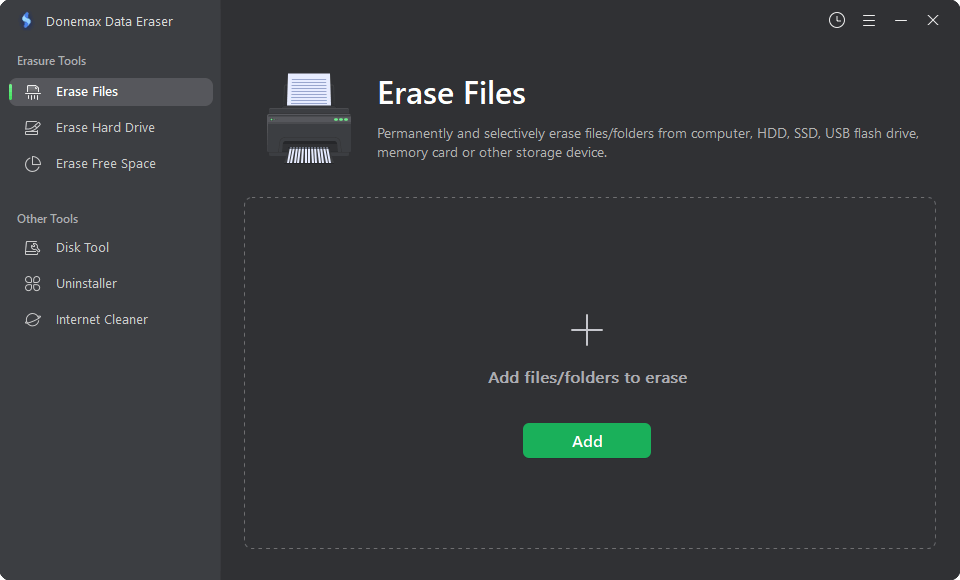
Step 2: Add the Files or Folders You Want to Delete
Click the 'Add' button to browse your drives, or simply drag and drop the target files and folders directly into the software window.
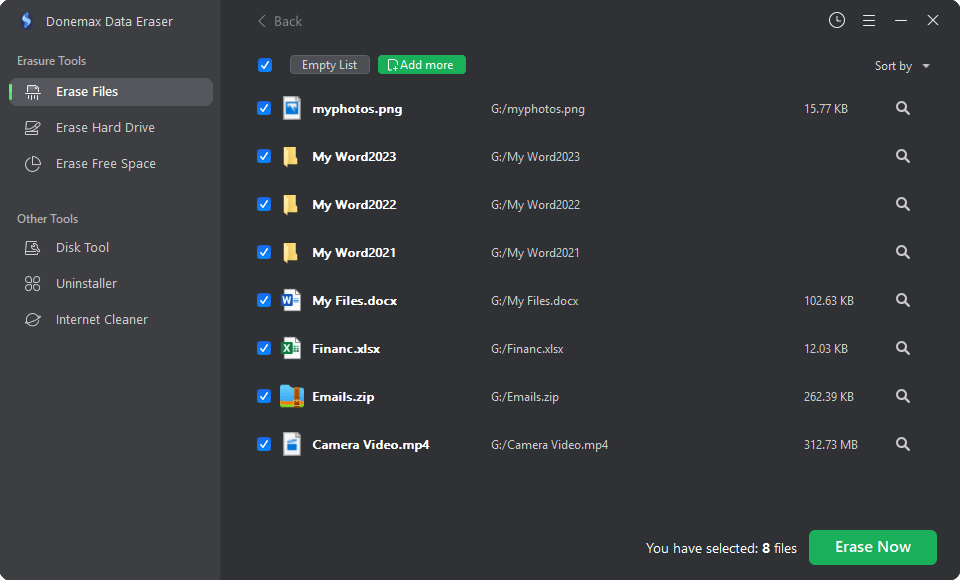
Step 3: Click 'Erase Now' to Shred Data Permanently
Review your selected list carefully. Click the 'Erase Now' button. Select a data wiping algorithm and click 'Continue' button. Donemax Data Eraser will execute military-grade overwriting across those file sectors, making them completely unrecoverable.
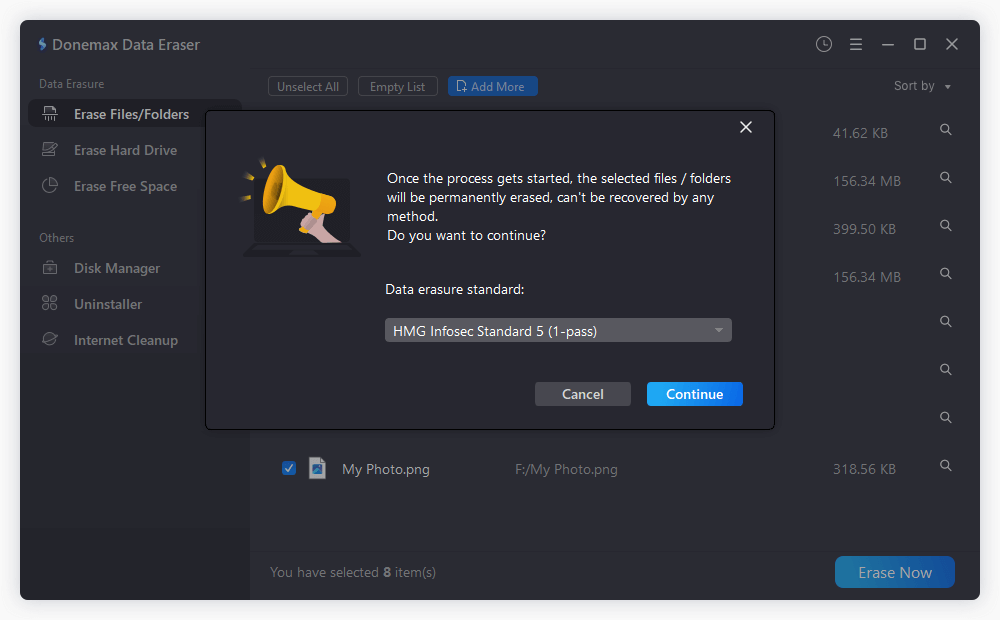
⚠️ Warning: File erasure with Donemax Data Eraser is 100% permanent and irreversible. Once erased, no software, computer lab, or data recovery expert can retrieve these files. Always double-check your selection before clicking 'Erase Now'.
When securing your files on Windows 11 26H2, keep in mind that modern operating systems create hidden copies of your data in several places:
Knowing how to permanently delete files Windows 11 26H2 is crucial for protecting your personal data, identity, and confidential records. Standard deletion options like Shift + Delete or emptying the Recycle Bin give a false sense of security while leaving your files fully exposed to data recovery software.
To ensure your sensitive files are deleted beyond recovery, download and use the software Donemax Data Eraser to shred the files permanently on Windows 11 26H2. Take control of your privacy today: Download Donemax Data Eraser for Windows 11 26H2 and shred your confidential files with 100% confidence.
Donemax Data Eraser
The best data erasure program to permanently delete data. It works on PCs, Macs, HDDs, SSDs, USB drives, digital cameras, and other devices. Once the tool erases the data, no one can recover it by any method.
Charles
Charles, who lives in Sydney, Australia, is an editor & writer of Donemax Team. He is good at writing articles related with Apple Mac computers, Windows operating systems, data recovery, data erasure, disk clone and data backup, etc. He loves reading and playing tennis in his spare time and is interested in testing new digital devices such as mobile phones, Macs, HDDs, SSDs, digital cameras, etc.
Gerhard Chou
In order to effectively solve the problems for our customers, every article and troubleshooting solution published on our website has been strictly tested and practiced. Our editors love researching and using computers and testing software, and are willing to help computer users with their problems