
Written byStevenUpdated on Mar 23, 2026

Before we start: Losing DJI drone footage can feel devastating—especially after capturing once-in-a-lifetime moments. But in most cases, deleted DJI drone videos are not permanently gone. Donemax Data Recovery can help you get back the lost data easily.
PAGE CONTENT:
Captured a cinematic sunset over the coast or a high-speed mountain bike chase, only to realize the footage is... gone? Whether it's a "whoops" moment with the delete button or a mysterious SD card error, losing drone footage feels like losing a piece of art.
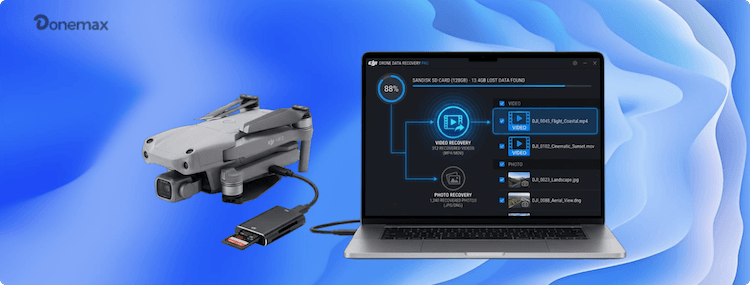
But don't ground your drone in despair just yet! The good news is that you can recover deleted DJI Drone videos more often than you'd think. In this guide, we're going to walk you through exactly how to recover lost videos from DJI Drone storage—whether you're on a Windows PC or a Mac—so you can get back to editing your next viral reel.
Before we dive into the technical bits, there is one golden rule: STOP USING THE SD CARD IMMEDIATELY.
When you delete a file, your DJI drone doesn't actually "shred" the data; it just marks that space as "available" for new videos. If you keep flying and recording, those new 4K files will overwrite your lost ones, making them gone for good.
Quick Recovery Checklist:
Understanding your drone's "brain" helps you know where to look. Most DJI favorites like the Mini 3 Pro, Air 2S, and Mavic 3 have two places they store data:
SD Card (The Usual Suspect): This is the microSD card you slide into the side of the drone. It usually uses FAT32 or exFAT file systems and hides your precious MP4 or MOV files inside a folder named DCIM. This is the easiest place to perform a recovery.
Internal Storage (The Backup Plan): Some high-end models have built-in internal memory. If you forgot your SD card at home (we've all been there), your videos are likely sitting on the drone's internal drive. You'll need to connect the drone directly to your computer via USB to access this.
This is the most reliable way to recover deleted DJI Drone videos. Professional software is designed to "see" those invisible files that the standard file explorer ignores. For example, Donemax Data Recovery is a highly recommended option. The software is able to recover deleted or lost data from DJI Drone or any other storage devices.
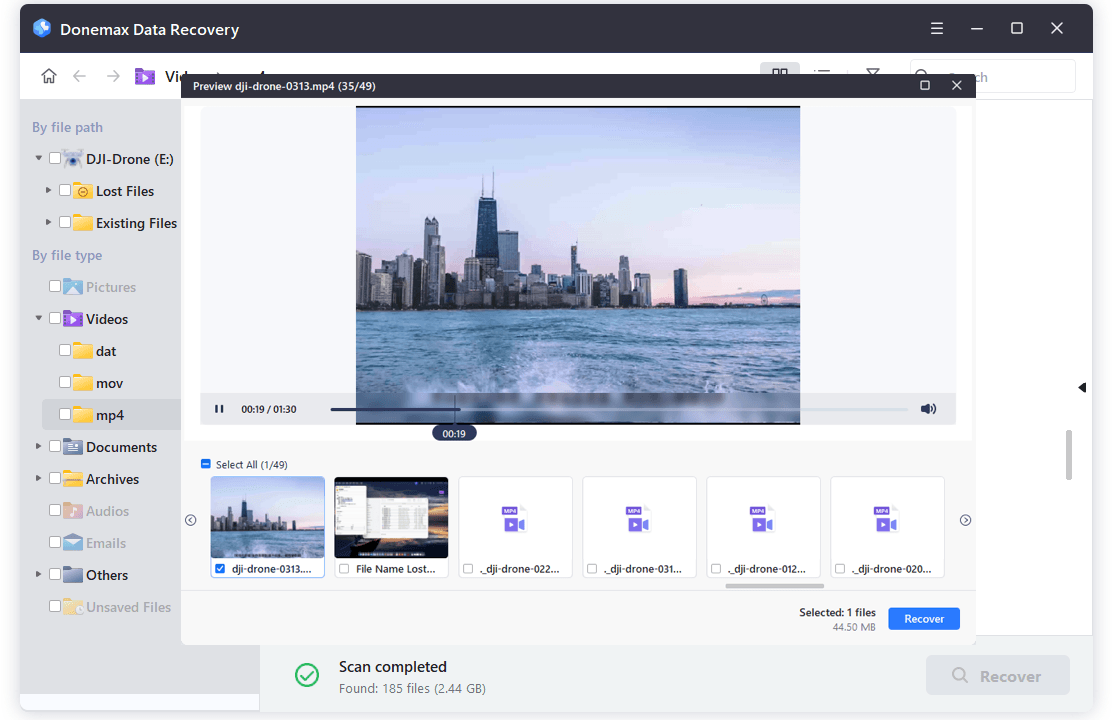
Step-by-Step Instructions for DJI Drone SD card recovery:
Step 1. Connect: Use a high-quality SD card reader to plug your card into your Windows or Mac.
Step 2. Select: Launch the recovery tool and select the SD card from the list of drives.
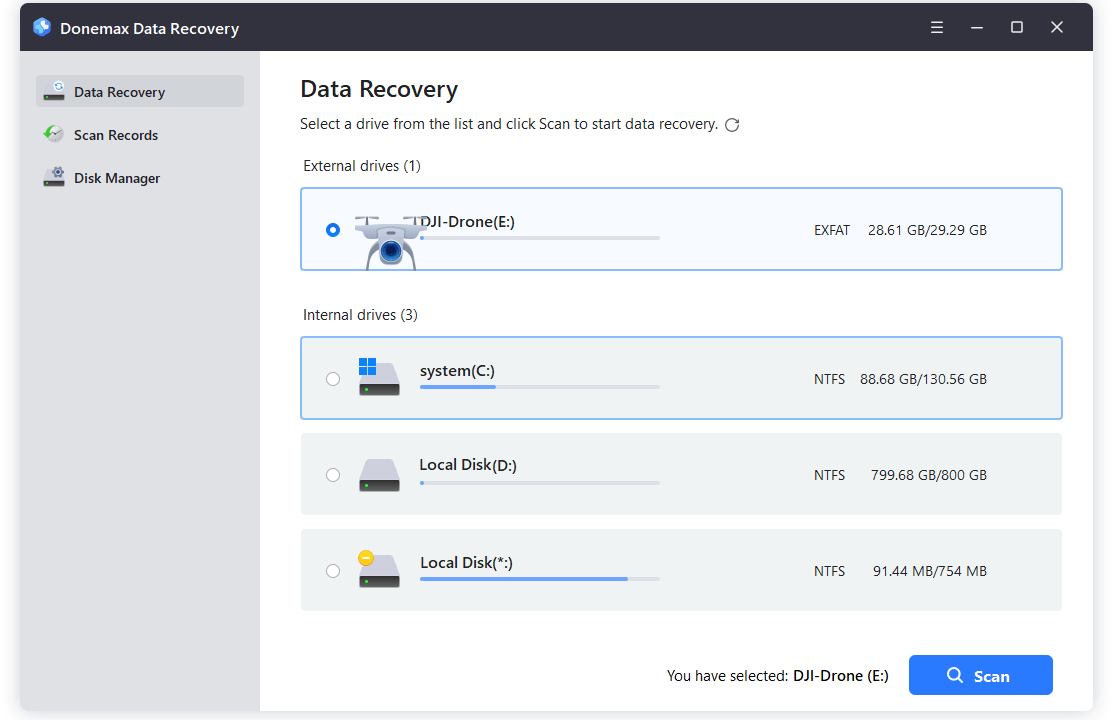
Step 3. Scan: The software will scan for recently deleted files, formatted or "invisible" files. Also, it will automatically run Deep Scan for DJI footage—it's more thorough.
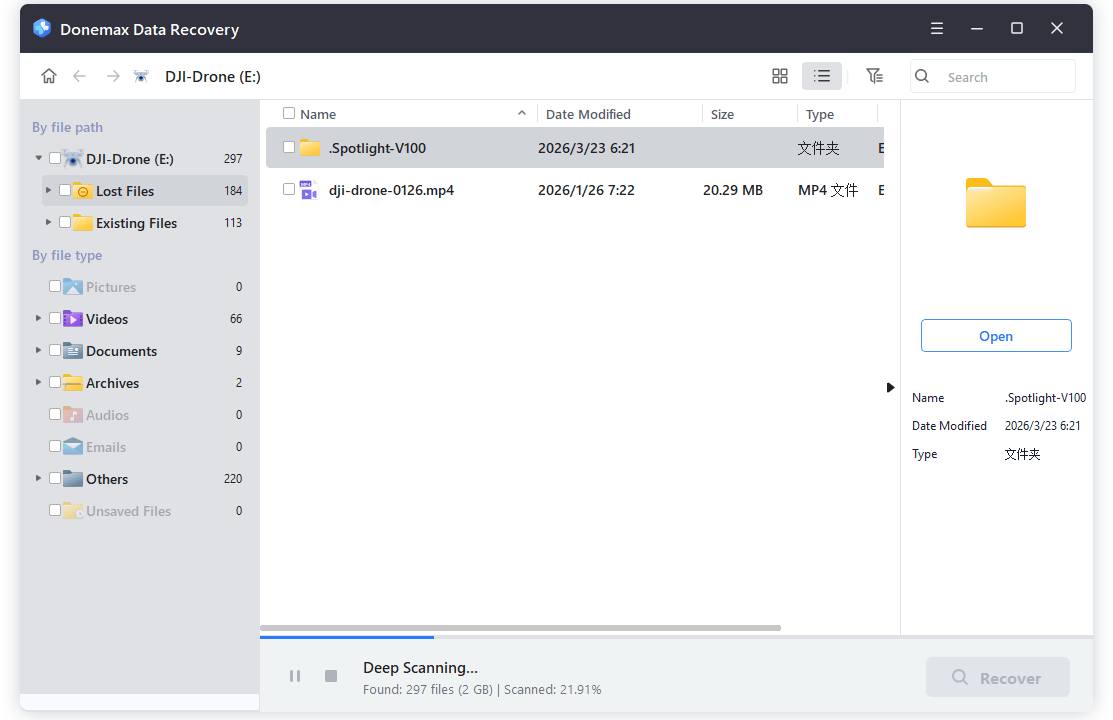
Step 4. Filter: Once the scan is done, filter by file type (look for .MP4 or .MOV) to find your videos quickly.
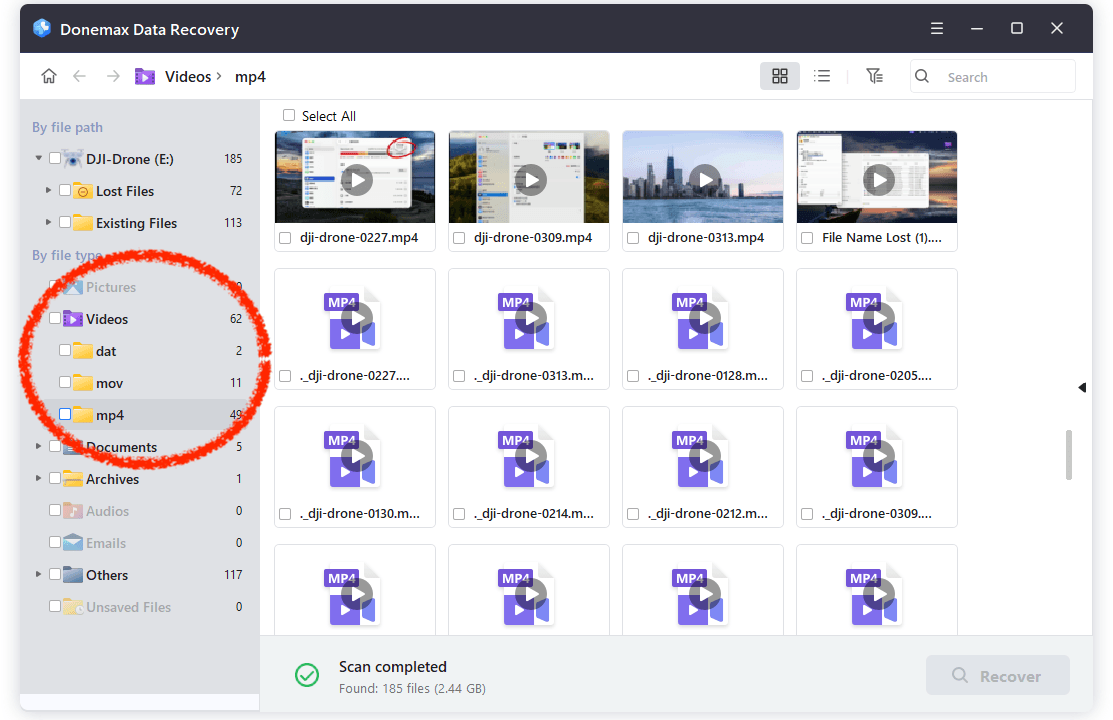
Step 5. Preview & Save: Most tools let you watch a tiny preview to make sure the file isn't corrupted.
📍 Crucial Tip: Save the recovered videos to your computer's hard drive, never back onto the same SD card.
If the videos were saved to the drone's built-in memory, the process is slightly different:
Did you know the DJI Fly app often keeps low-resolution previews? While these won't be the crisp 4K versions, they are perfect if you just need the footage for social media or as a placeholder.
Sometimes you recover lost videos from DJI Drone cards, but they appear as "unplayable" or "corrupted." This usually happens if the drone crashed mid-recording, leaving the file "unfinished".
How to fix it:
Let's make sure this is the last time you have to search for a recovery guide.
Losing your "hero shot" is a nightmare, but it doesn't have to be permanent. By acting fast, stopping all new recordings, and using a deep-scan recovery tool, your chances of a full recovery are incredibly high.
As long as you:
You have a strong chance of restoring your valuable aerial footage.
Whether you're using a DJI Mini, Air, or Mavic series drone, acting quickly makes all the difference. And once recovered, make backups part of your workflow to ensure your creative work is always protected.
If your videos were recently deleted, don't wait—start recovery now while your chances are highest.
Donemax Data Recovery
Powerful, safe & easy-to-use data recovery software. Easily and completely recover deleted, formatted, or other lost data. The tool supports PC, Mac, HDD, SSD, USB drive, camera, SD card, RAID and other storage devices.
Steven
Steven has been a senior writer & editor of Donemax software since 2020. He's a super nerd and can't imagine the life without a computer. Over 6 years of experience of writing technical solutions and software tesing, he is passionate about providing solutions and tips for Windows and Mac users.
Gerhard Chou
In order to effectively solve the problems for our customers, every article and troubleshooting solution published on our website has been strictly tested and practiced. Our editors love researching and using computers and testing software, and are willing to help computer users with their problems