Written byStevenUpdated on Apr 14, 2026

Before we start: When using OpenClaw AI agent on you machine, it's better to be careful and approve the proper permissions. Otherwise, something might go wrong and cause data loss. Fortunately, you have a chance to get back the lost data with Donemax Data Recovery in such cases.
PAGE CONTENT:
Hello, fellow OpenClaw pioneer! If you're reading this, we know exactly what happened. You were probably deep in the "vibe coding" flow state, trusting your OpenClaw agent to scaffold a repo, build some skills, or maybe just reorganize your notes. You might have even been trying out a fancy new community skill from ClawHub.
And then… silence. Or worse, the frantic searching. Your workspace looks cleaner than a digital KonMari sweep. The HEARTBEAT.md file is there, humming along, but everything else is gone.
If this is you, take a deep breath. Do not panic. Your heart is probably racing, but you are not alone, and your data might not be gone for good. The guide will show you how to recover files deleted by OpenClaw AI agent.
Look, OpenClaw is amazing. It promises local control, agentic loops, and powerful shell interactions. It's the "Lobster-Tank Framework" (their words, not ours!) that's supposed to make us ultra-productive. But as with any powerful tool, with great power comes the potential to accidentally delete your entire project file structure.
This phenomenon is already being dubbed OpenClaw data loss. It frequently happens when users deploy an agent without strict sandboxing or tool allowlists, especially when trying to build or run a complex "agentic loop." Sometimes, an agent interprets a "cleanup" command too aggressively, or a "refresh workspace" instruction as a complete wipe. In other cases, a bug or even a malicious skill can trigger the deletion of your local files. This is precisely why developers and IT managers are starting to ask: Is OpenClaw safe for enterprise data?
We'll get to the safety discussion later. First, you need your stuff back.
When your OpenClaw agent decided to play delete instead of commit, you entered a critical window. What you do next—and what you don't do—will determine if your files are recoverable.
This is the absolute most important step. If you ignore everything else, do not ignore this.
Why does this matter? When an AI (or a person, for that matter) deletes a file, it's rarely truly erased immediately. Instead, your operating system simply marks the space that file occupied as "free," telling itself, "Okay, this area is available to be written over whenever I need to." Your data is still there, like a faint pencil mark on paper, waiting to be "written over" by new ink. Your goal is to get that pencil mark back before the new ink covers it up.
The most reliable, effective, and user-friendly way to get your files back is by using a specialized, professional data recovery tool. And for this exact scenario, we can't recommend Donemax Data Recovery highly enough.
We've seen it save the day in countless "AI oops" situations, and its powerful deep-scan technology is precisely what's needed when an agent has systematically swept away your files.
Here's why Donemax Data Recovery is your best bet:
For OpenClaw users, you are almost certainly looking for the Donemax Data Recovery (assuming your agent was running locally).
How to use Donemax Data Recovery (The Quick Version):
1. Download and Install: Visit the Donemax website and download the software.
🪧 IMPORTANT: If possible, install it on a different drive than the one where the data loss occurred. For example, if your deleted data was on your C: drive, install the recovery software to an external USB drive or your D: drive, just to be 100% safe.
2. Select the Drive to Scan: Open the software and choose the drive or partition (e.g., your local disk C:) where your lost files were stored.
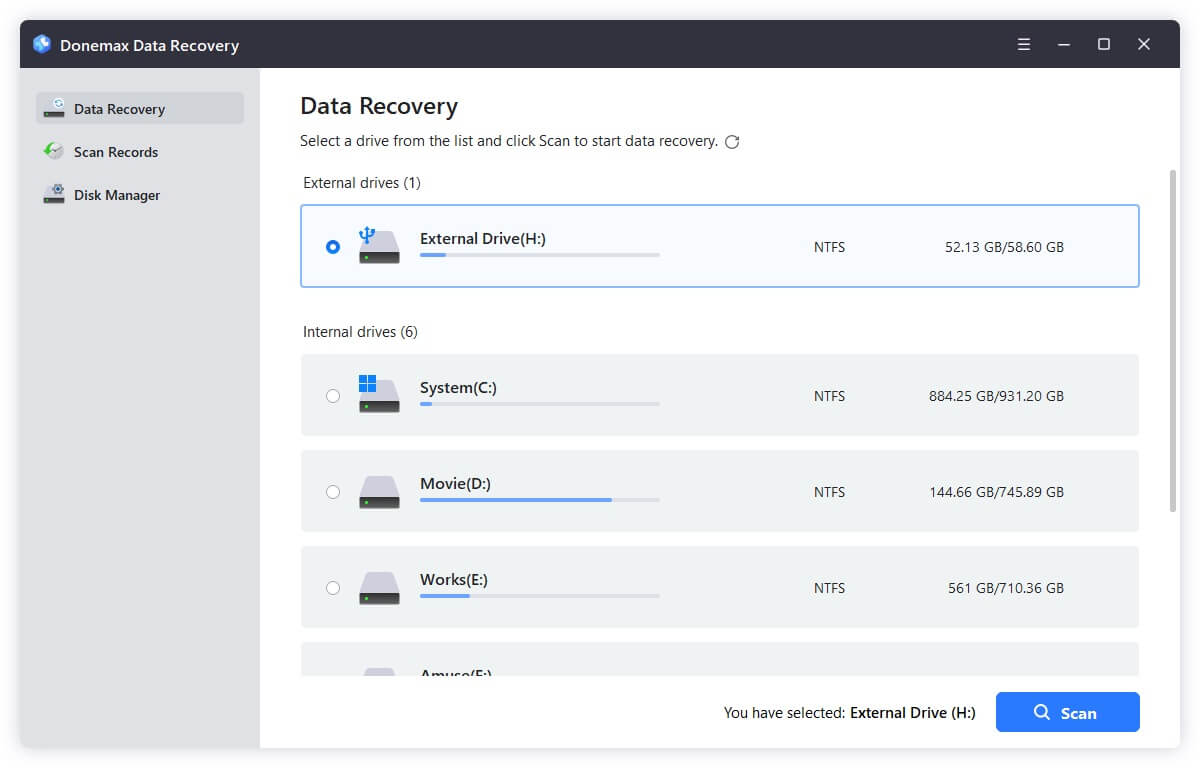
3. Start the Scan: Click the "Scan" button. Donemax will automatically begin a comprehensive, professional-grade scan of your drive, looking for deleted files.
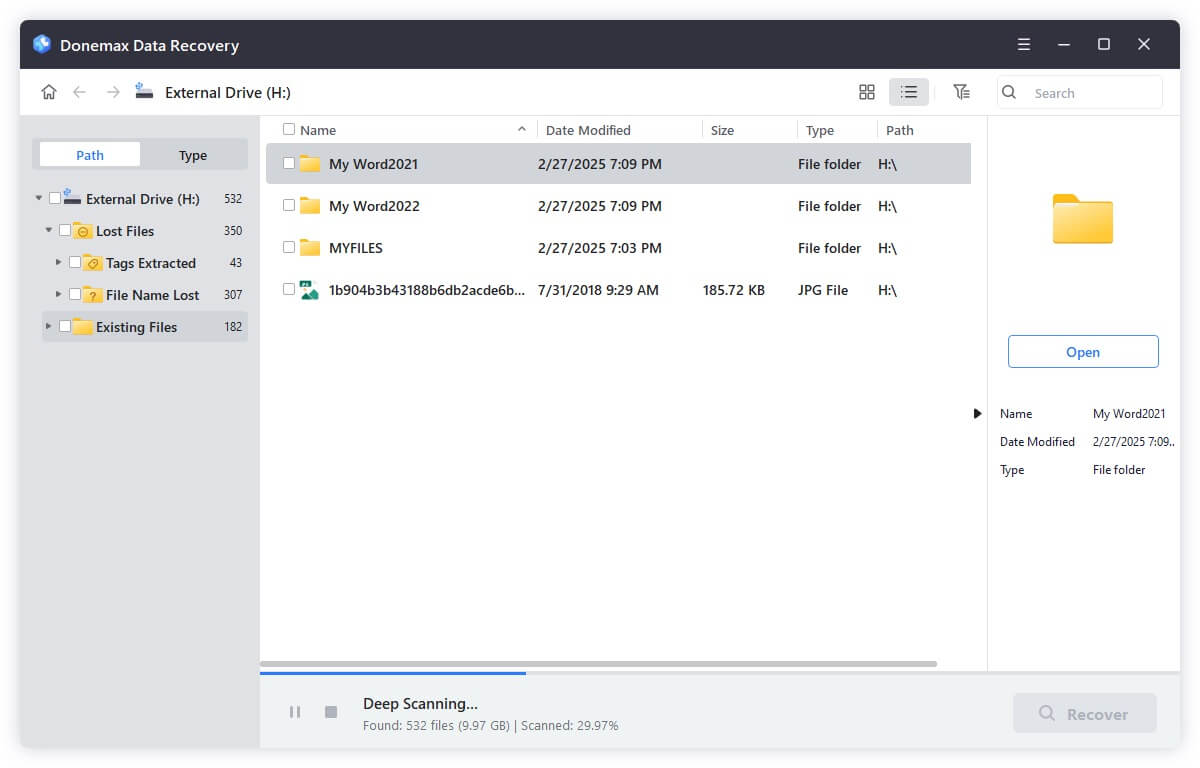
4. Preview and Recover: Once the scan is finished (or even while it's in progress), you can filter the results by file type, folder, or date. Look for your project names and extensions. Select the files you want to get back, and then click "Recover."
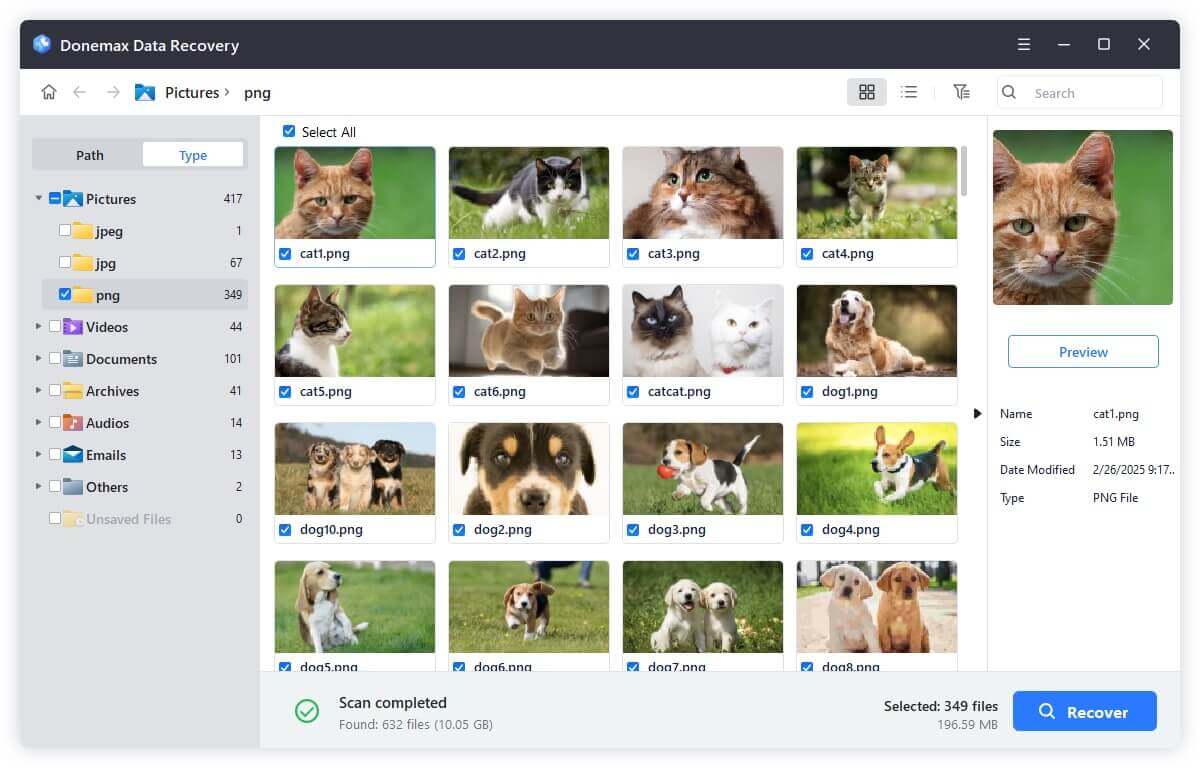
🪧 CRITICAL NOTE: Always save the recovered files to a different drive than the one you scanned. If you recover to the same drive, you risk overwriting the other files you are still trying to find!
This might seem obvious, but we can't tell you how many people forget they have a safety net. After you've initiated your Donemax scan (since you need to act fast), check these potential repositories:
This is the big question that many are now grappling with. The core issue is that OpenClaw is designed to execute commands and interact with files. That's its whole value proposition! When you give an AI agent the ability to act autonomously, you are trusting its decision-making.
If the agent's logic is flawed (either from a core software bug, a user-written instruction that's misinterpreted, or a malicious third-party skill), it will do exactly what it's told, including deleting critical infrastructure code or data.
So, is it safe? As an "out-of-the-box" solution for enterprise data, the answer right now is likely no.
To make OpenClaw enterprise-safe, you cannot just "run it." You must implement rigorous guardrails, including:
Once you've recovered your files (thanks, Donemax!) and had a minute to breathe, you'll want to make sure this never happens again.
Data loss is a traumatic event, and an OpenClaw agent deleting workspace files can feel like a personal betrayal by the AI that was supposed to save you. But remember, with professional tools like Donemax Data Recovery, recovery is often possible. Stop the writes, start the scan, and get back to vibe coding (this time, with a sandbox!).
Donemax Data Recovery
Powerful, safe & easy-to-use data recovery software. Easily and completely recover deleted, formatted, or other lost data. The tool supports PC, Mac, HDD, SSD, USB drive, camera, SD card, RAID and other storage devices.
Steven
Steven has been a senior writer & editor of Donemax software since 2020. He's a super nerd and can't imagine the life without a computer. Over 6 years of experience of writing technical solutions and software tesing, he is passionate about providing solutions and tips for Windows and Mac users.
Gerhard Chou
In order to effectively solve the problems for our customers, every article and troubleshooting solution published on our website has been strictly tested and practiced. Our editors love researching and using computers and testing software, and are willing to help computer users with their problems