
Written byChristinaUpdated on Oct 20, 2026

Before we start: A photo privacy cleaner is a specialized utility designed to strip invisible EXIF metadata (such as exact GPS location coordinates, capture timestamps, camera serial numbers, and device settings) from digital picture files. To clean personal metadata across single photos or batch photo folders on Windows PC and Mac, use a desktop privacy software like Donemax Data Eraser. Sanitize your photos before sharing them online.
PAGE CONTENT:
Taking photos on a smartphone, DSLR camera, or drone has become second nature. Whether you are capturing family vacations, snapping pictures of items to sell online, or sharing moments on social media, images are a primary way we communicate.
However, most people do not realize that every digital photo contains much more than just pixels. Embedded deep inside the file header is a hidden digital fingerprint known as EXIF metadata. This hidden data records your exact GPS location, street address clues, date, time, smartphone model, and unique hardware serial numbers. Whenever you email a picture or post it online, anyone can inspect these hidden details within seconds.

To protect your personal safety, home address, and online privacy, using a reliable photo privacy cleaner is essential. In this guide, we will break down what hidden data lurks inside your image files, why built-in computer options fall short, and how to scrub your photos clean using Donemax Data Eraser.
When you snap a picture, your device automatically writes a comprehensive set of metadata tags into the photo header. While helpful for professional photographers organizing large libraries, it poses real risks for everyday users.
Why is scrubbing your photos before sharing them so critical? Here are the top privacy concerns:
While Windows and macOS offer basic options to view or clear file properties, they have major drawbacks for privacy-conscious users.
1. Windows Properties File Limitations
Right-clicking an image in Windows Explorer and choosing 'Remove Properties and Personal Information' seems easy, but it often fails to strip camera serial numbers, color profiles, and manufacturer maker notes.
2. macOS Preview Limitations
On Mac computers, Apple allows you to view Inspector details and turn off location data, but macOS Preview does not offer a quick way to strip all EXIF tags from batch photo folders simultaneously.
3. Security Risks of Online Metadata Removers
Uploading private photos to free online metadata strippers requires sending unencrypted picture files to third-party web servers, creating an even greater privacy hazard.
To sanitize your image files locally on your computer without uploading them to cloud servers, using a trusted desktop privacy tool is the safest approach. Donemax Data Eraser includes a built-in Image Exif Erase utility designed specifically as a full-featured photo privacy cleaner.
Follow these four simple steps to scrub metadata from JPEG/JPG, PNG, TIFF, and RAW files:
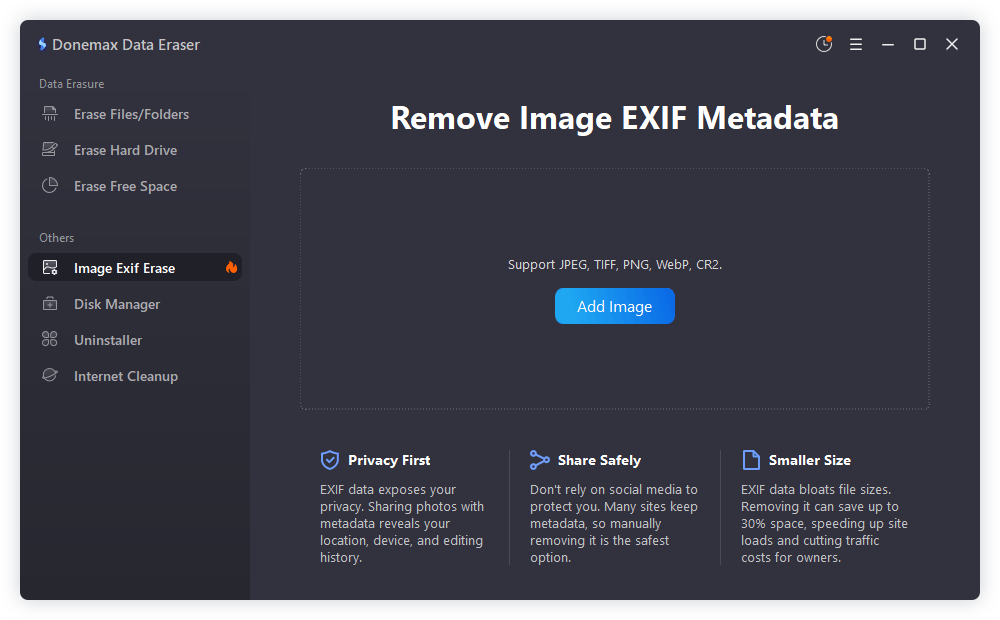
Step 1: Download and Launch Donemax Data Eraser
Install Donemax Data Eraser on your Windows PC or Mac. Launch the program and locate the 'Image Exif Erase' feature under the tools dashboard.
Step 2: Add Target Photos or Photo Folders
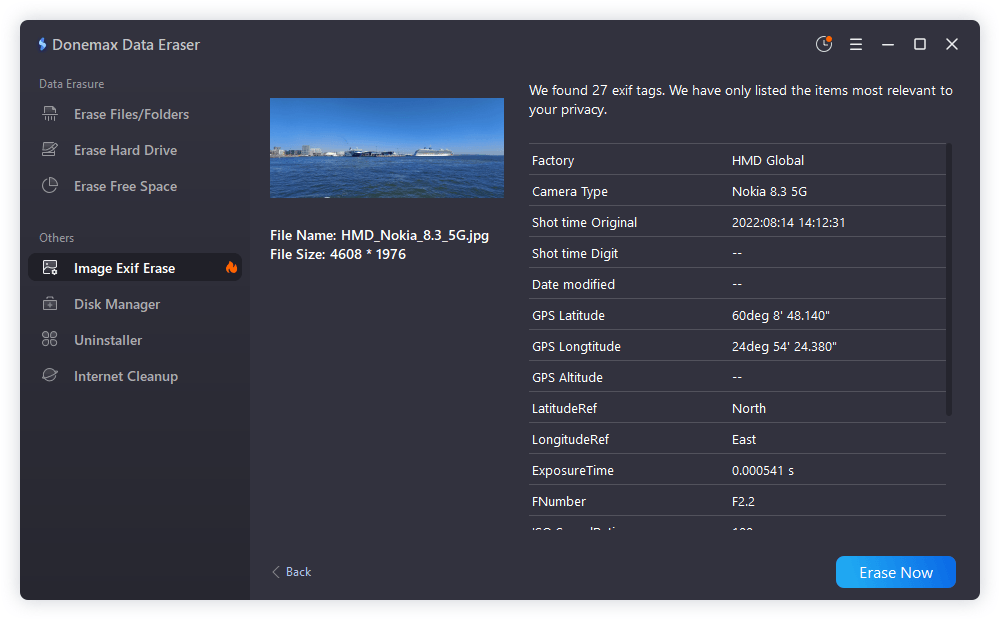
Click the 'Add Image' button to select individual photo from your hard drive, SD card, or USB drive.
Step 3: Execute Photo Privacy Cleaning
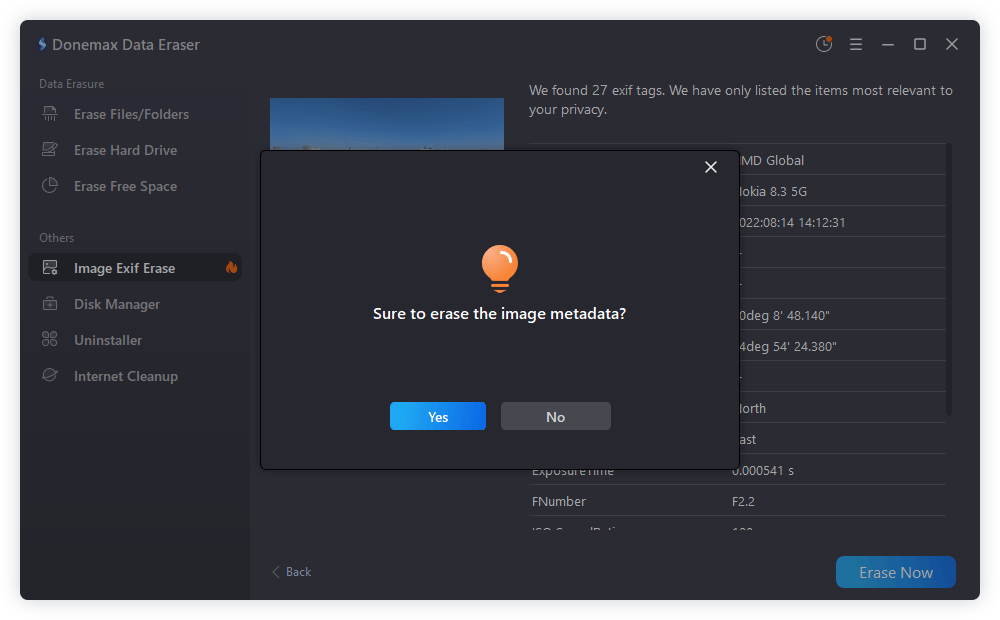
Click the 'Erase Now' button. Donemax Data Eraser will scan the file headers, wiping away embedded EXIF tags, GPS coordinates, device serial numbers, and creation timestamps.
Step 4: Verify Your Cleaned Photos
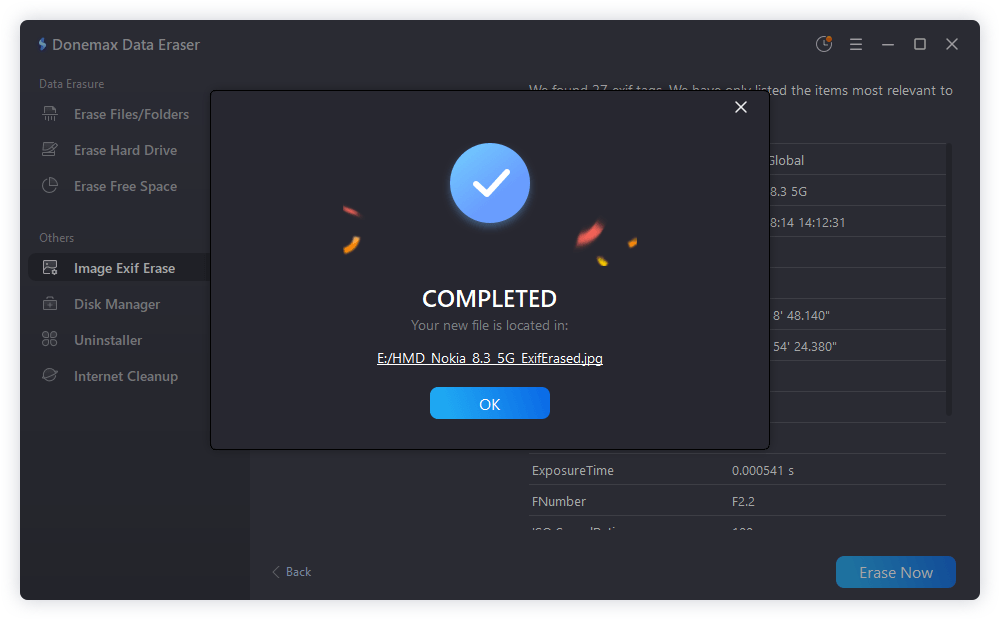
Open the properties of your newly processed image file. You will see that location, camera model, and personal tags have been completely removed while keeping visual picture quality 100% intact.
Protecting your digital footprint requires paying attention to details hidden beneath the surface. Leaving GPS coordinates and hardware tags attached to your personal pictures exposes your private life to the public internet.
By using a trusted photo privacy cleaner like Donemax Data Eraser, you take full control of your image privacy. Clean your photos in seconds and share your memories online with complete peace of mind.
Donemax Data Eraser
Donemax Data Eraser The best data erasure program to permanently delete data. It works on PCs, Macs, HDDs, SSDs, USB drives, digital cameras, and other devices. Once the tool erases the data, no one can recover it by any method.
Christina
Christina is the senior editor of Donemax software who has worked in the company for 4+ years. She mainly writes the guides and solutions about data erasure, data transferring, data recovery and disk cloning to help users get the most out of their Windows and Mac. She likes to travel, enjoy country music and play games in her spare time.
Gerhard Chou
In order to effectively solve the problems for our customers, every article and troubleshooting solution published on our website has been strictly tested and practiced. Our editors love researching and using computers and testing software, and are willing to help computer users with their problems