
Written byCoco LinUpdated on Nov 25, 2026

Before we start: A reliable data recovery software is useful to recover deleted or lost files. Donemax Data Recovery can recover data from SD card, hard drive, or USB flash drive. It's the best choice for DJI drone video recovery.
PAGE CONTENT:
Drone footage can disappear after accidental deletion, formatting, a transfer problem, or an SD card error. In many cases, the video data may remain on the card until new files overwrite it. Acting quickly and avoiding further use of the card gives recovery software the best chance to find the missing clips.

To recover lost videos from a DJI drone, stop recording immediately and remove the microSD card. Connect it to a computer with a card reader, then scan it with data recovery software such as Donemax Data Recovery. Save any recovered videos to the computer or another drive, not back to the original card.
DJI drone footage is commonly stored on a microSD card in the aircraft or, depending on the model and settings, in the controller or a connected device. The exact storage location and available recording options vary by model. Check your model's manual or DJI's official support information if you are unsure where a particular recording was saved.
Videos may appear to be lost for several reasons:
A video that is not visible in the DJI app is not necessarily gone. The app may show a preview or cached copy rather than every original video file. Check the card itself on a computer before assuming the footage has been permanently lost.
The steps you take after losing footage can affect whether it can be recovered. Stop using the card as soon as you notice a video is missing.
If the card is physically damaged, gets unusually hot, or repeatedly disconnects, stop using it. A professional data recovery service may be more appropriate than running repeated software scans.
Before using recovery software, confirm that you are checking the correct storage location. If your drone supports internal storage, a controller, or recording to a mobile device, the missing clip might be stored somewhere other than the microSD card.
When the card appears in File Explorer or Finder, look through its folders for DJI video files. DJI recordings often use the MP4 or MOV format, but formats and folder structures vary by camera and recording settings. Copy any videos that are still accessible to another drive before attempting recovery.
If the computer asks to format the card, cancel the prompt. Formatting does not fix every card problem, and it may make recovery more difficult.
If there is no backups for the lost videos for DJI Drone, you can still try to recover the missing videos with the data recovery tool Donemax Data Recovery. It's a reliable and effective data recovery software which can recover data from SD card of DJI Drone.
Donemax Data Recovery can scan a connected storage device for recoverable files. Use it on the drone's microSD card through a card reader, and save recovered footage somewhere other than the card being scanned.
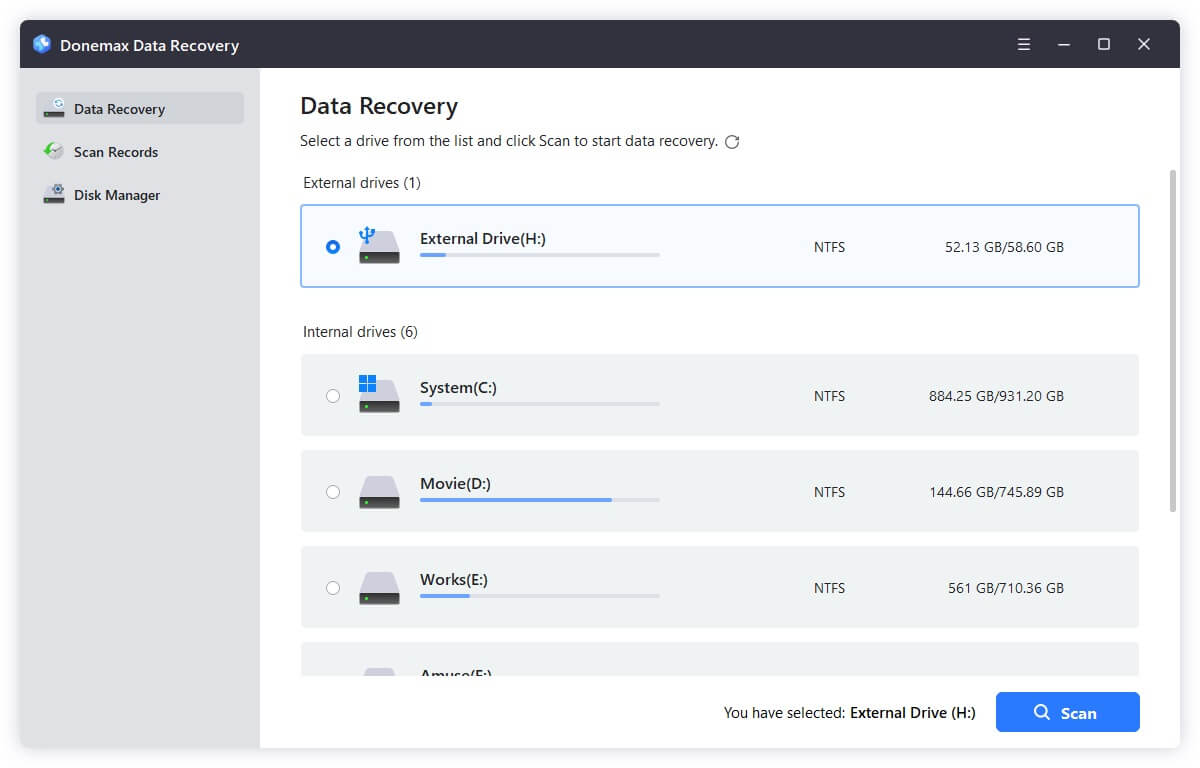
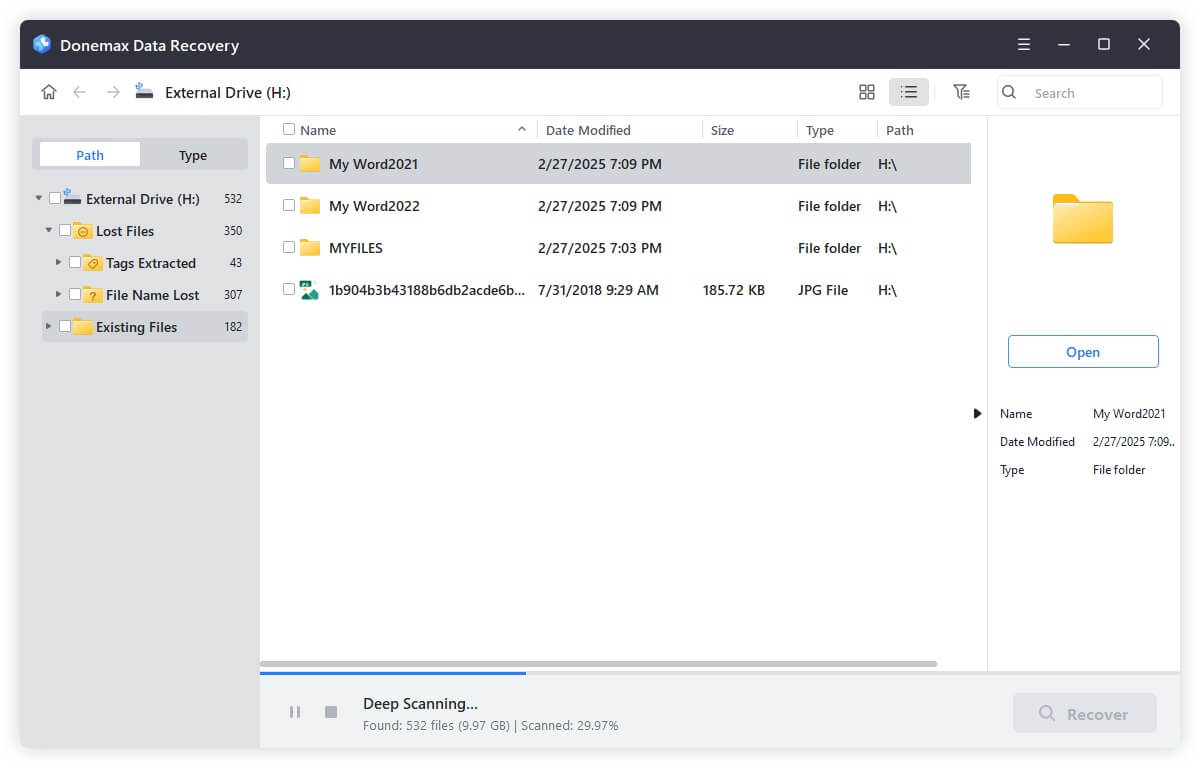
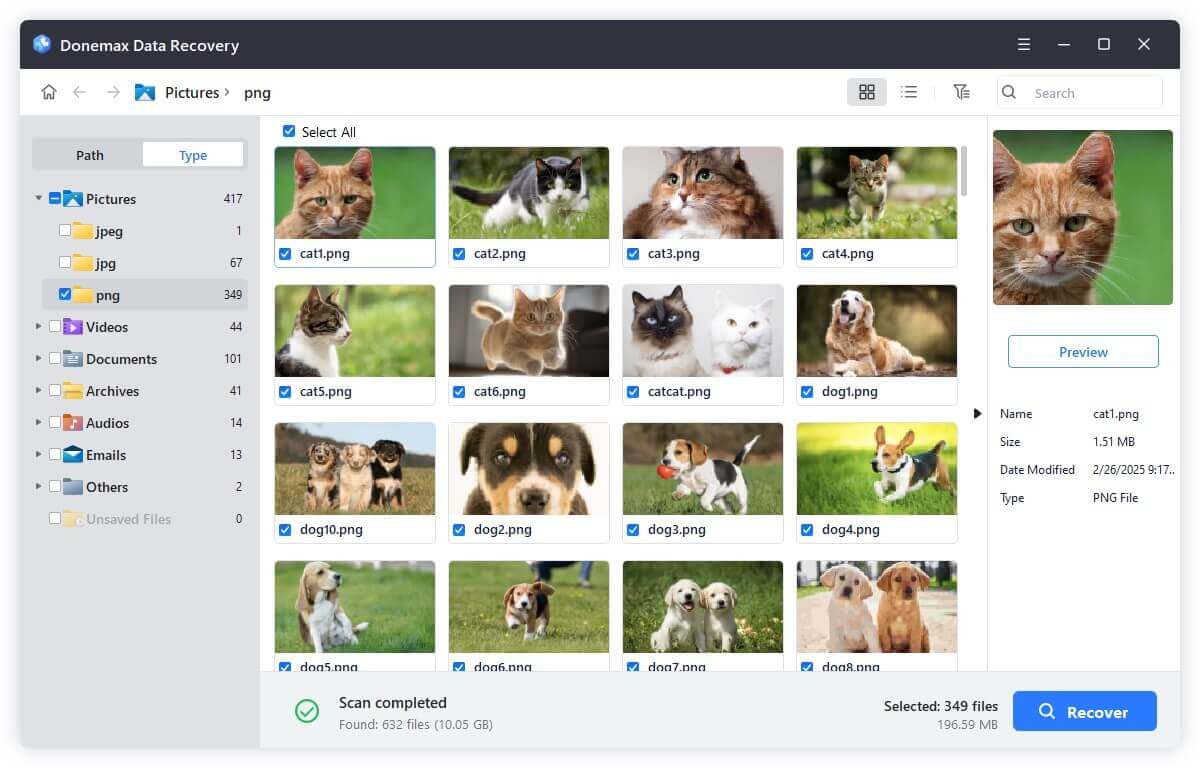
Open the videos and confirm that they play and have the expected length and content. Recovery results depend on the card's condition and what has happened since the footage went missing. A scan cannot guarantee that every video will be recovered, especially if the card has been overwritten or is physically failing.
Recovery software is useful when the card is readable but files are missing or inaccessible. A backup is usually the simplest way to restore a complete video, while professional recovery may be needed when a card has physical damage.
|
Option |
Best for |
Limitations |
|
DJI app or device storage |
Finding previews or copies saved to another device |
May not contain the original full-resolution footage |
|
Backup or computer copy |
Restoring a known, intact version |
Only works if a backup exists |
|
Donemax Data Recovery |
Scanning a readable card for deleted or inaccessible files |
Cannot guarantee recovery or reverse overwritten data |
|
Professional recovery service |
Cards with serious hardware or read failures |
May cost more and require sending in the card |
A few habits can reduce the risk of losing important footage:
To recover lost videos from a DJI drone, stop using the card, remove it from the drone, and connect it to a computer with a card reader. Scan the microSD card with Donemax Data Recovery, then save found videos to a different drive. Recovery depends on the card's condition and whether new data has overwritten the missing footage, so act promptly and check your backups.
Donemax Data Recovery
Powerful, safe & easy-to-use data recovery software. Easily and completely recover deleted, formatted, or other lost data. The tool supports PC, Mac, HDD, SSD, USB drive, camera, SD card, RAID and other storage devices.
Coco Lin
Coco has been a writer and a chief programmer at Donemax software since 2018. Over 10 years of experience of writing troubleshooting articles in the software industry, she is passionate about programming and loves to providing solutions to Windows and Mac users. Also she enjoys music and palying tennis in her free time.
Gerhard Chou
In order to effectively solve the problems for our customers, every article and troubleshooting solution published on our website has been strictly tested and practiced. Our editors love researching and using computers and testing software, and are willing to help computer users with their problems