
Written byStevenUpdated on Jun 17, 2026

Before we start: We have all been there. You are working on something important, and suddenly, your files are gone. Maybe you accidentally hit delete, or perhaps your drive ran into an unexpected issue. It feels terrible, right? Donemax Data Recovery for Mac offer the AI-based solution to get back lost data on macOS Golden Gate.
PAGE CONTENT:
With Apple's newest operating system, macOS 27 Golden Gate, technology has taken a huge leap forward. This system is faster, smarter, and more secure than ever before. But even with all these upgrades, data loss still happens.
The good news is that file rescue methods have evolved too. Standard software just cannot keep up with modern Apple drives anymore. That is why you need a smart, next-generation solution to handle modern file structures.
If you want the best results, you need an AI-based data recovery solution for macOS 27 Golden Gate. Let us explore how artificial intelligence changes the game and keeps your files safe.
Apple computers are famous for their security. Over the years, systems have added strong encryption, specialized hardware chips, and highly complex file frameworks. The new macOS 27 Golden Gate takes this even further.
Old-school file rescue tools work by blindly scanning your drive. They look for old patterns to piece files back together. Sadly, this mechanical approach often fails on modern Mac systems.
When a drive becomes corrupted, or files are lost on macOS 27, the pathways look like scrambled puzzles. Traditional software gets confused by the advanced encryption and the deep system architecture.
This is why a lot of older programs either freeze up or come back empty-handed. To get your files back, you need software that understands how macOS 27 organizes information in real-time.
So, what makes an intelligent recovery tool different? The secret lies in smart deep-learning algorithms. Instead of just reading a drive line by line, artificial intelligence acts like a digital detective.
An AI-based data recovery solution for macOS 27 Golden Gate can analyze the broken fragments of your files. It looks at the context, reconstructs damaged parts, and accurately patches things back together.
Here is a simple breakdown of what a smart file rescue system does for you:
💡 Note: Time is your biggest factor when files disappear. Every minute your computer stays on, new system data might overwrite your lost items. Act quickly to get the best recovery results.
If you are looking for the absolute best AI-based data recovery solution for macOS 27 Golden Gate, look no further than Donemax Data Recovery for Mac.
This software was designed from the ground up to match Apple's modern updates. It combines an incredibly user-friendly design with powerful, smart search algorithms. Whether you lost a critical work spreadsheet, family photos from years ago, or a massive video project, Donemax knows exactly how to track it down.
The software works seamlessly across all types of Mac hardware, including Apple Silicon chips and traditional setups. Plus, it fully supports the security rules of macOS 27 Golden Gate, making the process perfectly safe for your machine.
You do not need to be a computer genius to use Donemax Data Recovery for Mac. The interface is clean, simple, and guides you through the entire process. Here is how easy it is:
Step 1: Choose Your Drive. Download and open Donemax Data Recovery for Mac on your computer. On the clean main screen, click on the specific hard drive or folder where your files used to be.
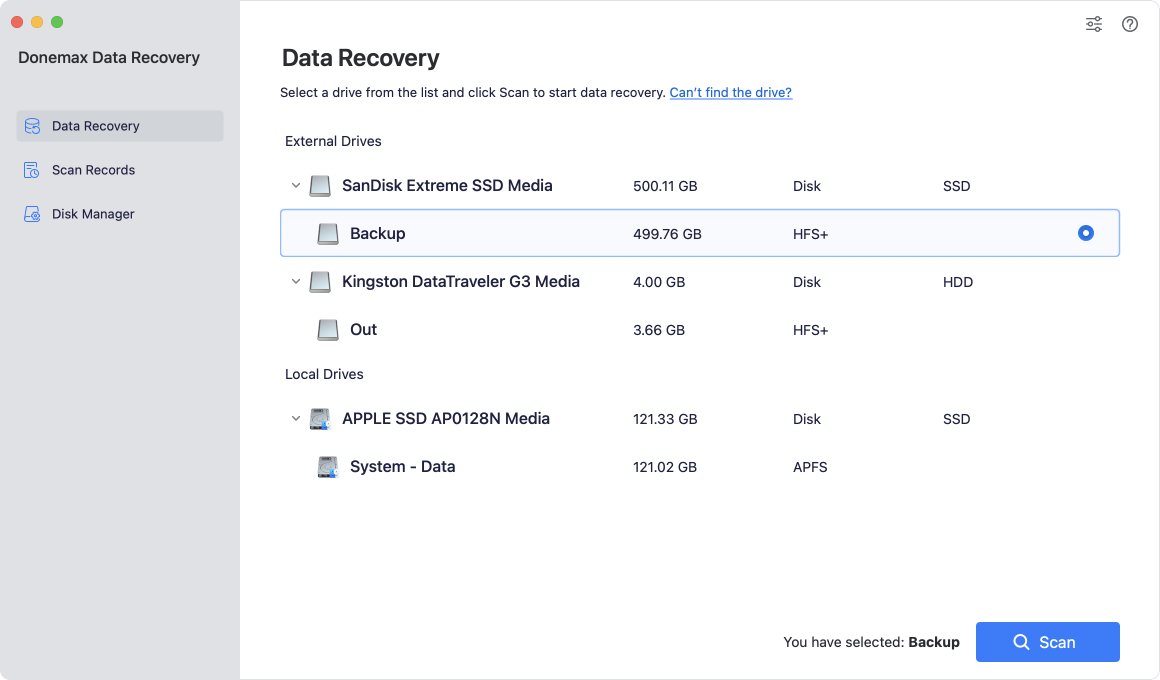
Step 2: Scan for Lost Data. Click the Scan button. The software will automatically start its smart analysis. It quickly searches through the drive, organizing everything it finds into neat, easy-to-read categories.
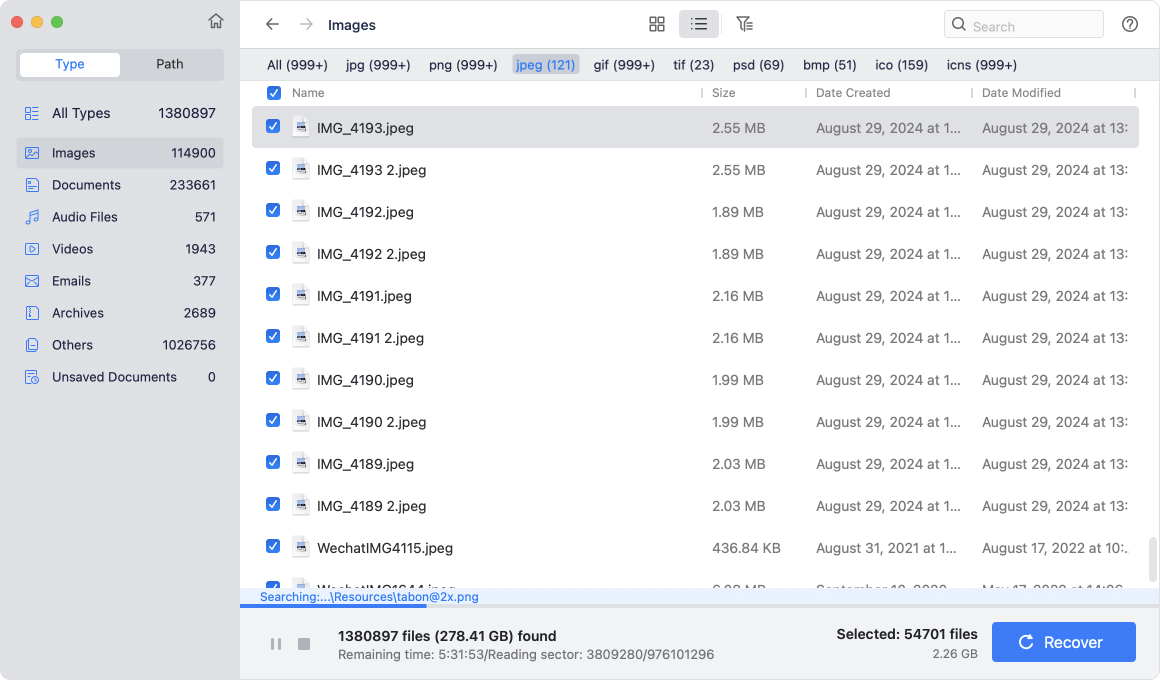
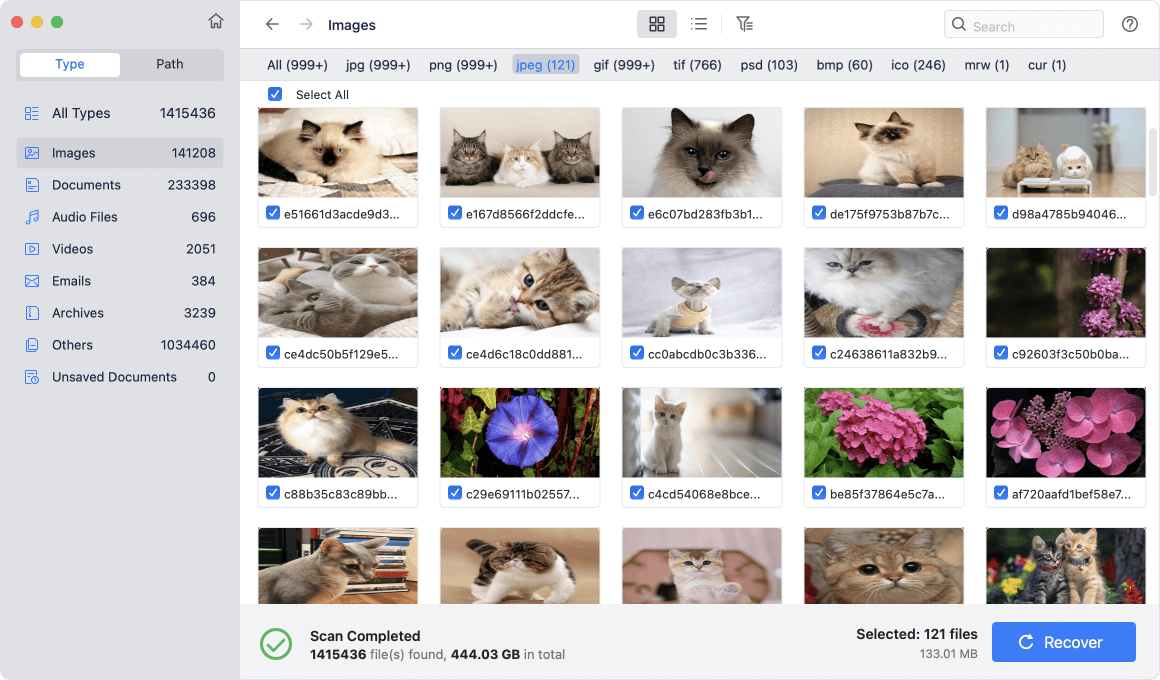
Step 3: Preview and Save. Look through the list of discovered files. You can double-click on photos, documents, or videos to preview them first. Once you spot your missing files, check their boxes and click Recover to save them to a safe location.
To maximize your chances of getting every single byte back, keep these simple practices in mind:
Losing data is incredibly stressful, but it does not have to be permanent. With the arrival of macOS 27 Golden Gate, older file rescue software simply cannot do the job anymore.
Choosing an AI-based data recovery solution for macOS 27 Golden Gate is the smartest move you can make. It gives you the advanced technology required to navigate Apple's newest features.
Donemax Data Recovery for Mac brings together that advanced artificial intelligence with a simple, stress-free design. Do not leave your valuable memories or business files to chance. Download Donemax Data Recovery for Mac today and bring your lost files back home in just a few clicks.
Donemax Data Recovery for Mac
Donemax Data Recovery for Mac is one of the best Mac data recovery software. It is easy-to-use and can help in recovering deleted, formatted, inaccessible or lost data from Mac HDD/SSD, external disk, USB drive, SD card, camera or other storage devices.
Steven
Steven has been a senior writer & editor of Donemax software since 2020. He's a super nerd and can't imagine the life without a computer. Over 6 years of experience of writing technical solutions and software tesing, he is passionate about providing solutions and tips for Windows and Mac users.
Gerhard Chou
In order to effectively solve the problems for our customers, every article and troubleshooting solution published on our website has been strictly tested and practiced. Our editors love researching and using computers and testing software, and are willing to help computer users with their problems