Top 10 Mac Data Recovery Software for 2026

Christina
Written byChristinaUpdated on Feb 05, 2026

Gerhard Chou
Approved byGerhard Chou

Table of Contents

Before we start: With the best Mac data recovery software, you can easily and effectively recover the deleted or lost files in different data loss scenarios. When data loss happened, stop using the drive immediately to avoid further damage. Then download the software like Donemax Data Recovery for Mac to get lost data back as soon as possible.


 Download

Mac Data Recovery

Rate: 4.8


PAGE CONTENT:

Data loss on macOS can happen at any time—whether due to accidental deletion, formatting errors, system crashes, macOS updates, or hardware failure. With Apple's continued shift toward APFS, Apple Silicon chips, and stronger security mechanisms, data recovery in 2026 requires powerful and compatible tools.

Fortunately, several Mac data recovery software solutions are designed to recover lost files safely and efficiently. In this guide, we review the top 10 Mac data recovery software for 2026, comparing features, performance, compatibility, pricing, and ideal use cases to help you choose the right solution.

top 10 Mac data recovery software for 2026

How to Select the Best Mac Data Recovery Software?

To ensure accurate and practical recommendations, we evaluated each tool based on the following criteria:

Compatibility

Recovery Capabilities

  • Deleted and formatted file recovery
  • Corrupted APFS/HFS+ partitions
  • External drives, SSDs, USBs, SD cards

File Type Support

  • Photos, videos, documents, emails, audio
  • RAW camera files and professional formats

Ease of Use

  • Beginner-friendly interface
  • Simple recovery process

Performance

  • Scan speed
  • Deep scan accuracy

Security

  • Offline recovery
  • No data upload to cloud servers

Pricing

  • Free version limits
  • Subscription vs lifetime licenses

Top 10 Mac Data Recovery Software for 2026

Top 1. Donemax Data Recovery for Mac

top 10 Mac data recovery software for 2026

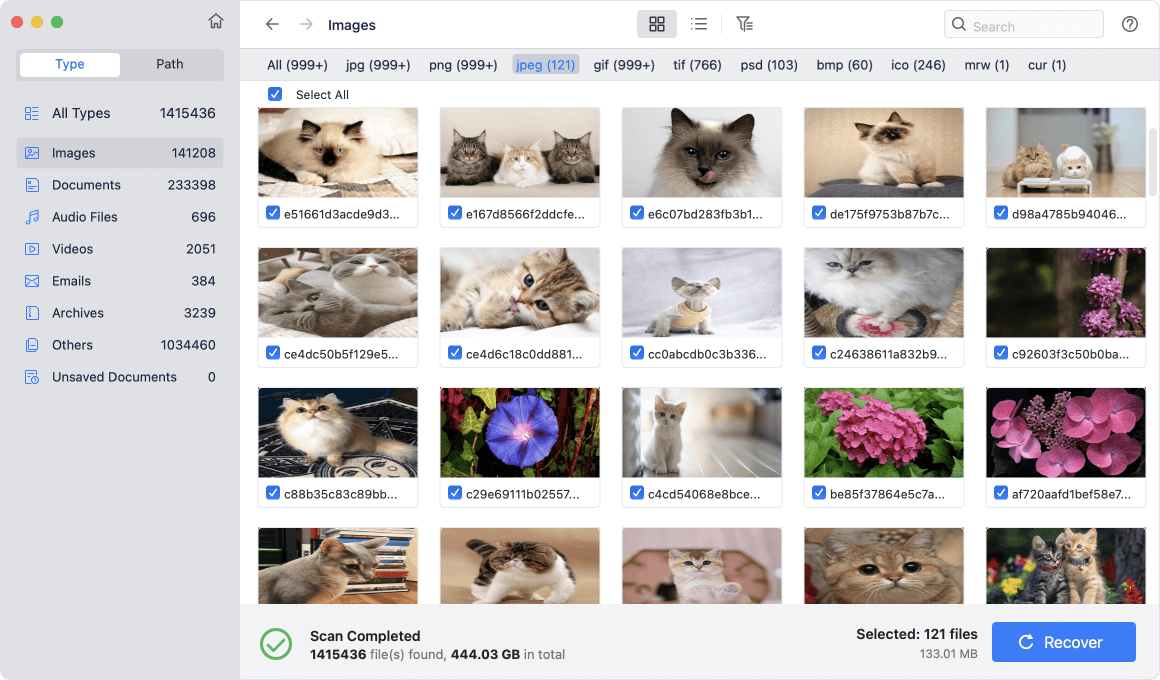
Donemax remains one of the most popular Mac data recovery tools in 2026 due to its strong performance, intuitive interface, and wide file system support.

Donemax Data Recovery for Mac

  • The best Mac data recovery software for 2026.
  • Support latest macOS Tahoe and Apple Silicon Macs.
  • Data Recovery for different drives and file types.
 

 Download

Mac Data Recovery

Rate: 4.8


Key Features:

  • Automatic deep scan
  • Preview files before recovery
  • Data recovery for unsaved documents and browser bookmarks
  • Additional features: Export/Import scan result, disk manager

Pros

  • Very user-friendly
  • Fast scanning
  • Wide file format support

Cons

  • Free recovery limit is small
  • Subscription pricing

Supported macOS: OS X 10.11 ~ macOS Tahoe, Apple Silicon

Pricing: From $69.95

Best For: Beginners who want a simple, guided recovery experience
Top 2. Disk Drill for Mac

top 10 Mac data recovery software for 2026

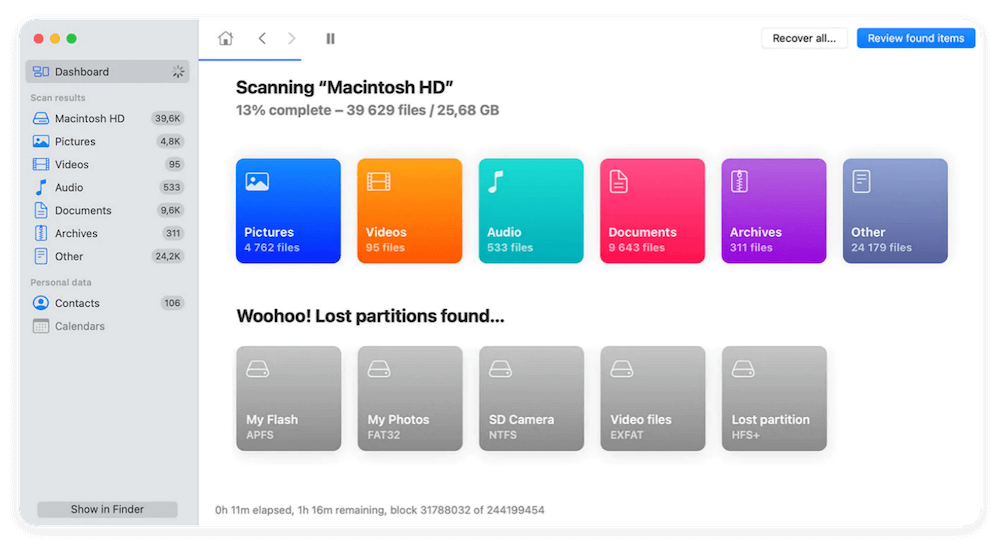
Disk Drill offers a polished interface and excellent recovery success for both basic and advanced data loss scenarios.

Key Features:

  • Recovers data from APFS, HFS+, exFAT, NTFS
  • Supports internal and external drives
  • Extra tools: disk health, cleanup, recovery vault

Pros

  • Easy for beginners
  • Strong recovery success rate
  • Useful disk management tools

Cons

  • Free version has limited recovery
  • Advanced features require paid plan

Supported macOS: Ventura, Sonoma, newer versions

Pricing: Starts around $89

Best For: General Mac users who want reliable, all-in-one recovery
Top 3. Stellar Data Recovery for Mac

top 10 Mac data recovery software for 2026

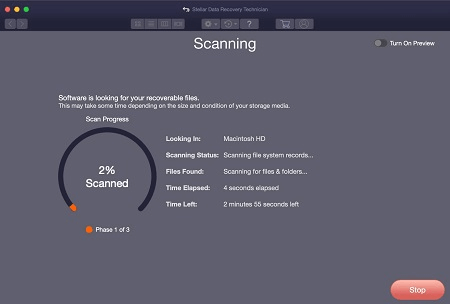
Stellar is known for handling complex data loss situations, including corrupted volumes and damaged media.

Key Features:

  • Deep scan for corrupted drives
  • Photo and video repair tools
  • Bootable recovery media

Pros

  • Excellent for damaged drives
  • Strong media repair features
  • Professional-grade recovery

Cons

  • Higher price
  • Interface can feel complex

Supported macOS: All modern macOS versions

Pricing: From $79.99

Best For: Advanced users and professionals
Top 4. Wondershare Recoverit for Mac

top 10 Mac data recovery software for 2026

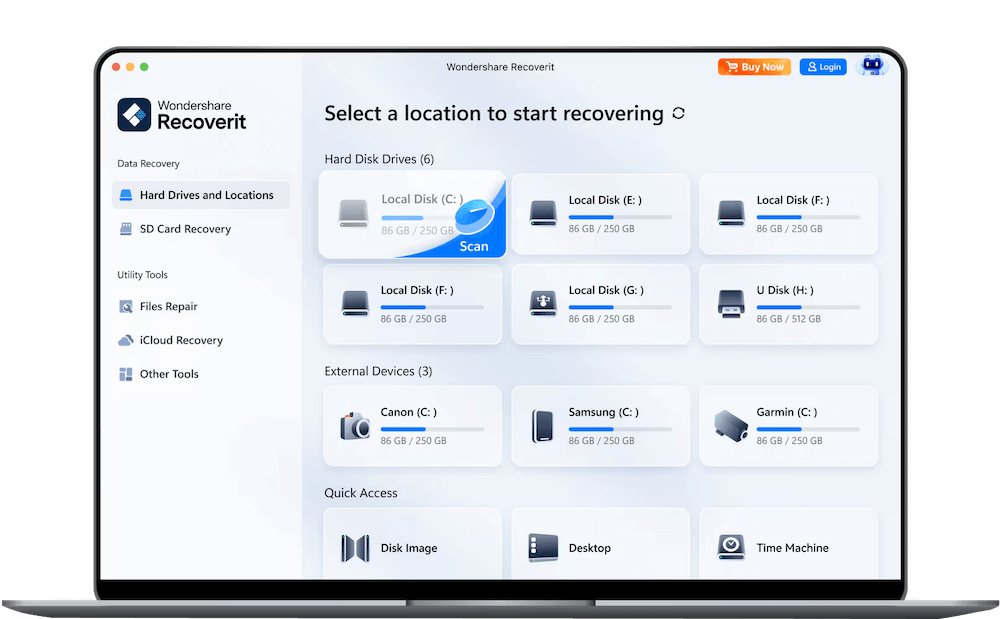
Recoverit specializes in video recovery and supports a wide range of devices including NAS systems.

Key Features:

  • Video repair and recovery
  • External drive and NAS recovery
  • Preview before restore

Pros

  • Excellent for video files
  • Simple UI
  • Reliable deep scans

Cons

  • Limited free version
  • Slower scans on large drives

Supported macOS: Apple Silicon & Intel

Pricing: From $79.99

Best For: Video creators and media professionals
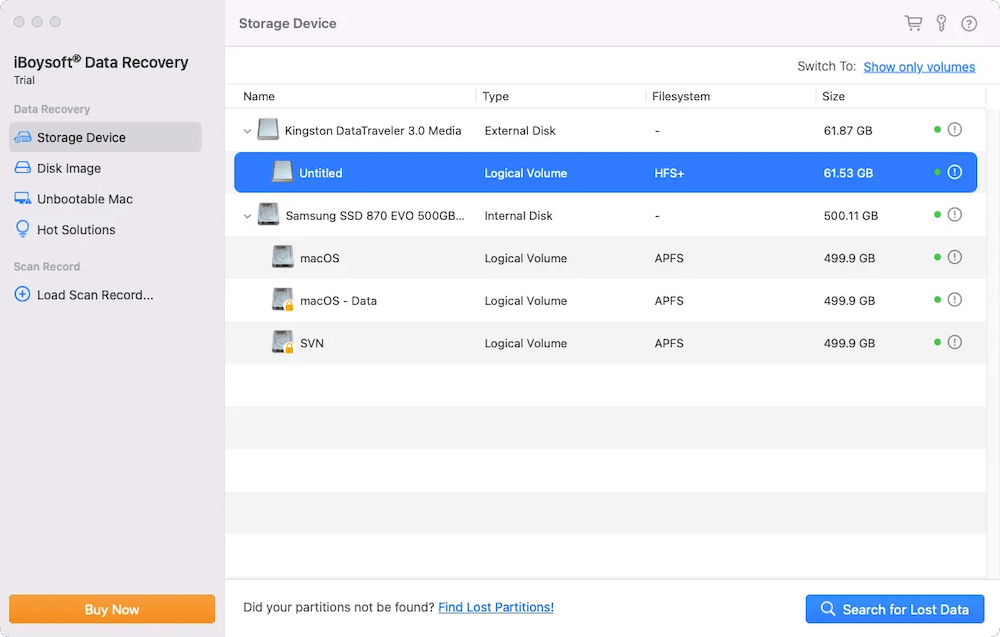
Top 5. iBoysoft Data Recovery for Mac

top 10 Mac data recovery software for 2026

iBoysoft focuses on encrypted drives and macOS crash recovery, making it ideal for modern Macs.

Key Features:

  • T2 and Apple Silicon encrypted recovery
  • macOS boot failure recovery
  • APFS and HFS+ support

Pros

  • Great for newer Macs
  • Strong encryption support
  • Lightweight software

Cons

  • Fewer extra tools
  • Limited free recovery

Supported macOS: Ventura, Sonoma

Pricing: From $89.95

Best For: Apple Silicon Mac users
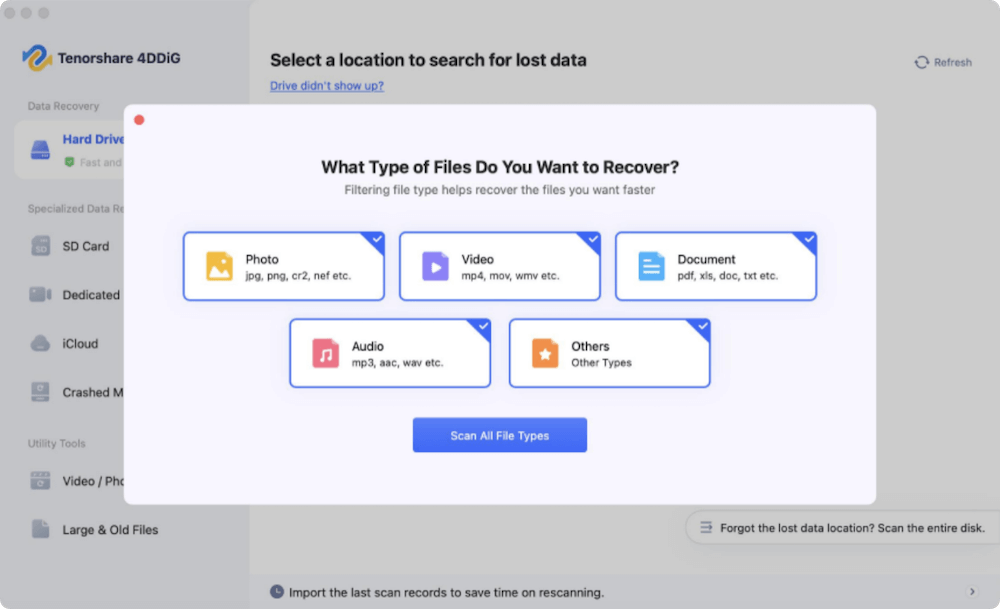
Top 6. Tenorshare 4DDiG Mac

top 10 Mac data recovery software for 2026

Tenorshare 4DDiG offers fast scans and strong file preview features for quick recovery.

Key Features:

  • Deep and quick scans
  • File preview
  • External device recovery

Pros

  • Fast scanning
  • Clean interface
  • Affordable pricing

Cons

  • Fewer advanced features
  • No RAID support

Supported macOS: Apple Silicon compatible

Pricing: From $59.95

Best For: Budget-conscious users
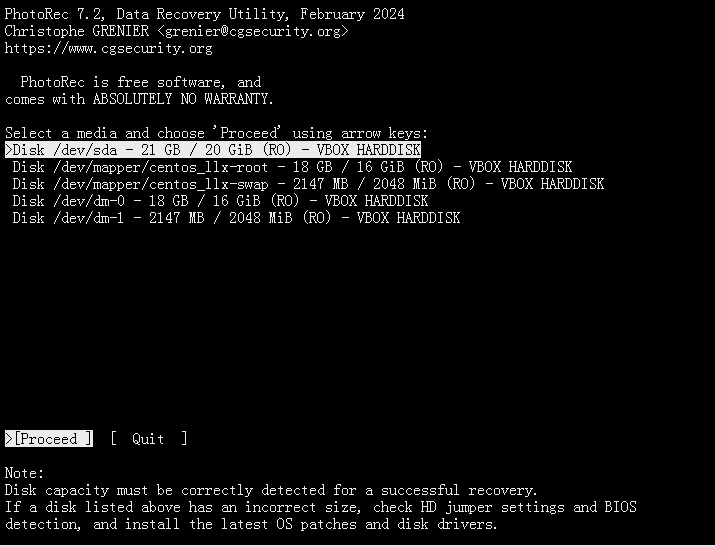
Top 7. PhotoRec (TestDisk)

top 10 Mac data recovery software for 2026

PhotoRec is a free, open-source recovery tool that uses file signature scanning.

Key Features:

  • Works on many file systems
  • Completely free
  • Cross-platform

Pros

  • No cost
  • Powerful recovery engine
  • Supports many file types

Cons

  • Command-line interface
  • No file previews
  • No folder structure recovery

Supported macOS: All versions

Pricing: Free

Best For: Tech-savvy users who want a free solution
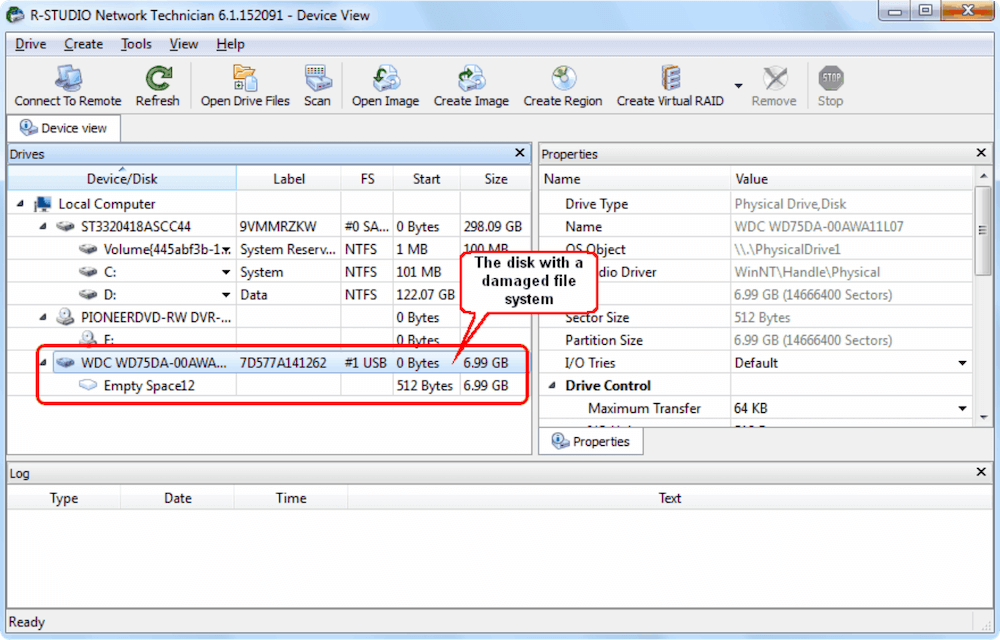
Top 8. R-Studio for Mac

top 10 Mac data recovery software for 2026

R-Studio is a professional data recovery solution used by IT specialists and forensic experts.

Key Features:

  • RAID and network recovery
  • Advanced file reconstruction
  • Hex editor

Pros

  • Extremely powerful
  • Supports complex recovery
  • Great for IT professionals

Cons

  • Steep learning curve
  • Expensive

Supported macOS: All modern macOS

Pricing: From $79.99

Best For: Professionals and forensic recovery
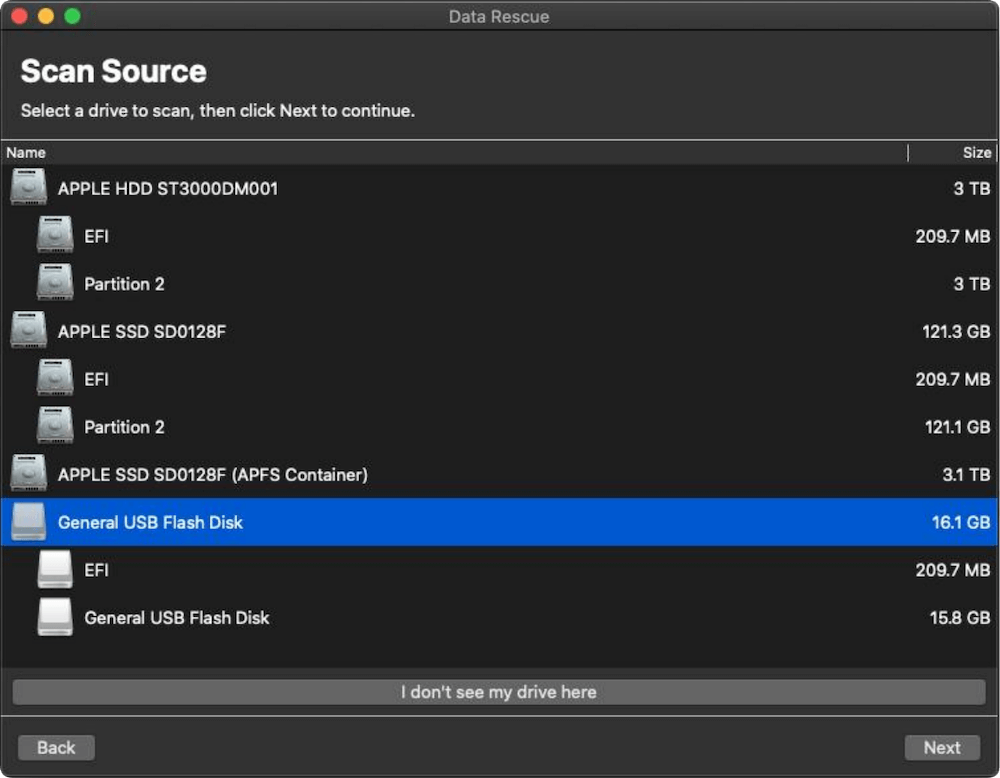
Top 9. Data Rescue (Prosoft)

top 10 Mac data recovery software for 2026

Data Rescue has been a trusted Mac recovery tool for years and still performs well in 2026.

Key Features:

  • Deep scans
  • Drive cloning
  • File preview

Pros

  • Reliable recovery
  • Simple interface
  • Good for older Macs

Cons

  • No longer frequently updated
  • Limited modern features

Supported macOS: Ventura and earlier

Pricing: From $99

Best For: Traditional Mac users

Top 10. Do Your Data Recovery for Mac

top 10 Mac data recovery software for 2026

DoYourData offers a lightweight and straightforward recovery experience.

Key Features:

  • Quick scans
  • External device support
  • File preview

Pros

  • Easy to use
  • Affordable
  • Good for home users

Cons

  • Limited advanced tools
  • Slower deep scans

Supported macOS: Apple Silicon supported

Pricing: From $49

Best For: Casual users with basic recovery needs

Compare Free and Paid Mac Data Recovery Software

When it comes to Mac data recovery in 2026, one of the first decisions you'll face is whether to use free software or invest in a paid tool. Both approaches can recover lost files, but they vary significantly in features, usability, and reliability.

Understanding the trade-offs can save you time, frustration, and — most importantly — your data.

What Free Mac Data Recovery Software Offers

Free data recovery tools can be useful, especially for simple scenarios like recovering recently deleted files. They are appealing because they cost nothing and often support multiple file types and devices. However, there are important limitations to understand before relying on them.

Pros of Free Tools

  • Zero Cost: You pay nothing upfront, which is ideal if you're on a tight budget or testing whether recovery is possible.
  • Broad File System Support: Open-source tools like PhotoRec can scan APFS, HFS+, FAT, and NTFS drives.
  • Supports Many File Types: Photos, documents, videos, and more can often be identified by their file signatures.
  • No Subscription Lock-ins: Free tools don't require yearly renewals or upgrades.

Cons of Free Tools

  • Limited Ease-of-Use: Many free tools lack graphical interfaces — some, like PhotoRec, use command-line screens. This can be intimidating for beginners.
  • No File Previews: You may not see a preview of recoverable files before restoring them, making it hard to distinguish duplicates, damaged files, or unwanted items.
  • Folder Structure Lost: Free tools often recover files individually without preserving the original folder hierarchy, forcing you to reorganize everything manually.
  • Slow Deep Scans: Deep scanning without optimization can take hours or even days on large drives.
  • No Official Support: If something goes wrong, there's no dedicated customer service to help.
  • No Additional Tools: Features like disk health checks, bootable recovery drives, drive cleanup, and data protection aren't included.

Best Use Cases for Free Software

  • You accidentally deleted a small number of files
  • You're comfortable with technical interfaces
  • You just need to verify if recovery might be possible

What Paid Mac Data Recovery Software Offers

Paid recovery tools are professional-grade solutions built for reliability and ease of use. They tend to cost between $60 and $120 but offer powerful features that justify the investment — especially when valuable data is at stake.

Pros of Paid Tools

  • User-Friendly Interfaces

    Intuitive dashboards and guided workflows make recovery accessible even for beginners. Most paid tools let you click through scans, filter results, and preview files before restoring them.

  • Preview Before Recovery

    One of the biggest advantages is seeing thumbnails or full previews of pictures, documents, and videos before recovery — helping you avoid clutter and recover only what's needed.

  • Preserved Folder Structure

    Paid tools often maintain your original folder tree, so recovered data goes right back where you expect it.

  • Faster, More Efficient Scans

    Optimized scanning engines in paid software deliver quicker results — especially for deep scans — while minimizing CPU load.

  • Advanced Recovery Modes

    Paid tools often include: APFS snapshot analysis; Partition reconstruction; RAID and NAS recovery (in professional plans); Corruption repair (video, photo, archive files)

  • Customer Support & Updates

    Paid licenses typically include: Tech support via live chat, email, or phone; Regular updates to stay compatible with new macOS releases; Bug fixes and feature enhancements

  • Extras Tools Included

    Many paid suites offer additional disk utilities: Disk monitoring and health checks; Disk cleanup and space optimization; Bootable recovery USB creators; Data protection vaults (prevent future losses)

Cons of Paid Tools

  • Cost: Even though prices are reasonable, they are still an investment.
  • Feature Overlap: Some users might never use all the advanced features they pay for.
  • Subscription Models: A few tools charge annual fees instead of one-time purchases.

Best Use Cases for Paid Software

  • You're recovering critical or business files
  • Your drive is corrupted, formatted, or not mounting
  • You want fast results with minimal technical know-how
  • You want support and ongoing updates

How to Choose the Right Mac Data Recovery Tool?

Choose based on:

Your Data Loss Scenario

  • Deleted files → Donemax, Disk Drill
  • Corrupted drives → Stellar
  • Encrypted drives → iBoysoft

Your Skill Level

  • Beginners → Donemax, Cisdem
  • Professionals → R-Studio

Your Budget

  • Free → PhotoRec
  • Affordable → Tenorshare, Cisdem

Your Device

  • Apple Silicon Macs → Donemax, iBoysoft
  • External drives → Recoverit, Stellar

Common Mac Data Loss Scenarios in 2026

  • macOS update failures
  • APFS volume corruption
  • SSD wear and failure
  • T2/Apple Silicon security restrictions
  • External drive compatibility issues

Final Verdict

For 2026, Donemax offers the best overall balance of performance, ease of use, and features.

DoYourData is ideal for beginners, while R-Studio suits professionals. If you need a free solution, PhotoRec remains a strong choice for advanced users.

No matter which tool you choose, act quickly after data loss to maximize recovery success.

logo stage

Donemax Data Recovery for Mac

Donemax Data Recovery for Mac is one of the best Mac data recovery software. It is easy-to-use and can help in recovering deleted, formatted, inaccessible or lost data from Mac HDD/SSD, external disk, USB drive, SD card, camera or other storage devices.


 Download

Mac Data Recovery

Rate: 4.8


Christina
Contributing Writer

Christina

Christina is the senior editor of Donemax software who has worked in the company for 4+ years. She mainly writes the guides and solutions about data erasure, data transferring, data recovery and disk cloning to help users get the most out of their Windows and Mac. She likes to travel, enjoy country music and play games in her spare time.

Gerhard Chou
Editor in chief

Gerhard Chou

In order to effectively solve the problems for our customers, every article and troubleshooting solution published on our website has been strictly tested and practiced. Our editors love researching and using computers and testing software, and are willing to help computer users with their problems