Written byStevenUpdated on Feb 24, 2026

Summary: There are some applications that can clone disk effectively. However, if you need to use the software for enterprise and business usage, you need to find and use enterprise license. For example, Donemax Disk Clone Enterpise offers easy-to-use and 100% safe disk cloning solution for enterprise and business users, it also allows you to provide disk cloning service for your customers without any limitation.
PAGE CONTENT:
Disk cloning software provides a reliable and simple way to help you replace or update disk. If you want to replace/update a disk with a new one, you can use a disk cloning software to clone the old disk to the new one directly. Then you can use the new disk directly the same as the old disk. With this solution, you don't need to migrate your data manually. It's very useful especially for system disk. You don't need to reinstall the system, applications, etc.
There is another use of the disk clone software. You can clone your data on a disk as a backup solution. It's very simple to clone and back up data by using this software. With this method, you can create an exact copy of your data on a disk. It's an effective way to back up data by cloning disk with the disk clone software.
There are many disk cloning software in the market that can help you clone disk. However, if you are serving a company or some clients, a single and professional license cannot work in such a case. If you purchase each machine a single license, it will be expensive. Actually, there are enterprise or business licenses for disk cloning software that can work for multiple machines with affordable price. Here we will show you the top 4 disk clone software for enterprise and business.
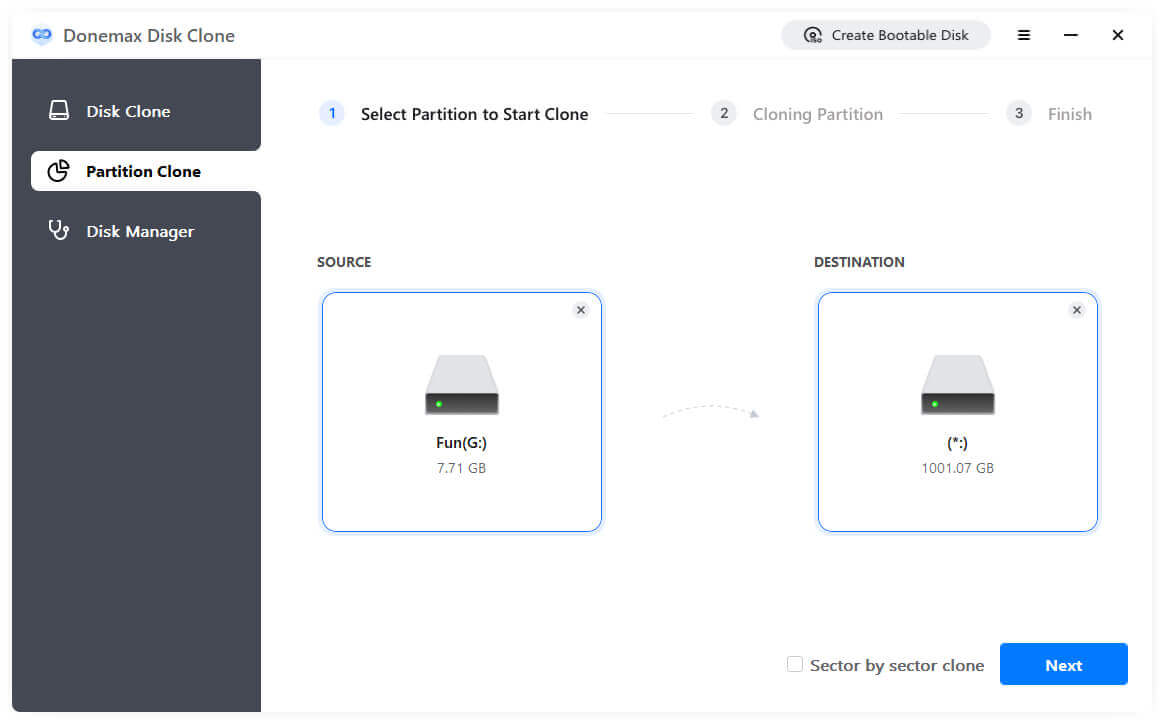
The first one we suggest for you is Donemax Disk Clone. With this software, you can easily clone your disk or partition. The software is very simple to use. The software can only help you do the disk cloning work. So you don't be afraid that the software will be complex to use.
Also, the software provides sector level disk clone. This option can ensure to create an exact copy of your data on the disk. It can also clone different type of drive, including HDD, SSD, USB flash drive, memory card, and so on. The software is also full compatible with Windows Vista/7/8/10/11/Server.
At last, the software provides enterprise license for business users. If you need to use the software and clone disk on multiple machines in a company or use it to provide service for clients, we suggest you purchase enterprise license to help you.
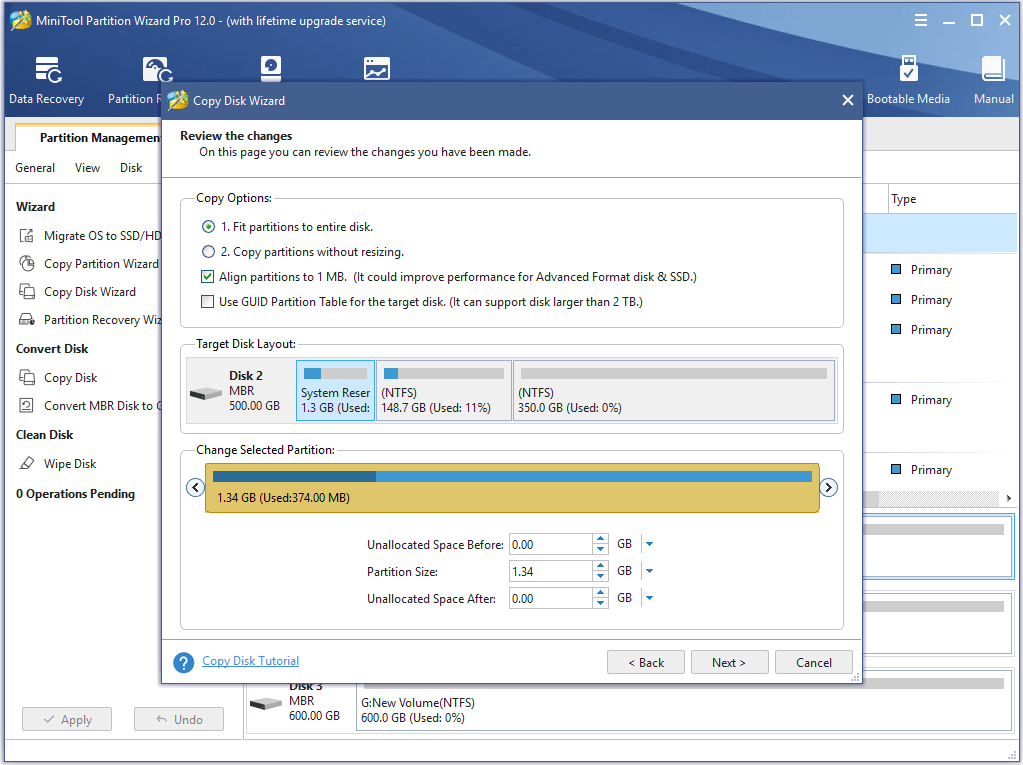
MiniTool Partition Wizard is another disk cloning software available for Windows. It's a highly competent hard disk cloning software which can clone disk fast and effectively. The software is very simple to use with intuitive interface, making it very easy to use for any users. Also, it can clone the the most common drives on Windows.
Compare to other disk cloning software, this application can is able to do more for users. You can use it to mange disk/partitions on computer. You can use it to extend/shrink partitions quickly. If you want to have a comprehensive tool, you can choose this one. It can help you clone disk or do other things for you disk on the computer. As a professional tool, it also provides enterprise license for business.
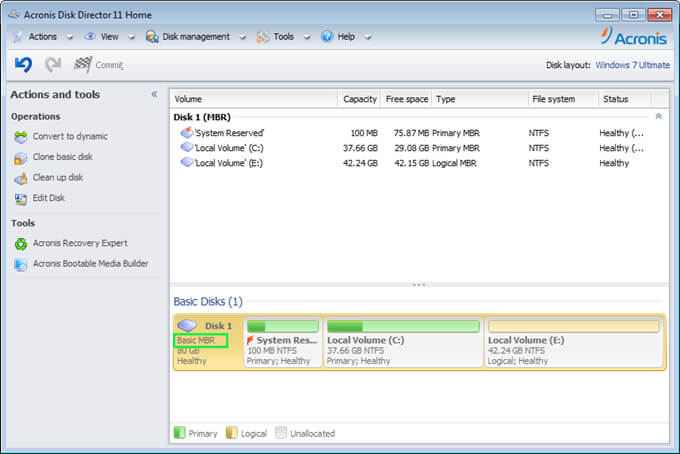
Like some of the simple disk cloning software, Acronis Disk Director provides the easy and easy understanding interface. Even the software is simple, the software is very powerful and effective to clone disk. Also, there are enough custom settings for you to clone disk flexibly. If you are a beginner, this software is proper for you.
As a perfect option for users to clone disk, the software also works in different operating systems, including Windows 7, Windows 8, Windows 10, Windows 11, Windows Server, etc. It can clone hard drive, SSD, flash drive, and any other digital storage media. Also, the software provides license for enterprise and business users.
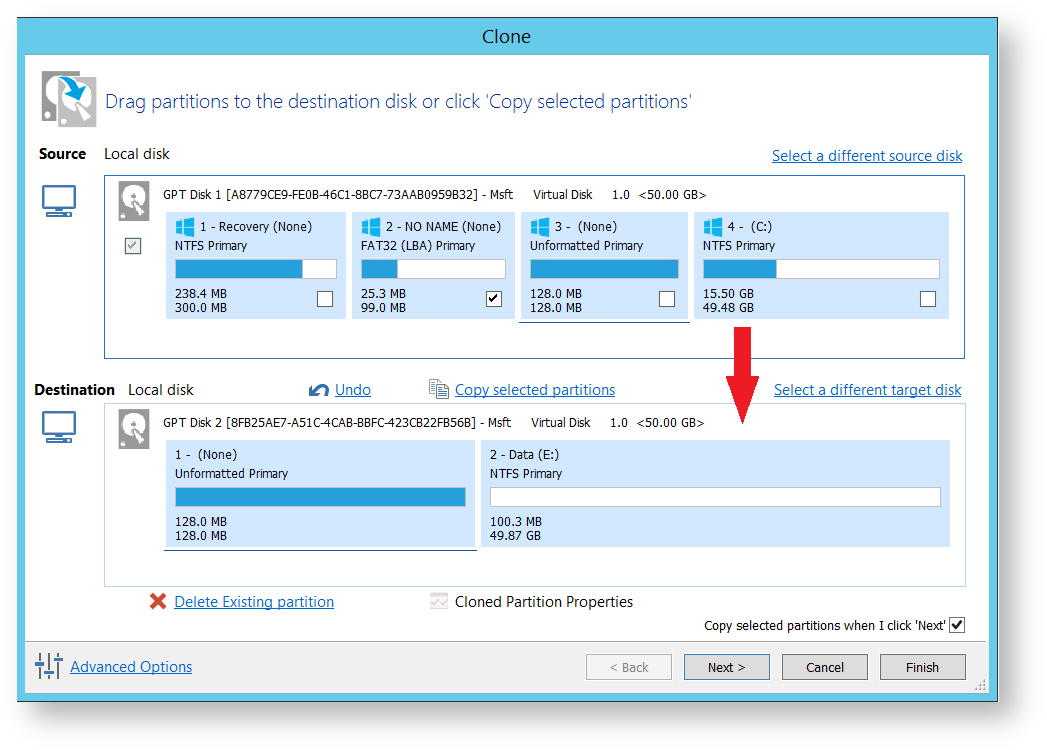
Macrium Reflect is known as another reliable disk clone software in the market. With straight and interface, users can accomplish the disk cloning task easily. Also, any users can easily learn about how to use this software with less effort.
This disk cloning software allows you to clone disk with all the data or system/application on the disk. There are some other options to help you clone the disk effective as you want. The software is very fast to clone disk and it's very reliable to ensure your data safe on the cloned disk. Should you need to clone disk for business purpose, you need to choose the enterprise license.
Cloning disk is simple and reliable with Donemax Disk Clone. If you want to make a full clone backup or migrate your system disk to a new one, the software can help you effectively. Here we will show you how to clone disk step by step:
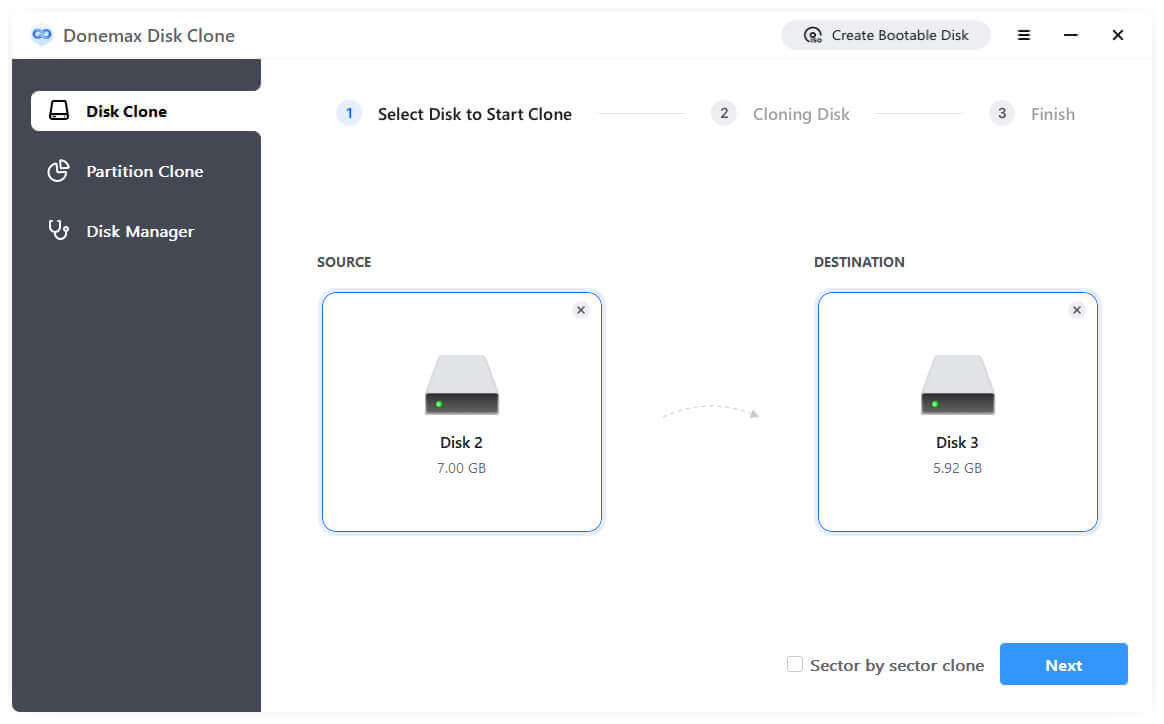
Step 1: Download and install the disk cloning software on your computer. Run the software and select Disk Clone mode. Select the source disk which you want to clone and the destination disk.
💡 Note: Ensure to select the right destination disk as it will be overwritten when cloning disk.
Step 2: Preview and check the disk layout for destination disk. If needed, you can also modify the layout to fully use the disk space.
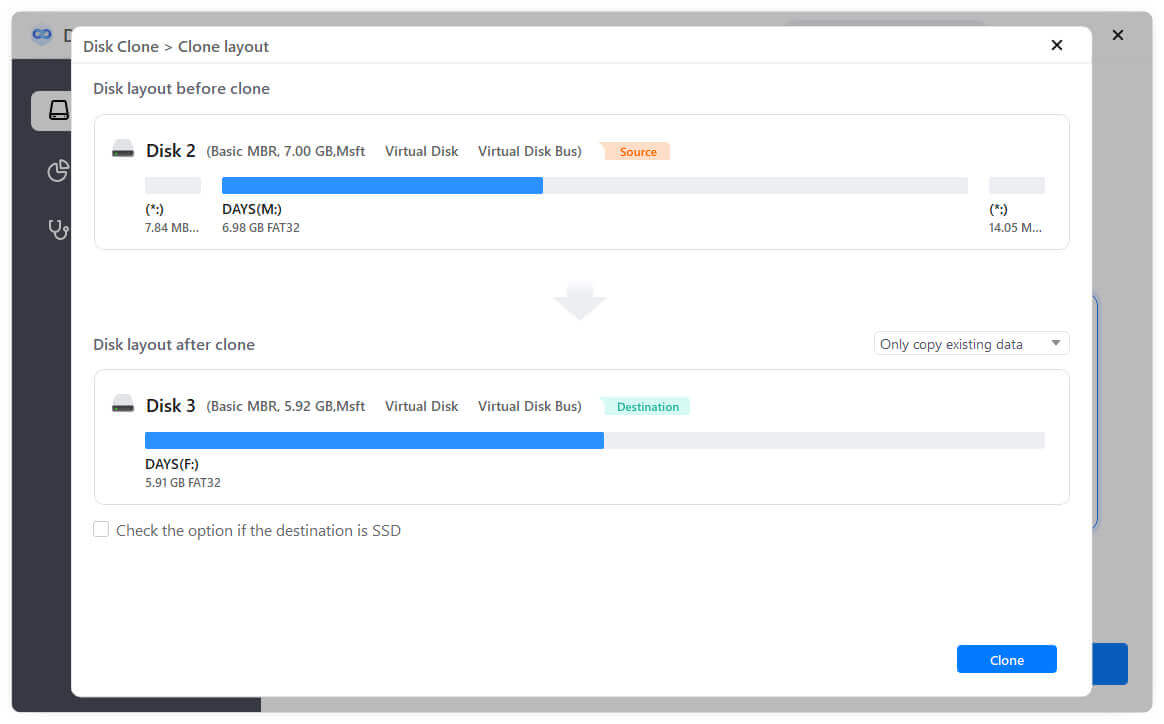
Step 3: Click the Clone button to start. The software will clone everything from the source disk to the destination disk.
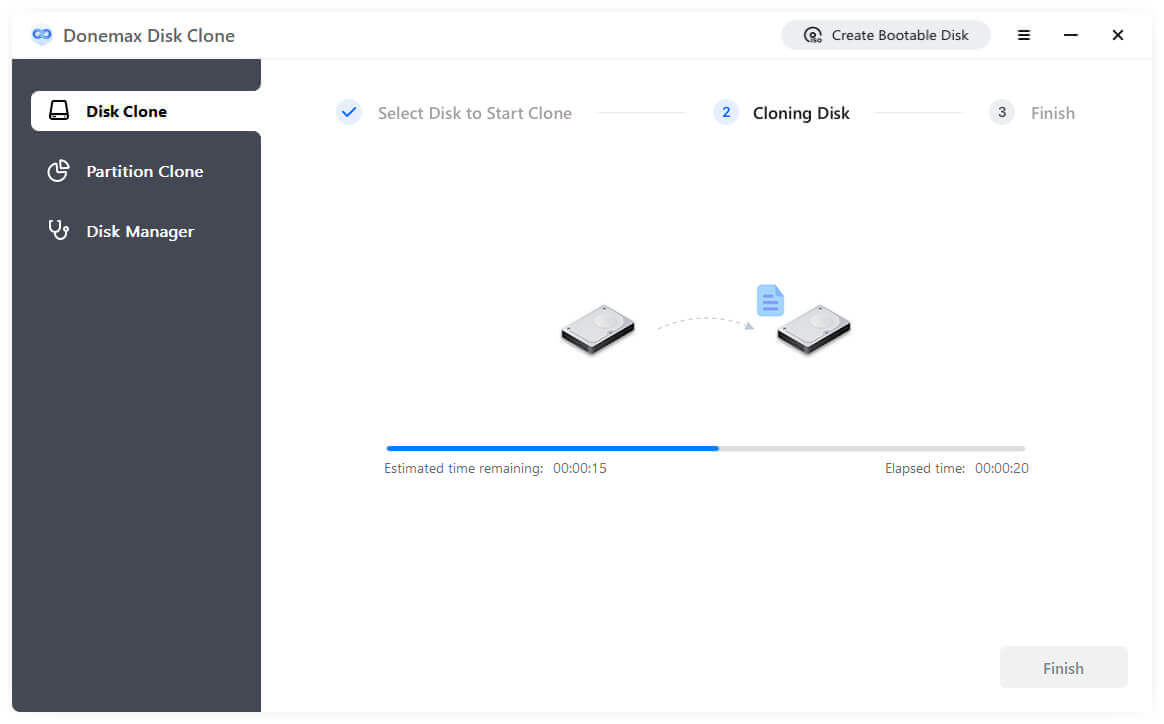
After the disk cloning process is done, you can then check the data on the destinatino disk. If the source disk is a working system disk, the cloned disk will also be bootable.
🪧 Tip: To create a bootable clone backup for macOS, you need to choose OS Clone mode in the Mac version of the software.
To keep your data safe, we suggest you clone your disk first with disk clone software first. It's very simple and effective for you to back up your data. Besides, If you want to find an easy way to replace/upgrade your disk, you can also check and choose one of the disk cloning software to help you. Donemax DMcloneshould always be the best choice for you. You can download and have a try first.
Donemax Disk Clone Enterprise
Powerful, Easy-to-use and 100% Safe Disk Cloning Software for Enterprise and Business. Fully and effectively to clone HDD/SSD/external device. It also can create full bootable clone backup for Windows PCs and Macs.
Steven
Steven has been a senior writer & editor of Donemax software since 2020. He's a super nerd and can't imagine the life without a computer. Over 6 years of experience of writing technical solutions and software tesing, he is passionate about providing solutions and tips for Windows and Mac users.
Gerhard Chou
In order to effectively solve the problems for our customers, every article and troubleshooting solution published on our website has been strictly tested and practiced. Our editors love researching and using computers and testing software, and are willing to help computer users with their problems